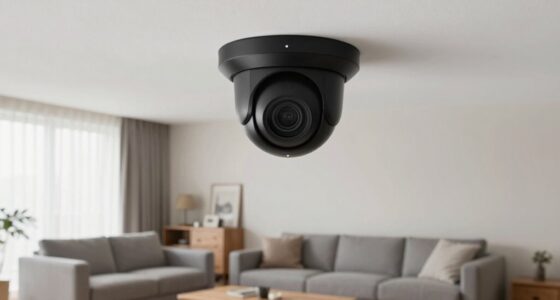
PoE cameras simplify your security setup by combining power and data into a single Ethernet cable, which makes installation faster and tidier. There’s no need for separate power outlets or extensive wiring, saving you hours and reducing clutter. With fewer connections and standardized components, you get a cleaner, more reliable system. If you want to learn how to implement this streamlined wiring plan and maximize efficiency, keep exploring the details below.

Turn the school run and nap time into listening time
- Thousands of audiobooks, podcasts and originals
- Listen on your phone, tablet or Echo — also offline
- Cancel anytime
Key Takeaways
- PoE cameras use a single Ethernet cable for both power and data, reducing wiring complexity.
- Simplified wiring plans eliminate the need for separate power outlets and extensive cabling.
- PoE switches or injectors enable quick and reliable installation with minimal setup time.
- Centralized power and management streamline maintenance and troubleshooting, saving hours.
- Clean wiring enhances system reliability, reduces downtime, and facilitates scalable, future-proof security setups.
As an affiliate, we earn on qualifying purchases.
What Are PoE Cameras and How Do They Work?

Are you curious about how PoE cameras simplify surveillance setup? These cameras combine power and data transfer through a single Ethernet cable, making installation straightforward. PoE cameras typically offer high camera resolution, providing clear images essential for security. The installation requirements are minimal since you only need an Ethernet port and power source, eliminating the need for separate wires or outlets. This setup reduces clutter and speeds up deployment, especially in challenging locations. PoE switches or injectors supply power directly through the Ethernet cable, ensuring your camera stays powered without extra equipment. As a result, you get a reliable, easy-to-install surveillance system with sharp image quality, all while saving time and reducing installation costs. Additionally, power over Ethernet technology enhances system reliability by minimizing points of failure. Using standardized wiring also helps ensure compatibility and simplifies troubleshooting. Moreover, understanding network infrastructure is crucial for optimizing system performance and scalability.
As an affiliate, we earn on qualifying purchases.
How to Pick the Right PoE Camera System for Your Home or Business

Choosing the right PoE camera system for your home or business starts with evaluating your security needs and environment. Consider where you’ll place cameras to maximize coverage and guarantee critical areas are monitored, such as entrances, driveways, or storage rooms. Think about your security protocols—do you need motion detection, night vision, or remote access? These features influence the type of cameras you select. Also, assess whether your current network can support multiple cameras without slowing down. Opt for a system that’s scalable, so you can add more cameras later if needed. Additionally, understanding the importance of high-quality video resolution can help you choose cameras that provide clear images for effective monitoring. Proper camera placement and choosing features aligned with your security protocols can significantly improve your overall security infrastructure. Evaluating your existing network capacity is crucial to ensure seamless operation and avoid potential disruptions. Considering the benefits of energy-efficient hardware can help reduce ongoing operational costs and promote sustainability. By carefully analyzing camera placement and security protocols, you’ll choose a system that provides effective coverage, simplifies management, and enhances your security infrastructure. Furthermore, selecting cameras with color night vision can enhance visibility during low-light conditions, improving security effectiveness.
As an affiliate, we earn on qualifying purchases.
Why PoE Cameras Make Installation Faster and Cleaner

PoE cameras simplify installation by combining power and data transmission into a single Ethernet cable, which eliminates the need for multiple wiring runs. This streamlined setup makes camera placement easier, especially in hard-to-reach areas. Additionally, fewer cables mean a cleaner look and less clutter. Here are some reasons why PoE cameras save time and effort:
- You can position cameras wherever needed without worrying about nearby power outlets.
- Fewer cables reduce the risk of tangling or damage during installation.
- High image resolution doesn’t require extra power adapters, simplifying setup.
- Network configuration is more straightforward, speeding up deployment.
- The navigation and mapping capabilities of modern PoE cameras help streamline setup by automatically detecting optimal placement locations. Moreover, their remote management features allow for quick adjustments without physical access, further saving time during installation.
- The power and data integration in PoE cameras ensures a more reliable connection, minimizing troubleshooting and maintenance efforts later, especially given their network compatibility with existing infrastructure.
- The use of standardized components in PoE systems enhances compatibility, reducing the need for custom solutions and further simplifying the installation process.
As an affiliate, we earn on qualifying purchases.
How to Install Your PoE Cameras Step by Step

Installing your PoE cameras involves a straightforward process that you can complete in a few clear steps. First, determine ideal camera placement, focusing on high-traffic areas and entry points. Consider camera angles to maximize coverage and minimize blind spots. Use the table below to visualize your setup:
| Location | Camera Placement | Ideal Camera Angles |
|---|---|---|
| Front Door | Eye-level, angled slightly downward | Clear view of visitors’ faces |
| Backyard | Elevated, overlooking the yard | Wide, unobstructed view |
| Garage Entrance | Near eye level, angled towards driveway | Capture license plates |
| Living Room | Corner, pointing toward entry points | Minimize glare, maximize focus |
| Side Yard | Overhead, angled downward | Protect against intruders |
Follow these steps to secure your cameras, ensuring effective coverage and optimal surveillance. Proper installation also includes cable management, which helps prevent damage and maintains a clean appearance. Incorporating techniques from nanotechnology can further enhance the durability and efficiency of your camera system, especially in harsh environments. Additionally, understanding field‑of‑view and imaging‑scale concepts can help you optimize placement for better coverage and image quality. To achieve the best results, consider environmental factors such as weather conditions and lighting, which can significantly impact camera performance.
Troubleshooting Common PoE Camera Problems

When your PoE camera isn’t working properly, the first step is to check the power supply to make certain it’s getting enough power. Next, verify the network connection so your camera can communicate with your system. If the image quality is poor, examine the camera’s settings and cables for any issues. Additionally, ensure your setup is optimized for maximizing your truck bed’s potential, as proper organization and planning can prevent many common problems. You might also want to consider essential oils for camera maintenance, which can help keep your equipment functioning smoothly and extend its lifespan. Incorporating regular air purifier maintenance can also help maintain optimal performance of your surveillance equipment by reducing dust and contaminants that may impair operation. To further enhance reliability, review your whole‑home backup power options to ensure continuous operation during outages.
Power Supply Issues
Power supply issues are a common cause of connectivity problems in PoE cameras. If your camera isn’t functioning properly, check the power supply first. Poor voltage regulation can lead to insufficient power delivery, causing flickering or complete failure. To troubleshoot, consider these steps:
- Verify the power source is stable and meets the camera’s voltage requirements.
- Inspect the Ethernet cable for damage or poor connections affecting power transmission.
- Use a multimeter to test voltage levels at the camera’s power input.
- Ensure the PoE switch or injector supplies adequate power according to the camera’s specifications.
- Remember that proper power management plays a crucial role in maintaining reliable camera operation. Additionally, understanding voltage regulation helps prevent common issues related to inconsistent power supply. Properly powering devices with stable and consistent power sources can significantly enhance overall system reliability. Regularly monitoring power quality can help detect issues before they cause camera failures.
Addressing power supply and voltage regulation issues often resolves most camera connectivity problems quickly and effectively.
Network Connectivity Troubles
Network connectivity issues are a common barrier to proper PoE camera operation. Wireless interference can disrupt data transmission, causing video dropouts or lag. Additionally, limited network bandwidth may slow down or prevent camera feeds from loading correctly. To troubleshoot, check for interference sources like nearby Wi-Fi routers or cordless phones. Confirm your network has enough bandwidth to handle multiple cameras streaming simultaneously. Use the following table as a quick reference:
| Issue | Solution |
|---|---|
| Wireless interference | Relocate cameras or eliminate interference sources |
| Insufficient bandwidth | Upgrade network or limit camera stream quality |
| Loose or damaged cables | Inspect and replace faulty Ethernet cables |
| Network congestion | Prioritize camera traffic or reduce other network load |
Camera Image Problems
Camera image problems can be frustrating, but many issues are easily fixable with proper troubleshooting. If your camera image is blurry or unclear, start by inspecting the camera lens for dirt or smudges and clean it gently. Next, check the image resolution settings to ensure you’re getting the quality you need. Sometimes, low resolution causes fuzzy images. Also, verify that your camera’s focus is properly adjusted. Finally, examine the wiring for any loose connections or damage that could affect image transmission. Here’s a quick checklist:
- Clean the camera lens thoroughly.
- Adjust or increase the image resolution.
- Ensure the camera’s focus is correctly set.
- Confirm all wiring connections are secure and intact.
Addressing these points usually resolves most camera image problems quickly.
PoE vs Wired and Wireless Security Cameras: Which Is Better?

When selecting between PoE, wired, and wireless security cameras, understanding their differences can help you make an informed decision. PoE cameras offer reliable power and data transfer through a single cable, reducing clutter. Wired cameras are highly stable but require extensive wiring, making installation more complex. Wireless cameras provide flexibility but may face interference and security risks. For example, camera lens quality impacts image clarity, while data encryption ensures your footage stays secure. Consider this comparison:
| Feature | PoE Cameras | Wired Cameras | Wireless Cameras |
|---|---|---|---|
| Installation | Moderate, single cable | Complex, lots of wiring | Easy, no wiring needed |
| Security | High, data encryption | Very secure | Moderate, encryption varies |
| Reliability | Very high | Extremely reliable | Can be affected by interference |
| Flexibility | Limited by cable length | Fixed location | Highly flexible |
| Maintenance | Low | Moderate | Easy to maintain |
Choose based on your security needs and setup preferences.
Best Practices for Maintaining Your PoE Camera Network

Maintaining your PoE camera system is essential to guarantee reliable security coverage and peak performance. Regularly review your camera placement to ensure the best angles and avoid obstructions. Establish maintenance routines that include cleaning lenses and checking for loose connections. Consider these best practices:
- Schedule routine inspections to verify camera positioning and functionality.
- Keep the camera lenses clean to prevent image degradation.
- Test network connections and power supplies to identify potential issues early.
- Document any adjustments or repairs for future reference.
How Switching to PoE Cameras Can Save You Time and Reduce Clutter

Switching to PoE cameras simplifies your wiring process by using a single cable for both power and data. You’ll also eliminate the need for separate power adapters, reducing clutter and saving space. Plus, PoE systems are easy to expand, making your setup more scalable as your needs grow.
Simplifies Wiring Process
PoE cameras considerably simplify your wiring process by using a single Ethernet cable for both power and data transfer. This reduces the need for multiple cables, making cable management more straightforward. With fewer cables, installation tools become more versatile and easier to handle. To maximize efficiency, consider these steps:
- Use high-quality Ethernet cables to ensure reliable power and data transmission.
- Opt for PoE switches or injectors to eliminate separate power supplies.
- Plan your cable routes carefully to minimize clutter and avoid obstacles.
- Use cable clips and clips to secure cables neatly along walls or ceilings, improving cable management.
This streamlined setup not only speeds up installation but also results in a cleaner, more organized environment.
Eliminates Power Adapters
By eliminating the need for separate power adapters, PoE cameras simplify your setup and save you time during installation. Without bulky adapters, you reduce clutter and streamline wiring, making the process quicker and cleaner. Since PoE supplies power over the Ethernet cable, you don’t have to worry about wireless interference disrupting power delivery, ensuring a more reliable connection. This setup also improves power management, as you can control and monitor power usage centrally through your network switch or PoE injector. You avoid the hassle of multiple power sources and extension cords, which can be time-consuming to install and troubleshoot. Overall, switching to PoE cameras cuts down on installation time, minimizes clutter, and provides a more efficient, organized surveillance system.
Enhances System Scalability
When you adopt PoE cameras, expanding your surveillance system becomes quicker and more straightforward. The scalability benefits of PoE enable you to seamlessly add cameras without rewiring or complex setup. This simplifies future expansion, saving you time and effort. Here are some key advantages:
- Single cable for power and data, reducing installation complexity.
- Easy integration of new cameras with existing infrastructure.
- Flexible placement options, since power sourcing is centralized.
- Cost-effective scaling, avoiding the need for additional power outlets or adapters.
These benefits make PoE cameras an ideal choice for growing systems, ensuring that your surveillance setup can adapt efficiently as your needs evolve. This approach minimizes downtime and streamlines future expansion efforts.
Frequently Asked Questions
Can Poe Cameras Support Remote Access and Mobile Viewing?
Yes, PoE cameras support remote viewing and mobile compatibility. You can easily access your camera feeds from anywhere using your smartphone or tablet, providing convenience and peace of mind. Most PoE cameras come with dedicated apps that enable remote viewing, allowing you to monitor your property in real-time. This seamless integration makes managing your security system simple and efficient, whether you’re at home or on the go.
Are Poe Cameras Compatible With Existing Security Systems?
Did you know that over 60% of security upgrades face integration challenges? PoE cameras can be compatible with your existing security systems, but it depends on the system’s age and technology. You might need adapters or software updates to guarantee seamless integration. Check your legacy systems first, and consider consulting a professional to avoid compatibility issues, saving you time and money in the long run.
What Are the Security Risks Associated With Poe Camera Networks?
You should be aware that PoE camera networks can face security risks like network vulnerabilities, which hackers might exploit if you don’t secure them properly. To protect your data, make certain you enable data encryption and regularly update firmware. Use strong passwords and segment your network to isolate cameras. These steps help minimize risks and keep your surveillance system secure from intrusions.
How Scalable Are Poe Camera Systems for Growing Security Needs?
Your PoE camera system is incredibly scalable, ready to grow with your needs. You might face some scalability challenges as your security demands increase, but upgrading infrastructure is straightforward with PoE technology. It allows you to add cameras without complex wiring or costly upgrades, making expansion seamless. As your security needs evolve, your PoE system can effortlessly expand, providing reliable coverage without the headache of overhauling your entire setup.
What Are the Energy Consumption Differences Between Poe and Traditional Cameras?
You’ll find that PoE cameras typically have lower power consumption compared to traditional cameras, thanks to better energy efficiency. They draw power directly through the Ethernet cable, reducing energy waste and simplifying power management. This integrated setup minimizes power losses, making PoE cameras more cost-effective over time. As a result, you save on energy costs and enjoy a more sustainable security system with less electrical clutter.
Conclusion
Switching to PoE cameras transforms your security setup into a sleek, clutter-free fortress. With easy installation and minimal wiring, you’ll save hours and avoid a tangled mess of cables that looks like a spaghetti monster. Embrace PoE for a cleaner, faster, and more reliable system that protects your home or business effortlessly. It’s like upgrading from a tricycle to a rocket—your security game will never be the same!
Fall Picks
fall essentials
As an affiliate, we earn on qualifying purchases.