
Shopping for an Apple device for a kid in 2026 usually comes down to one question: how much tablet do you want to hand to someone who might drop it, outgrow it, or lose the charger? After comparing the three strongest candidates side by side, I settled on a clear hierarchy. The Apple iPad 11-inch (A16, 128GB) in Silver is my top overall pick because it combines a genuinely fast A16 chip, four times the storage of the budget option, and a USB-C connector that matches every modern accessory. The same iPad in Pink earns a close second — it is essentially the identical machine, and for many families the color alone decides the purchase. The renewed 8th-generation iPad 10.2-inch lands third, but do not dismiss it: it is the value play of the lineup, trading storage and processing headroom for a much lower entry price. The core tradeoffs throughout this comparison are price versus longevity, renewed versus new condition, and 32GB versus 128GB of storage — and I walk through exactly which child fits each answer below.

Turn the school run and nap time into listening time
- Thousands of audiobooks, podcasts and originals
- Listen on your phone, tablet or Echo — also offline
- Cancel anytime
Complete the kit


Key Takeaways
- The iPad 11-inch (A16) in Silver is the best overall pick for kids thanks to 128GB of storage, USB-C charging, and a chip that stays responsive as apps and schoolwork get heavier.
- The Pink 11-inch iPad is functionally identical to the Silver model — the real decision is color preference, not performance.
- The renewed 8th-gen iPad 10.2-inch is the best value for younger or first-time tablet users, but 32GB of storage fills up fast once games and videos pile on.
- The renewed model uses a Lightning connector and 1st-generation Apple Pencil, while the A16 models use USB-C and support newer accessories — this matters if your kid already owns gear.
- All three include Screen Time-friendly parental controls through iPadOS, but the A16 models will receive software updates for more years, extending safe, supported use.
| Apple iPad 11-inch (A16), 128GB, Wi-Fi, Silver |  | Best Overall | Display: 11-inch Liquid Retina with True Tone | Chip: Apple A16 | Storage: 128GB | VIEW LATEST PRICE | See Our Full Breakdown |
| Apple iPad 11-inch (A16 chip, 128GB, Wi-Fi) — Pink |  | Best For Kids Who Want A Device That Feels Like Theirs | Display: 11-inch Liquid Retina with True Tone | Chip: Apple A16 | Storage: 128GB (configurable up to 512GB) | VIEW LATEST PRICE | See Our Full Breakdown |
| Apple iPad 10.2-inch Wi-Fi 32GB – Silver (8th Generation, Renewed) |  | Best Value And Best For First-Time Tablet Users | Display: 10.2-inch Retina | Processor: A12 Bionic with Neural Engine | Storage: 32GB | VIEW LATEST PRICE | See Our Full Breakdown |
| Apple devices for kid | Display | Storage | Connectivity | Front Camera |
|---|---|---|---|---|
| Apple iPad 11-inch | 11-inch Liquid Retina with True Tone | 128GB | Wi-Fi 6 | 12MP with Center Stage |
| Apple iPad 11-inch | 11-inch Liquid Retina with True Tone | 128GB (configurable up to 512GB) | Wi-Fi 6, USB-C | 12MP with Center Stage |
| Apple iPad 10.2-inch Wi-Fi 32G | 10.2-inch Retina | 32GB | Wi-Fi (802.11ac) | 1.2MP FaceTime HD |
More Details on Our Top Picks
Apple iPad 11-inch (A16), 128GB, Wi-Fi, Silver
This Silver 11-inch iPad is the pick I point most families toward, and the reason is longevity. The A16 chip is not just fast today — it is fast enough that this tablet will still feel responsive when your child is two or three school years deeper into heavier apps, video projects, and multitasking. Compared with the renewed 8th-generation model, the difference is not subtle: the A16 handles graphics-rich games and photo editing without the hesitation an A12 will eventually show, and the gap widens every year as apps grow more demanding.
Storage is the second reason this model wins. With 128GB built in, there is room for downloaded shows for road trips, a library of games, school files, and video projects without the constant chore of deleting things — exactly the kind of maintenance a kid will never do voluntarily. The 32GB renewed model forces that discipline from day one.
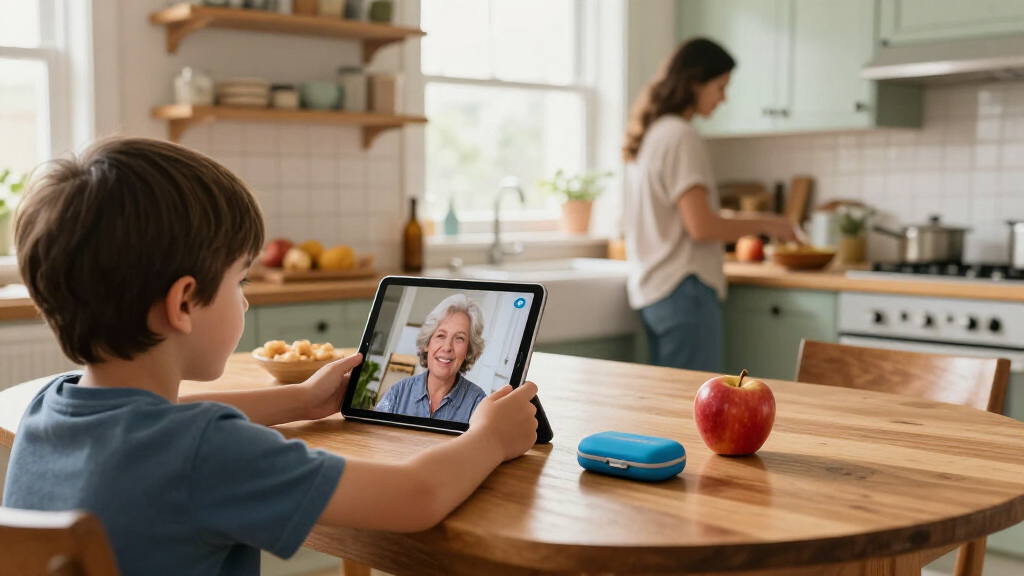
The USB-C connector is a quieter but meaningful advantage. It matches most modern chargers and headphones in the house, and it works with the newer Apple Pencil (USB-C) and the Magic Keyboard Folio, so the device can grow from a video player into a genuine drawing and homework machine. Add Wi-Fi 6 for faster, more stable streaming on congested home networks and a 12MP Center Stage front camera that keeps your kid framed during video calls with grandparents, and the case for spending more becomes clear. The tradeoffs are real, though: it is the most expensive way into this lineup, and if you want the Pencil or keyboard folio, those are separate purchases that add up quickly.
Pros:- A16 chip stays responsive as games, school apps, and creative projects get more demanding
- 128GB of storage eliminates the constant deleting of videos and games
- USB-C connector matches modern accessories and household chargers
- 12MP Center Stage camera keeps kids framed on video calls
Cons:- Most expensive option in this comparison
- Apple Pencil and Magic Keyboard Folio sold separately
- Storage maxes out at 512GB if needs grow further
Best for: Families who want one iPad that lasts from elementary school through middle school and beyond without feeling slow or running out of space.
Not ideal for: Buyers on a tight budget, or parents of a very young child whose first tablet may not survive to justify the investment.
- Display:11-inch Liquid Retina with True Tone
- Chip:Apple A16
- Storage:128GB
- Connectivity:Wi-Fi 6
- Front Camera:12MP with Center Stage
- Rear Camera:12MP Wide with True Tone flash, 4K video
- Security:Touch ID
- Connector:USB-C
- Battery Life:All-day
Our verdict“The safest long-term bet: powerful, spacious, and modern enough to serve a kid for years.”
Apple iPad 11-inch (A16 chip, 128GB, Wi-Fi) — Pink
Let me be direct about what this pick is: the same 11-inch A16 iPad as my top pick, in Pink. Same chip, same 128GB of storage, same Liquid Retina display with True Tone, same all-day battery, same USB-C port. If you are choosing between the two, you are choosing color — and I refuse to pretend otherwise, because honesty about that serves you better than manufactured differences.
Why does it earn its own slot, then? Because for kids, ownership is a feature. A child who feels a device is genuinely theirs — who picked the color, who sees it as their pink tablet rather than a hand-me-down gray one — tends to take better care of it and engage with it more positively. I have ranked it second rather than first only because Silver is the safer aesthetic choice if the tablet may be shared with siblings or passed down later, since neutral colors age better across users.
Functionally, everything I said about the Silver model applies. Compared with the renewed 8th-generation iPad, this model’s advantages are the same: quadruple the storage, a much faster A16 chip, modern USB-C accessories, and Wi-Fi 6. The 12MP front and back cameras with 4K recording also make it a genuinely capable machine for a kid interested in filmmaking or photography as a hobby — something the renewed model’s aging 1.2MP front camera cannot match for video calls, let alone creative work. The drawbacks mirror the Silver model too: it is a premium purchase, and the accessories that unlock its creative potential cost extra.
Pros:- Identical A16 performance and 128GB storage as the top pick
- Distinctive Pink color fosters a sense of ownership and pride of care
- 4K video recording suits creative kids interested in filming
- USB-C and Wi-Fi 6 keep it current with household tech
Cons:- Priced identically to the Silver model, so no cost advantage
- Accessories like Apple Pencil and Magic Keyboard Folio not included
- Bold color may matter less if the tablet will be shared or handed down
Best for: Kids who want a tablet that expresses their personality, and parents who want the full performance of the A16 model in a color their child will love and protect.
Not ideal for: Budget-focused buyers, or households planning to share one tablet among multiple siblings with different tastes.
- Display:11-inch Liquid Retina with True Tone
- Chip:Apple A16
- Storage:128GB (configurable up to 512GB)
- Connectivity:Wi-Fi 6, USB-C
- Front Camera:12MP with Center Stage
- Rear Camera:12MP Wide with True Tone flash, 4K video
- Weight:1.05 pounds
- Security:Touch ID
- Battery:All-day battery life
Our verdict“The top pick’s twin in a kid-favorite color — buy whichever shade your child will actually carry around.”
Apple iPad 10.2-inch Wi-Fi 32GB – Silver (8th Generation, Renewed)
Not every kid needs — or deserves — a premium tablet as their first device. This renewed 8th-generation iPad is my value pick precisely because it lowers the stakes: if it gets dropped, scratched, or simply abandoned when the novelty wears off, the loss hurts far less. The A12 Bionic chip remains perfectly capable for the things younger kids actually do — streaming shows, playing casual games, video calls, drawing apps — and the sharp 10.2-inch Retina display is a pleasure to watch at any age.
Where the compromises appear is under sustained comparison with the A16 models. 32GB of storage is the biggest constraint: after the operating system and a few downloaded movies, space gets tight, and managing it becomes a parent’s recurring job. The Lightning connector is the second — it works fine, but it is a dying standard, and the 1st-generation Apple Pencil it supports charges awkwardly by plugging into the iPad’s port. The front camera, at 1.2MP, is adequate for FaceTime but dated next to the 12MP Center Stage cameras on the newer models.
Then there is the renewed condition itself. You get a 90-day limited warranty instead of fuller coverage on a new device, and while renewed iPads from reputable programs are inspected and functional, cosmetic imperfections are possible. My honest framing: this is the right pick for a younger child, a first tablet, or a household that wants a spare device. For a kid entering years of serious schoolwork or creative hobbies, the A16 models are worth the extra spend — the difference is not luxury, it is runway.
Pros:- Substantially lower entry price as a renewed model
- Sharp 10.2-inch Retina display for streaming and apps
- Up to 10 hours of battery life covers a full day of use
- Still supports Smart Keyboard and Apple Pencil (1st generation) for learning apps
Cons:- 32GB of storage fills quickly with games and downloaded videos
- Renewed condition with only a 90-day limited warranty
- Lightning connector and older accessory ecosystem feel dated next to USB-C models
Best for: Younger kids, first-time tablet owners, and parents who want a capable Apple device without premium-purchase anxiety.
Not ideal for: Older students, serious gamers, or creative kids who will hit the 32GB storage ceiling and feel the A12 chip’s limits quickly.
- Display:10.2-inch Retina
- Processor:A12 Bionic with Neural Engine
- Storage:32GB
- Connectivity:Wi-Fi (802.11ac)
- Rear Camera:8MP
- Front Camera:1.2MP FaceTime HD
- Battery Life:Up to 10 hours
- Stylus Support:Apple Pencil (1st Generation)
- Warranty:90 days limited
Our verdict“The smart low-risk starter tablet — perfect for a first device, as long as you accept the storage and warranty tradeoffs.”

How We Picked
When I evaluate an Apple device for a kid, I judge it against a different yardstick than a tablet for an adult. Kids are harder on hardware, less deliberate about storage, and more likely to keep a device for years as school demands grow — so my criteria weight durability of the ecosystem, storage headroom, and longevity of software support more heavily than raw benchmark scores.
First, I looked at processing power relative to a child’s likely workload. A kid streaming shows, playing graphics-heavy games, or eventually editing video for school projects needs a chip that will not feel sluggish in three years. The A16 in the two 11-inch models clears that bar comfortably; the A12 Bionic in the renewed 8th-generation model is slower but still capable for lighter use. Second, I compared storage realistically — 32GB sounds fine until a handful of downloaded movies and a few large games consume it, which is why I treat 128GB as the practical floor for a long-term purchase. Third, I weighed accessory compatibility, since Apple Pencil support transforms an iPad from a consumption device into a drawing and note-taking tool, and connector type (Lightning versus USB-C) affects what you can share with the rest of the household. Finally, I factored in value and condition: a renewed device with a 90-day warranty carries real risk, but that risk buys a dramatically lower price point, which makes sense for a first tablet that may not survive childhood intact. None of these picks earned its place on features alone — each won because of who it serves.
| Apple devices for kid | Connectivity | Battery Life |
|---|---|---|
| Apple iPad 11-inch | Wi-Fi 6 | All-day |
| Apple iPad 11-inch | Wi-Fi 6, USB-C | — |
| Apple iPad 10.2-inch Wi-Fi 32G | Wi-Fi (802.11ac) | Up to 10 hours |
Factors to Consider When Choosing Best Apple Devices For Kids
Choosing between these three iPads comes down to a handful of decisions you can make before you shop. I walk through the ones that matter most for kids below.Storage: 32GB Versus 128GB
Storage is the single most consequential spec in this lineup. 32GB fills up fast once you account for the operating system, a few downloaded movies for travel, and a rotation of large games — realistically leaving room for only a modest app collection. 128GB gives a child room to grow for years without parental intervention, which is why the A16 models rank above the renewed 8th-generation iPad for long-term ownership. If the tablet is a short-term starter device, 32GB is livable; if you want to buy once, it is not.
New Versus Renewed
A renewed iPad is inspected and functional, but it arrives with a 90-day limited warranty rather than full new-device coverage, and minor cosmetic wear is possible. That risk is offset by a much lower price. My rule of thumb: renewed makes sense for a first tablet or a young child, where damage risk is highest and demands are lowest. For a device you expect to serve a kid through several school years, buying new buys peace of mind and a longer supported life.
Connector And Accessory Ecosystem
The renewed model uses Lightning; the A16 models use USB-C. This matters more than it might seem. USB-C matches modern chargers, supports the current Apple Pencil (USB-C) and Magic Keyboard Folio, and means one cable standard for the whole household. If your child already owns Lightning accessories, the renewed model slots in neatly — otherwise, USB-C is the forward-compatible choice.
Parental Controls And Age Fit
All three iPads run iPadOS with Screen Time, letting you set app limits, content restrictions, and downtime schedules. The controls are identical; the difference is how long each device will keep receiving iPadOS updates. The A16 models will be supported for more years, which extends the period during which the latest parental features and security patches keep arriving. Pair any of these with a rugged case — no iPad survives childhood unprotected.
Frequently Asked Questions
Is a renewed iPad safe and reliable for a child?
A renewed iPad from a reputable program is inspected, tested, and functional, and for a kid’s first tablet it is a reasonable way to lower the financial stakes. The honest caveats: you get a 90-day limited warranty rather than extended coverage, and minor cosmetic blemishes are possible. For a younger child whose usage is mostly streaming and casual games, those tradeoffs are easy to accept. For an older student depending on the device for schoolwork, I would lean toward a new model, because a warranty lapse in month four of heavy use is a risk worth paying to avoid.
Will 32GB of storage be enough for my kid?
It depends entirely on how the tablet gets used. If your child streams video rather than downloading it, plays a small rotation of casual games, and stores schoolwork in the cloud, 32GB can work for a while. The problem is that kids accumulate — downloaded movies for car rides, ever-larger games, saved video projects — and once storage runs out, the device starts nagging and apps misbehave. If you want to buy a tablet once and forget about storage management for years, the 128GB A16 models are the safer choice, and that storage headroom is a major reason they top my ranking.
Do I really need the faster A16 chip for a child?
Today, maybe not — the A12 Bionic in the renewed model handles streaming, casual gaming, and video calls without complaint. The argument for the A16 is time. Apps get heavier every year, and a chip that feels fine in 2026 may feel sluggish by 2029, just as your child’s demands grow from cartoons toward school projects and creative apps. Buying the faster chip is really buying years of usable life. For a short-term starter device, skip it; for a long-term family purchase, it is the whole point.
Are these iPads good for drawing and creative hobbies?
All three support an Apple Pencil, which transforms the iPad from a viewing device into a genuine drawing and note-taking tool. The difference is which Pencil: the renewed 8th-generation model works with the 1st-generation Apple Pencil, which charges by plugging into the iPad’s Lightning port, while the A16 models support the more convenient USB-C Pencil and the Magic Keyboard Folio. The A16 models’ 4K-capable 12MP cameras also make them far better tools for a child interested in photography or filmmaking. If creativity is the main use case, the newer models are worth the stretch.
Can I set parental controls on these iPads?
Yes, and identically across all three. Every iPad here runs iPadOS with Screen Time, which lets you set daily app time limits, restrict content by age rating, block app installs or purchases, schedule downtime, and approve screen time requests remotely from your own device. You can also enable Touch ID restrictions so a child cannot change settings themselves. The one differentiator is longevity: the A16 models will receive iPadOS updates for more years, meaning the latest parental control features and security patches will keep arriving for longer on those devices.
Conclusion
After comparing these three devices side by side, my recommendations split cleanly by buyer type. If you are buying one tablet to last through years of school and growing demands, get the Apple iPad 11-inch (A16, 128GB) in Silver — the storage, speed, and USB-C ecosystem give it the longest useful life of the group. If your child cares how their device looks and will treat it as their own, the Pink 11-inch iPad delivers identical performance with a color that encourages ownership; pick between the two on preference alone. And if you are shopping for a younger child, a first tablet, or a low-stakes spare, the renewed 8th-generation iPad is the smart money — capable enough for streaming, games, and video calls, at a price that makes an accident survivable. Whichever you choose, budget for a rugged case and set up Screen Time on day one; the hardware is only half of a kid-safe Apple setup.
Fall Picks
fall essentials
As an affiliate, we earn on qualifying purchases.