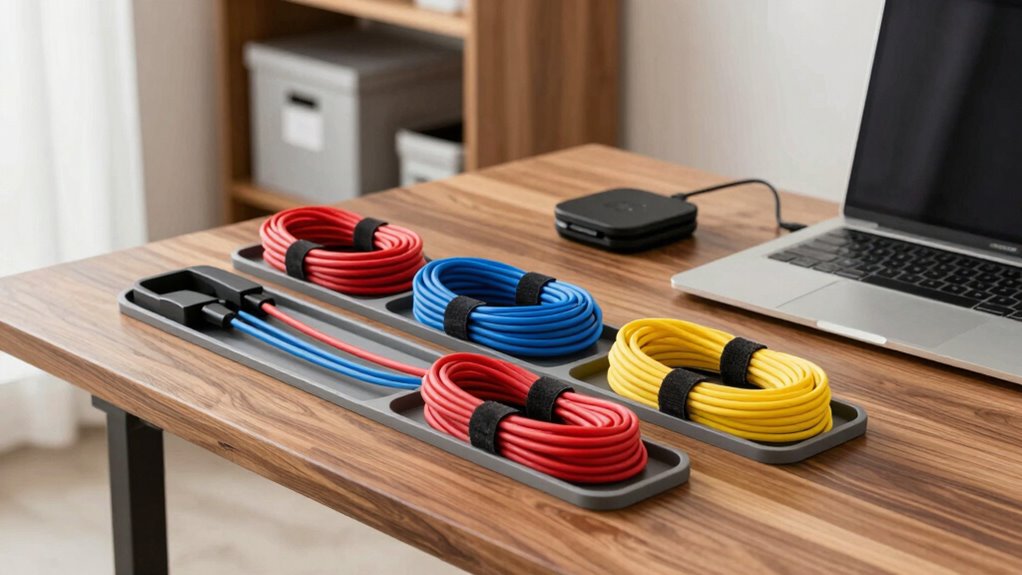

To stop tech cables from taking over, switch to wireless devices like earbuds and chargers to cut clutter. Use cable clips, ties, or sleeves to bundle cords neatly, and label them for easy access. Position power sources discreetly and route cables along edges or behind furniture for a tidy look. Regularly tidy up and reassess your setup to keep clutter away. Keep optimizing your organization — there’s more you can do to create a stress-free space.

Turn the school run and nap time into listening time
- Thousands of audiobooks, podcasts and originals
- Listen on your phone, tablet or Echo — also offline
- Cancel anytime
Key Takeaways
- Switch to wireless devices to reduce cable clutter and create a cleaner workspace.
- Use cable clips, sleeves, and labels to bundle and identify cords neatly.
- Position chargers and power strips in discreet, accessible locations to keep cords organized.
- Regularly assess and tidy cables to prevent buildup and accommodate new devices.
- Maintain an organized setup to enhance safety, aesthetics, and overall workspace efficiency.
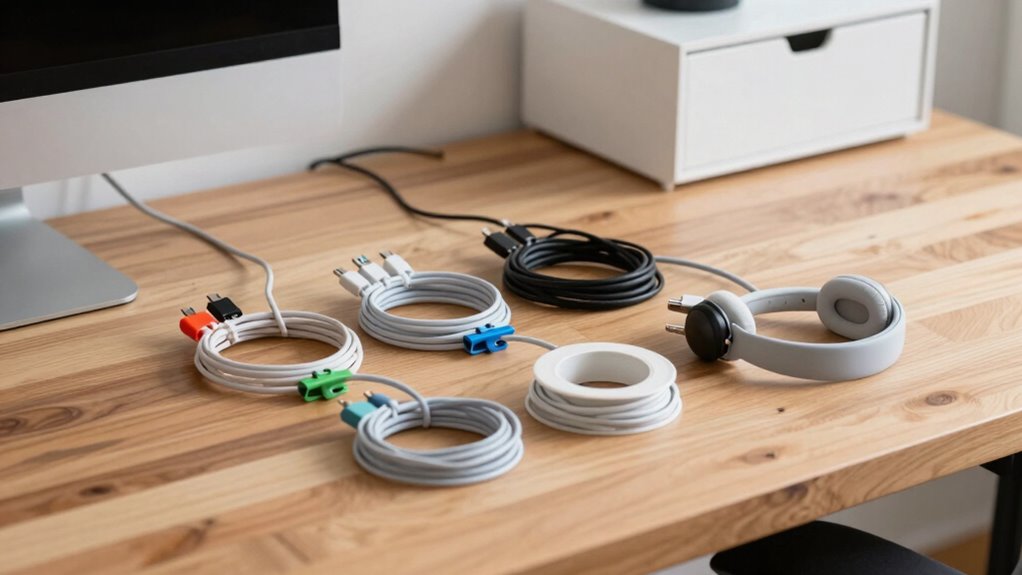
Keeping tech cables organized can seem like a formidable task, especially when you’re dealing with multiple devices and chargers. The clutter can quickly take over your space, making it hard to find what you need and creating a visual chaos that adds to your stress. Luckily, there are practical ways to tame this mess. One effective strategy is to explore wireless alternatives whenever possible. Replacing wired devices with Bluetooth or Wi-Fi-enabled gadgets reduces the number of cables you need to manage daily. For example, opt for wireless earbuds, keyboards, or chargers that connect seamlessly without tangles. This approach instantly cuts down on clutter and makes your space feel more open and less chaotic.
Switch to wireless devices to reduce clutter and create a cleaner, more organized workspace.
But beyond wireless tech, investing in cable management tools can markedly streamline your setup. Use cable clips, sleeves, or ties to bundle cords neatly together. These tools keep cables from sprawling across your desk or floor, preventing them from tangling and making it easier to identify which cord belongs to which device. Labeling your cables with small tags or washi tape can also save you time when you need to unplug or switch devices. Additionally, consider using cable boxes or sleeves that conceal excess cords and power strips, giving your workspace a cleaner, more organized look. Incorporating cable management techniques can significantly improve the overall tidiness of your setup. Regularly assessing your setup and adjusting your organization methods can help accommodate new devices and prevent clutter from building up again.
Another smart tip involves strategic placement of your devices and power sources. Position your chargers and hubs in accessible yet discreet locations to minimize visible cables. Mount power strips on the wall or under your desk to keep cords off the floor and out of sight. When possible, route cables along edges or behind furniture to keep them out of the way. This not only improves aesthetics but also reduces trip hazards and accidental unplugging. Using cable management tools like cable raceways or clips can further enhance the neatness of your arrangement. Being mindful of technology evolution can help you adapt your organization strategies over time as new devices and connections emerge. Staying informed about the latest tech innovations allows you to implement more efficient and future-proof cable solutions. Finally, regular maintenance is key. Set aside a few minutes each week to tidy up your cables, remove unused cords, and reassess your setup. Over time, you might find new ways to optimize your organization, especially as technology evolves. Remember, the goal is to simplify your life, not complicate it, so choose tools and methods that fit your routine. By combining wireless options with effective cable management tools and strategic placement, you’ll create a clutter-free environment that makes your tech easier to use and your space more peaceful.
As an affiliate, we earn on qualifying purchases.
Frequently Asked Questions
What Are the Best Materials for Cable Organizers?
The best materials for cable organizers include flexible silicone or fabric sleeves that prevent tangling. Use magnetic clips for easy attachment and removal, which help keep cables neatly separated. Incorporate cable labeling to identify each cord quickly, saving time and reducing frustration. These materials are durable, easy to use, and versatile, making your cable management more efficient and less cluttered.
How Often Should I Declutter My Cables?
You should declutter your cables every few months to keep things manageable. During this process, use cable labeling to identify each cord quickly and decide which ones you still need. Consider storage solutions like cable organizers or boxes to keep unused cables out of sight. Regular decluttering helps prevent buildup, makes your space neater, and guarantees you’re only keeping the cables that serve a purpose.
Can DIY Cable Organizers Be as Effective as Store-Bought?
Imagine creating a DIY cable organizer using empty toilet paper rolls and a shoebox, and it works just as well as store-bought options. DIY solutions can be highly effective if you tailor them to your needs, offering customizable and cost-efficient alternatives. While store-bought organizers often provide sleek designs and durability, homemade ones can be just as functional, especially when you use everyday materials creatively.
How Do I Prevent Cables From Tangling Again?
To prevent cables from tangling again, regularly adjust the cable length to avoid excess slack. Use storage container options like zippered pouches or cable organizers to keep them neat when not in use. Wrap cables properly using the over-under technique and secure them with cable ties or Velcro straps. Store cables vertically or in dedicated drawers, making sure they’re not crowded. These steps help maintain order and reduce tangling over time.
Are There Eco-Friendly Options for Cable Management?
Yes, you can opt for eco-friendly cable management solutions made from biodegradable materials, which break down naturally and reduce environmental impact. Look for products from companies involved in recycling programs that focus on sustainability. These options help you organize your cables effectively while supporting eco-conscious practices. By choosing biodegradable cable ties or organizers, you contribute to environmental preservation, ensuring your tech setup stays tidy without harming the planet.
As an affiliate, we earn on qualifying purchases.
Conclusion
By implementing simple strategies like labeling and using cable organizers, you can reclaim your space and reduce daily frustration. Imagine finding your phone charger instantly instead of digging through a tangled mess. For instance, Sarah, a busy professional, organized her desk with cable clips and labeled cords, transforming her cluttered workspace into a streamlined zone. Take control of your cables today, and enjoy a cleaner, more efficient environment that keeps your tech working smoothly and your mind at ease.
As an affiliate, we earn on qualifying purchases.
As an affiliate, we earn on qualifying purchases.
Halloween Picks
halloween
As an affiliate, we earn on qualifying purchases.