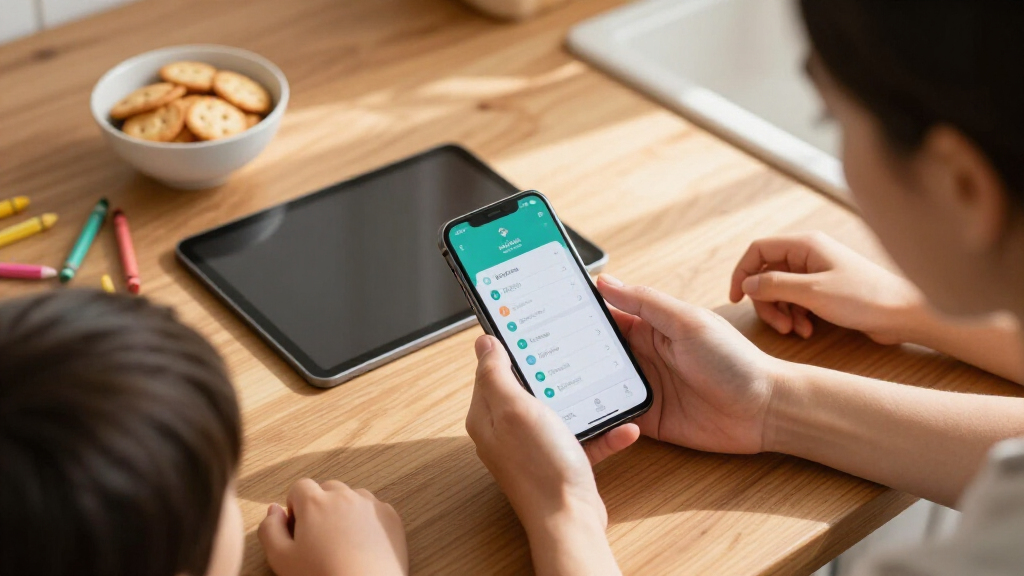

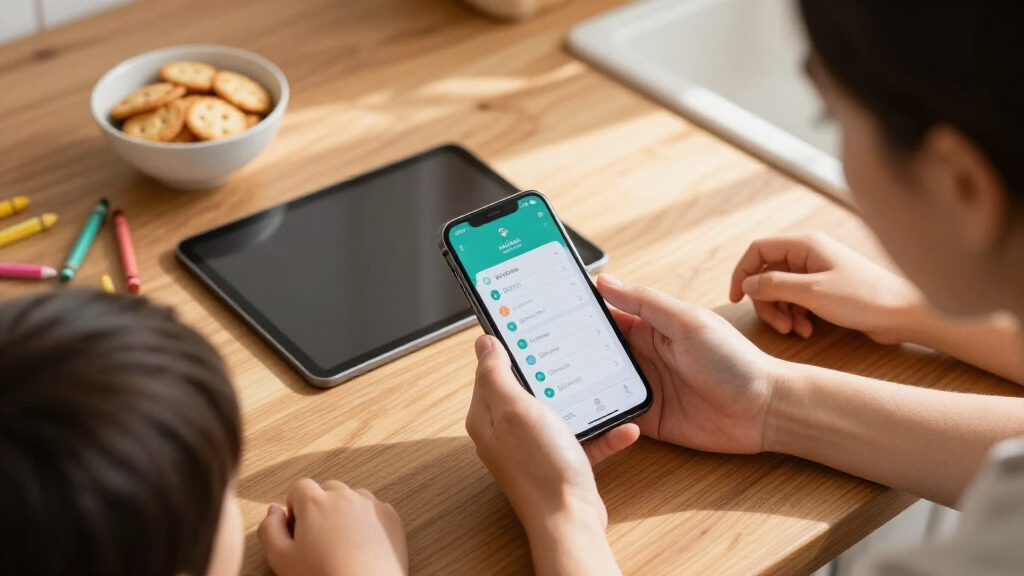
The best parental control device for your family depends on one question: do you want to filter at the device level, the network level, or both? After comparing ten leading options, the Bark Phone (A16) earns my top spot because it builds monitoring, app approval, and GPS tracking directly into a phone kids will actually want to carry. The Firewalla Purple SE stands out as the strongest whole-home option, filtering every device on your network without installing anything, while the TickTalk 5 is the smarter choice for younger kids who aren’t ready for a phone at all. The main tradeoff in this category is control versus convenience: device-level tools are more granular, but network-level tools cover every gadget in the house, including game consoles and smart TVs. Read on for the full breakdown of which approach fits your family, your budget, and your child’s age.

Turn the school run and nap time into listening time
- Thousands of audiobooks, podcasts and originals
- Listen on your phone, tablet or Echo — also offline
- Cancel anytime
Complete the kit


Key Takeaways
- Device-level tools (amazon.com/dp/B0F7LP2K5D?tag=geistforlife-20&ascsubtag=dc-1106288″ target=”_blank” rel=”nofollow sponsored noopener”>Bark Phone, Teracube Thrive) beat network-level tools for age-appropriate app limits, but they only protect the one gadget they’re installed on — a big gap in households full of tablets, consoles, and smart TVs.
- Network-level devices like the Firewalla Purple SE and ASUS RT-AX1800S protect every connected device at once, but they can’t see inside encrypted apps, so social media monitoring still requires a device-side service like Bark.
- Three of the ten products are routers, and the gap between them is wide: the Firewalla offers enterprise-grade per-device rules, while the OLAX Scorpio X60 and TP-Link Archer A54 only include basic parental controls as an afterthought.
- For kids under 10, a GPS smartwatch (TickTalk 5) or a screen time smart plug (Egis) often solves the actual problem better and cheaper than a full kids’ smartphone.
- Content monitoring was the biggest differentiator in this lineup — only the Bark Phone and Bark Home offer AI-driven text and social media scanning, which no router or smartwatch can replicate.
| Bark Phone for Kids & Teens – GPS Tracking & Parental Controls (A16) |  | Best Overall | Operating System: Android 14 | Storage: 128 GB | RAM: 4 GB | VIEW LATEST PRICE | See Our Full Breakdown |
| ASUS RT-AX1800S Dual Band WiFi 6 Router |  | Best Value Network Filtering | WiFi Standard: WiFi 6 (802.11ax), dual-band 2×2 | Antennas: 4 external | Ports: 1 Gigabit WAN, 4 Gigabit LAN | VIEW LATEST PRICE | See Our Full Breakdown |
| Firewalla Purple SE Cybersecurity Firewall and Router |  | Best for Whole-Network Visibility | Model: Purple SE | Modes: Router, transparent bridge | IPS Data Rate Limit: 500 Mbps | VIEW LATEST PRICE | See Our Full Breakdown |
| Bark Home – Wi-Fi Parental Control Device with Screen Time & App Blocking |  | Best for Managing Every Device in the House | Connectivity: Ethernet | Ports: 1 LAN port | Bandwidth: 10 Mbps | VIEW LATEST PRICE | See Our Full Breakdown |
| TickTalk 5 Kids Smart Watch with GPS Tracker, Calls, Texts & SOS (Ages 3-12) |  | Best First Device for Young Kids | Age Range: 3–12 years | Display: 1.54-inch LCD, 320 x 340 | Connectivity: Cellular (AT&T LTE), Bluetooth | VIEW LATEST PRICE | See Our Full Breakdown |
| Egis Control Locking Smart Plug for Kids’ Screen Time Boundaries |  | Best Tamper-Proof Hardware Enforcer | Brand: Egis Control | Voltage: 120 volts | Amperage: 10 A | VIEW LATEST PRICE | See Our Full Breakdown |
| Teracube Thrive Kids Smartphone – Safe Android Phone for Kids & Teens with GPS, Talk & Text |  | Best First Smartphone for Young Kids | Operating System: Android 14 | Processor: MediaTek Helio, 1.8 GHz | RAM / Storage: 4 GB / 64 GB (non-expandable) | VIEW LATEST PRICE | See Our Full Breakdown |
| TP-Link Archer A54 AC1200 Dual Band Wireless WiFi Router |  | Best Budget Network-Level Controls | Speed: AC1200 (867 Mbps on 5 GHz + 300 Mbps on 2.4 GHz) | Coverage: Up to 1,000 sq. ft. | Bands: Dual-Band (2.4 GHz / 5 GHz) | VIEW LATEST PRICE | See Our Full Breakdown |
| OLAX Scorpio X60 AC1200 Dual-Band WiFi Router |  | Best Value for Large-Home Coverage | Wireless standard: WiFi 5 (802.11a/b/g/n/ac) | Wireless speed: Up to 1200 Mbps (867 Mbps on 5 GHz + 400 Mbps on 2.4 GHz) | Coverage: Up to 2,500 sq. ft. | VIEW LATEST PRICE | See Our Full Breakdown |
| Amazon Echo Show 5 Kids (Newest Model) – Galaxy, with Alexa+, Parental Controls & 1 Year Amazon Kids+ |  | Best Smart Display for Young Kids | Voice Assistant: Alexa (Alexa+ enabled) | Color: Galaxy | Included Subscription: 1 year of Amazon Kids+ (paid auto-renewal after) | VIEW LATEST PRICE | See Our Full Breakdown |
More Details on Our Top Picks
Bark Phone for Kids & Teens – GPS Tracking & Parental Controls (A16)
Bark Phone A16 stands out as the most complete parental control solution in this lineup because it works at the device level rather than the network level. Unlike the Bark Home, which can only manage devices on your own Wi-Fi, this phone travels with your child — monitoring continues at school, at friends’ houses, and anywhere else. The tamper-proof controls mean kids can’t simply uninstall the app or factory-reset their way out of supervision, which is the single biggest weakness of software-only parental apps. Content monitoring across texts, email, and 30+ social platforms catches risks that a router like the ASUS RT-AX1800S simply cannot see, since routers only filter websites. The real tradeoff is cost: a mandatory monthly subscription on top of the hardware makes this the most expensive ongoing option here.
Pros:- Tamper-proof parental controls that kids can’t bypass
- Monitors texts, emails, and 30+ social media apps for safety risks
- Real-time GPS tracking with location alerts and check-ins
- 42-hour battery life and water-resistant hardware
Cons:- Mandatory monthly subscription adds ongoing cost on top of the phone itself
- Parental controls may feel overly restrictive for older teens
Best for: Parents of kids and younger teens who want supervision that follows the child everywhere and can’t be bypassed
Not ideal for: Families on a tight budget — the required monthly plan stacks on top of the purchase price, and older teens may chafe at the restrictions
- Operating System:Android 14
- Storage:128 GB
- RAM:4 GB
- Rear Cameras:3 (50 MP main sensor)
- Battery Life:Up to 42 hours
- Water Resistance:Water Resistant
- Subscription:Required monthly plan ($29–$79/mo)
Our verdict“If you want the deepest level of supervision money can buy and accept a recurring fee, this is the phone to get.”
ASUS RT-AX1800S Dual Band WiFi 6 Router
For parents who want household-wide controls without any subscription, the ASUS RT-AX1800S makes a strong case. Its WiFi 6 with MU-MIMO and OFDMA keeps a family’s worth of laptops, tablets, and consoles connected without the slowdowns older routers cause, and the built-in parental controls come free — a sharp contrast to the Bark Phone’s recurring fees. Compared with the Firewalla Purple SE, it’s far simpler: plug it in, set schedules through the ASUS app, and you’re done, with no bridge-mode configuration to wrestle with. The AiProtection Classic security from Trend Micro adds intrusion blocking most budget routers skip. The honest tradeoff is coverage — the 2×2 antenna setup struggles in very large homes, and parental controls are basic time and content filters rather than the deep social monitoring a dedicated device provides.
Pros:- WiFi 6 with MU-MIMO and OFDMA handles busy family networks efficiently
- Subscription-free parental controls and commercial-grade AiProtection security
- AiMesh support lets you expand into a mesh system later
- Five Gigabit ports for fast wired connections
Cons:- Coverage and throughput drop in larger homes or with dense walls
- Parental controls are limited to scheduling and filtering, not app-level monitoring
Best for: Budget-conscious families who want whole-home screen time limits and web filtering with zero ongoing fees
Not ideal for: Large multi-story homes or parents who need per-app monitoring of social media — the coverage and controls are basic
- WiFi Standard:WiFi 6 (802.11ax), dual-band 2×2
- Antennas:4 external
- Ports:1 Gigabit WAN, 4 Gigabit LAN
- Security:AiProtection Classic (Trend Micro), Instant Guard VPN
- Features:MU-MIMO, OFDMA, 1024-QAM, Parental Controls, AiMesh
- Power Supply:AC 110V–240V, DC 12V max 1.5A
Our verdict“This is the pick for whole-family Wi-Fi controls on a one-time purchase, as long as your home isn’t too big for it.”
Firewalla Purple SE Cybersecurity Firewall and Router
The Firewalla Purple SE takes a different approach than everything else here: instead of filtering one device or managing schedules, it gives you deep visibility into every device on your network — what’s connecting where, how much bandwidth it’s using, and what threats are being blocked. Parents who want to know exactly which console or laptop is hogging time or hitting blocked sites will find this level of detail unmatched by the ASUS RT-AX1800S, whose controls are far more surface-level. Its intrusion prevention and threat blocking also protect the adults in the house, not just the kids. But this power demands effort: setup requires the Firewalla app and possibly reconfiguring your existing router, and the 500 Mbps IPS limit means gigabit households may see slowdowns when protection is fully active. This is the enthusiast’s choice, not the plug-and-play one.
Pros:- Intrusion prevention and threat blocking across the entire network
- Detailed per-device activity and bandwidth monitoring
- Parental controls with content filtering built in
- Flexible router or transparent bridge modes fit existing setups
Cons:- IPS performance capped at 500 Mbps can throttle fast internet plans
- Setup requires the Firewalla app and may not play nicely with every router
Best for: Tech-comfortable parents who want granular network monitoring and security for every connected device, not just the kids’
Not ideal for: Anyone wanting simple setup — it demands app-based configuration and router tinkering, and Simple Mode doesn’t work with all routers
- Model:Purple SE
- Modes:Router, transparent bridge
- IPS Data Rate Limit:500 Mbps
- Connectivity:Ethernet, Wi-Fi (802.11ac)
- Installed RAM:3 GB
- Control Method:Firewalla mobile app
- Included:US power supply, Cat 6 Ethernet cable
Our verdict“Choose this if you treat parenting controls as part of broader home cybersecurity and don’t mind a technical setup.”
Bark Home – Wi-Fi Parental Control Device with Screen Time & App Blocking
Where the Bark Phone A16 supervises one child’s device everywhere they go, Bark Home flips the model: one box that governs every Wi-Fi device under your roof — smart TVs, gaming consoles, tablets, computers, and phones alike. That breadth matters because most parental tools ignore the Xbox and the living room TV, which is exactly where kids lose hours. The no-subscription model is a genuine differentiator against Bark’s own phone plans, making this the cheaper way into the Bark ecosystem. Compared with replacing your router like the ASUS RT-AX1800S, this plugs into your existing setup. The catch is serious, though: a 10 Mbps bandwidth ceiling can bottleneck a modern internet plan, meaning streaming and gaming families may feel the squeeze during enforcement.
Pros:- No subscription — in-home protection included with the hardware purchase
- Controls every Wi-Fi device including TVs, consoles, tablets, and computers
- Custom daily schedules, bedtimes, and school-hours restrictions
- Blocks risky apps like Snapchat and Discord and pauses the internet on demand
Cons:- 10 Mbps bandwidth limit can throttle fast home internet connections
- Protection stops at your front door — devices on cellular or other networks are unaffected
Best for: Parents whose main battle is screen time on consoles, TVs, and shared household devices rather than one child’s phone
Not ideal for: Households with fast internet plans — the 10 Mbps bandwidth limit can noticeably slow streaming and gaming
- Connectivity:Ethernet
- Ports:1 LAN port
- Bandwidth:10 Mbps
- Security Protocols:WPA2-PSK, WPA3
- Compatible Devices:Gaming consoles, PCs, smart TVs, smartphones, tablets
- Subscription:None required
Our verdict“This makes sense for families fighting screen-time battles across multiple shared devices, provided their internet plan tolerates the speed cap.”
TickTalk 5 Kids Smart Watch with GPS Tracker, Calls, Texts & SOS (Ages 3-12)
Not every child needs a smartphone, and the TickTalk 5 is the roundup’s answer for the youngest age group. For kids ages 3–12, it delivers the essentials parents actually want — GPS tracking, HD calling, texts, and an SOS button — without social media, app stores, or the online risks that make the Bark Phone A16 necessary for older kids. The rugged IP67 build handles the drops, splashes, and playground abuse that would kill a delicate phone, and the roughly 48-hour battery outlasts most kids’ smartwatches. Compared with a full smartphone, the tradeoff is freedom in both directions: no unsupervised internet access, but also no real apps, cameras worth using, or room to grow. Carrier lock-in to AT&T is the practical limitation that will matter most to families on other networks.
Pros:- Waterproof, shockproof, dustproof design built for young kids
- GPS tracking, SOS alerts, and parental controls in one wearable
- Up to 48 hours of average battery life
- Works with both iPhone and Android parent phones
Cons:- Locked to AT&T’s LTE network for connectivity
- Full charge takes 3 hours
Best for: Parents of elementary-age kids who want location tracking and a way to call home without handing over a smartphone
Not ideal for: Families not on or unwilling to switch to AT&T, or parents of tweens ready for a managed phone like the Bark Phone
- Age Range:3–12 years
- Display:1.54-inch LCD, 320 x 340
- Connectivity:Cellular (AT&T LTE), Bluetooth
- Battery:770 mAh, up to 48 hours average
- Water Resistance:IP67 (up to 3 feet)
- Memory:8 GB storage, 1 GB RAM
- Compatibility:iOS 16+ or Android 6.0+
- Warranty:1 year limited manufacturer
Our verdict“This is the right first connected device for young kids who need check-ins and calls — not the internet in their pocket.”
Egis Control Locking Smart Plug for Kids’ Screen Time Boundaries
Most parental control tools live in software, which resourceful kids eventually circumvent — this option takes a different approach by physically locking the power cord inside a tamper-resistant case, making it nearly impossible to bypass without breaking the device itself. Compared with the Bark Home, which filters content at the network level, the Egis plug is blunter but more absolute: it enforces time boundaries on the PlayStation 5, Xbox, gaming PCs, and smart TVs regardless of what apps or accounts a child uses. The warning alert before shutoff gives kids a fair chance to save their game, and schedules keep running even when the internet drops. The tradeoff is setup friction — it demands 2.4 GHz Wi-Fi and consoles must be fully powered off rather than left in Rest Mode, or standby draw eats into the daily allowance.
Pros:- Physical locking design prevents app-based workarounds and tampering
- Works with major consoles, gaming PCs, smart TVs, and VR headsets
- No monthly subscription fees — one-time purchase
- Stored schedules keep running during internet outages
Cons:- Requires 2.4 GHz Wi-Fi and may need VPNs or security apps disabled during setup
- Consoles must be fully powered off instead of Rest Mode, or standby power counts against the daily limit
Best for: Parents of determined gamers who have already defeated app-based screen time limits and need a physical enforcement layer
Not ideal for: Households wanting content filtering and web monitoring, not just power control — a router solution like the ASUS RT-AX1800S covers more ground
- Brand:Egis Control
- Voltage:120 volts
- Amperage:10 A
- Connectivity:2.4 GHz Wi-Fi
- Compatibility:PS5, Xbox Series X/S, gaming PCs, smart TVs, VR headsets
- Subscription:None (one-time purchase)
- Dimensions:8.5″D x 3.75″W x 2.75″H
Our verdict“A hardware deadbolt for screen time that makes the most sense once software-only limits have stopped working.”
Teracube Thrive Kids Smartphone – Safe Android Phone for Kids & Teens with GPS, Talk & Text
For parents deciding between a kids’ smartwatch and a full phone, the Thrive sits deliberately in the middle: it delivers real smartphone capability with tamper-proof controls kids can’t uninstall. Compared with the TickTalk 5 smartwatch, the Thrive offers a larger screen, an actual browser (safely filtered), and room to grow into the teen years — but it also introduces more screen and more temptation than a watch ever will. Against the Bark Phone, the tradeoff is network lock-in: the Thrive requires a Teracube Wireless plan and won’t work on other carriers. The bundled case, screen protector, and Care+ accidental damage coverage soften the risk of handing an expensive device to an eight-year-old, though the 64 GB of non-expandable storage and modest MediaTek chip mean this is a communication and safety tool, not a gaming device.
Pros:- Tamper-proof parental controls managed remotely from iOS or Android
- Built-in GPS tracking for real-time location monitoring
- Spam call blocking and restricted contacts for safe communication
- Includes case, screen protector, and Care+ accidental damage coverage
Cons:- Requires a Teracube Wireless monthly plan and is not compatible with other networks
- 64 GB of non-expandable storage and modest processor and RAM limits longevity
Best for: Parents of 7-12 year olds who want a GPS-tracked, contact-restricted first phone rather than jumping straight to a mainstream smartphone
Not ideal for: Families already committed to a specific carrier, or teens who need more storage and performance than 64 GB and a Helio processor provide
- Operating System:Android 14
- Processor:MediaTek Helio, 1.8 GHz
- RAM / Storage:4 GB / 64 GB (non-expandable)
- Rear / Front Camera:13 MP dual / 8 MP
- Network:Teracube Wireless (Nano SIM)
- Water Resistance:Water resistant
- Connector:USB Type C, 3.5 mm headphone jack
Our verdict“The right pick when a smartwatch is too limited but a standard smartphone is too much freedom.”
TP-Link Archer A54 AC1200 Dual Band Wireless WiFi Router
The Archer A54 earns its place by making whole-home parental controls affordable and app-managed through the TP-Link Tether app, so parents can pause the internet or manage access from the couch instead of wrangling per-device settings. Compared with the OLAX Scorpio X60, it covers a smaller footprint (1,000 vs. 2,500 sq. ft.) but delivers a more polished management ecosystem and a Guest Mode that keeps visiting friends’ devices off the family filter. Against the ASUS RT-AX1800S, it lacks WiFi 6, so crowded households with many simultaneous devices will feel the squeeze. Still, for a typical apartment or modest home, the combination of WPA3 security, Access Point Mode, and EasyMesh expandability means this router can grow with the family instead of being replaced. A separate modem is required, and it’s Wi-Fi 5 only.
Pros:- App-based parental controls via TP-Link Tether for easy scheduling and pausing
- WPA3 security support for modern network protection
- EasyMesh compatibility lets coverage expand with additional nodes
- Guest Mode isolates visitors from family filtering rules
Cons:- No WiFi 6 or 6 GHz support — Wi-Fi 5 only
- Coverage tops out around 1,000 sq. ft. and degrades with walls and distance
- Requires a separate modem
Best for: Budget-conscious parents in apartments or smaller homes who want app-based internet scheduling and pausing without a subscription device
Not ideal for: Large homes over 1,000 sq. ft. or households with many simultaneous devices that need WiFi 6 capacity like the ASUS RT-AX1800S
- Speed:AC1200 (867 Mbps on 5 GHz + 300 Mbps on 2.4 GHz)
- Coverage:Up to 1,000 sq. ft.
- Bands:Dual-Band (2.4 GHz / 5 GHz)
- Antennas:4 external, fixed
- Security:WPA, WPA2, WPA3
- Ports:5 Ethernet
- Management:TP-Link Tether app
Our verdict“The most sensible entry point for network-level screen time control in a smaller home.”
OLAX Scorpio X60 AC1200 Dual-Band WiFi Router
Where the TP-Link Archer A54 is built for smaller spaces, the Scorpio X60 plays the range card: four 6 dBi high-gain antennas push coverage up to 2,500 sq. ft., which means parental controls reach bedrooms and basements that budget routers leave unfiltered. The built-in parental controls, guest network, and smart roaming give parents the core toolkit — scheduling, access restriction, device isolation — while MU-MIMO keeps multiple kids streaming and gaming without dragging everyone down. Compared with the Firewalla Purple SE, the control granularity is far shallower; this is broad-stroke filtering, not per-app, per-category monitoring. It’s also a WiFi 5 router in a WiFi 6 world, and eagle-eyed shoppers may notice the advertised band speeds total 1267 Mbps against the AC1200 label. For a large home on a tight budget, though, that’s a rounding quibble, not a dealbreaker.
Pros:- Covers up to 2,500 sq. ft. with four 6 dBi high-gain antennas
- Built-in parental controls plus guest network isolation
- Gigabit Ethernet ports for wired console and PC connections
- EasyMesh support allows expansion into a full mesh system later
Cons:- WiFi 5 only — no WiFi 6 for crowded device households
- Parental controls are basic compared with dedicated filtering devices
Best for: Families in larger homes (up to 2,500 sq. ft.) who need parental controls and reliable coverage without paying mesh-system prices
Not ideal for: Parents who want granular per-app monitoring and detailed activity reports — the Firewalla Purple SE is the better tool for that job
- Wireless standard:WiFi 5 (802.11a/b/g/n/ac)
- Wireless speed:Up to 1200 Mbps (867 Mbps on 5 GHz + 400 Mbps on 2.4 GHz)
- Coverage:Up to 2,500 sq. ft.
- Antennas:4 fixed, 6 dBi
- Ethernet:4 Gigabit LAN ports
- Security:WPA, WPA2, WPA3
- Features:MU-MIMO, parental controls, smart roaming, guest network, WPS, EasyMesh
Our verdict“A coverage-first router that brings basic parental controls to every corner of a big house for minimal outlay.”
Amazon Echo Show 5 Kids (Newest Model) – Galaxy, with Alexa+, Parental Controls & 1 Year Amazon Kids+
The Echo Show 5 Kids flips the parental control conversation: instead of restricting a device, it ships as an environment that’s safe by default, with a full year of Amazon Kids+ content for ages 3-12 already inside. Privacy is handled well for a camera-equipped device — a physical mic/camera off button and a camera shutter mean parents aren’t relying on software promises. Compared with the TickTalk 5, this isn’t a communication device; there’s no calling a parent from school, but the interactive Alexa+ learning features, homework help, and filtered music services make it a better bedside and playroom companion. The 2-year worry-free replacement guarantee is genuinely valuable for a gadget in a child’s hands. The main caution: it’s still a screen, and the Kids+ subscription auto-renews after year one unless canceled — factor that into the real cost.
Pros:- 1 year of Amazon Kids+ included with kid-friendly audiobooks, podcasts, and games
- Physical privacy controls: mic/camera off button and built-in camera shutter
- 2-year worry-free replacement guarantee if it breaks
- Alexa+ interactive features support learning and creative storytelling
Cons:- Amazon Kids+ auto-renews as a paid subscription after the first year
- It’s another screen in the house, which cuts against screen time goals
Best for: Parents of 3-12 year olds who want a controllable, kid-safe hub for stories, music, homework help, and routines
Not ideal for: Parents actively reducing screen exposure, or those unwilling to manage the auto-renewing Kids+ subscription after the first year
- Voice Assistant:Alexa (Alexa+ enabled)
- Color:Galaxy
- Included Subscription:1 year of Amazon Kids+ (paid auto-renewal after)
- Subscription Age Range:3-12 years
- Parental Controls:Mic/camera off button, camera shutter, Parent Dashboard app
- Music Services:Amazon Music, Apple Music, Spotify, Pandora (explicit lyrics filtered)
- Warranty:2-year worry-free guarantee
Our verdict“A safe-by-design smart display that suits young families who want controlled content rather than open internet access.”
How We Picked
I judged every product in this lineup against the criteria that actually matter to parents: coverage scope (does it protect one device or the whole home?), control granularity (can you set per-child, per-app, and time-of-day rules?), ease of setup (can a non-technical parent get it running in under an hour?), and age fit (a tool perfect for a 7-year-old is useless for a 15-year-old, and vice versa). I also weighed ongoing costs, since several kids’ phone platforms require monthly subscriptions that add up over years, and whether the device gives kids enough autonomy to reduce daily parent-child friction.
The ranking favors products that solve a real problem completely rather than partially. That’s why the Bark Phone leads: it addresses content, apps, screen time, and location in one device, while single-purpose gadgets like the Egis smart plug rank lower despite doing their narrow job well. Routers were ranked on the sophistication of their parental controls specifically, not raw Wi-Fi performance — a fast router with weak filtering is a poor parental control device, no matter how good its speed tests look.
Factors to Consider When Choosing Best Parental Control Devices
Before picking a specific product, it helps to understand the three layers of parental control and where most parents go wrong. The most common mistake is buying a single tool and expecting it to cover every scenario — a router can’t monitor Snapchat, and a kids’ phone can’t filter the family Xbox. Here are the factors that should shape your decision.
Decide Which Layer of Control You Need
Parental control devices work at three levels: per-device (kids’ phones and watches), per-outlet (smart plugs that cut power to TVs and consoles), and per-network (routers and firewalls that filter everything in the house). Device-level tools offer the deepest insight, including app usage and location, but only for that one gadget. Network-level tools cast a wider net — covering visiting friends’ devices and consoles too — but they can’t distinguish between children sharing the same network unless each has their own profile. Parents with kids on multiple devices usually need at least two layers working together, which is why pairing a Bark Phone with a Firewalla is a common strategy. Start by listing every device your child actually uses, then match the tool to the gap.
Match the Device to Your Child’s Age
Age mismatch is the fastest way to waste money in this category. A full smartphone for an 8-year-old is usually overkill and creates problems it can’t solve, while a smartwatch loses its appeal fast once kids hit middle school and want to text friends on real apps. Kids aged 3–10 are generally best served by a GPS calling watch like the TickTalk 5, which gives parents location and call access without opening the door to the internet. Ages 10–13 are the sweet spot for purpose-built kids’ phones like the Bark Phone or Teracube Thrive, where parents keep admin control. Teens need a lighter touch — heavy-handed blocking on a teenager’s device often gets circumvented or breeds resentment, so monitoring and conversation-based tools tend to outperform hard restrictions. Buying one year ahead of your child’s maturity level usually backfires.
Factor In Subscriptions Before You Buy
Several parental control devices look inexpensive upfront but carry recurring monthly fees for monitoring software, cellular service, or premium filtering features. Kids’ phone platforms and GPS watches almost always require an active plan, and those costs can exceed the hardware price within a year or two. Network devices like the Firewalla sit at the other extreme: higher upfront cost, but most core features work without any subscription. Before committing, calculate the total three-year cost of ownership, not just the sticker price. Also check whether the subscription covers multiple children — per-kid pricing models change the math considerably for larger families. A more expensive device with no fees is often cheaper than a cheap device with mandatory plans.
Be Realistic About Bypass Resistance
Determined kids can defeat most single-layer controls, and the product marketing rarely admits this. Router-based filtering can be bypassed with cellular data or a VPN; app blockers on a phone can be sidestepped if the child knows the parent’s password; smart plugs can simply be unplugged from the wall. The tools that hold up best are ones where the parent holds administrative control at the hardware or account level, like the Bark Phone or a properly configured Firewalla. Layering two controls — network filtering plus device monitoring — closes most bypass routes, because evading one still leaves the other active. Assume any single product will eventually be tested by a motivated tween, and buy accordingly.
Don’t Overlook Setup Burden and Daily Friction
The best parental control device is one you’ll actually keep configured. Network firewalls demand some technical comfort during initial setup, even if they run hands-free afterward, and parents who dread router admin pages tend to abandon custom rules within weeks. Device-level platforms vary widely in dashboard design — some make adjusting screen time a two-tap operation, others bury it behind menus you’ll stop visiting. Think about who will manage the system daily: if that’s a less tech-savvy partner or grandparent, simpler products like the Bark Home or Echo Show 5 Kids will get used consistently where a Firewalla might sit half-configured. Ease of daily adjustment matters more than the total number of features on the box.
Know When Content Monitoring Matters More Than Blocking
Blocking and monitoring are different jobs, and many parents buy a blocker when what they really need is visibility. Pure blockers (routers, smart plugs) prevent access but tell you nothing about what your child is saying, searching, or being exposed to inside allowed apps. Content monitoring services — strongest in the Bark ecosystem — scan texts, email, and social platforms for signals like bullying, self-harm references, or predatory contact, and alert you rather than simply locking things down. For kids under 10, blocking usually suffices. From age 11 onward, when kids communicate inside apps you’ve approved, monitoring typically delivers more protective value than more aggressive restrictions. Ideally, combine both: block at the network level, monitor at the device level.
Frequently Asked Questions
Is a parental control router enough on its own, or do I also need a device-level solution?
A router alone covers a lot — it filters web content, enforces bedtimes, and pauses the internet for every device in the house, including consoles and smart TVs that can’t run apps. Where it falls short is everything that happens inside apps and over cellular data. Messaging, social media, YouTube playback inside apps, and anything on mobile data completely bypass router controls, which is exactly where most risks to older kids live. If your children are young and mostly use shared family devices, a router alone is often enough. Once they have their own phone with a data plan, you’ll want to layer a device-level tool like the Bark Phone or Bark Home on top of the network filtering.
Should I get my child a GPS smartwatch or go straight to a kids’ phone?
The dividing line is usually around age 10 and whether your child’s friends communicate by phone. A GPS watch like the TickTalk 5 handles the two core jobs — knowing where your child is and being able to reach them — at a fraction of a smartphone’s complexity, and it removes the temptation of an open internet entirely. Kids under 10 rarely need more than that, and giving them a phone early can create screen time habits you’ll spend years managing. The watch loses its value once peer communication shifts to texting apps, which typically happens in late elementary or middle school. At that point, a purpose-built kids’ phone like the Bark Phone or Teracube Thrive is the better bridge before a full smartphone in the mid-teen years.
Do parental control devices require a monthly subscription?
Some do, and it’s one of the biggest cost surprises in this category. Kids’ phone platforms and GPS watches generally require ongoing plans for cellular service, monitoring software, or both, and those fees are usually per device. The Egis smart plug, standard routers like the TP-Link Archer A54 and ASUS RT-AX1800S, and the core features of the Firewalla Purple SE work without recurring fees. The Echo Show 5 Kids includes a year of its content subscription, but that renews afterward if you keep it. My advice is to calculate the cost over two to three years before deciding — a subscription tool that you’ll actually use is worth more than a free tool you abandon, but unused subscriptions are pure waste.
Can my child bypass these parental control devices?
Any single layer can be beaten by a motivated kid, so plan for that reality. Router filtering is bypassed the moment a device switches to cellular data or a VPN, which is why pairing network control with a device-level service closes the loop. App blockers fail when children know the parent PIN, so guard your credentials carefully. Hardware-level controls are the most resistant: a phone where parents hold the admin account, like the Bark Phone, can’t easily be factory-reset or reconfigured by the child. Smart plugs are the weakest link — they can simply be unplugged — so treat them as convenience tools for younger kids rather than enforcement for teens. Layering two independent controls means evading one still leaves the other watching.
What’s the best option if I’m not tech-savvy?
Start with a managed device rather than a network project. The Bark Phone arrives pre-configured, so there’s no router to set up and no profiles to build — you adjust everything from a phone app, and the setup burden is close to zero. The Bark Home follows the same philosophy for your existing Wi-Fi: plug it in, connect it to your router, and manage rules from an app without touching router admin pages. The Echo Show 5 Kids is similarly painless for younger kids’ content and video calls. I’d steer beginners away from standalone firewalls like the Firewalla Purple SE, not because it’s bad — it’s excellent — but its initial configuration assumes comfort with networking concepts. You can always graduate to network-level control later once the device-level habits are established.
Conclusion
The right pick comes down to your child’s age and how much of your home you want covered. For the best overall choice, the Bark Phone (A16) combines monitoring, app control, and GPS in one package that works out of the box — it’s the most complete single purchase in this lineup. The Bark Home takes best value, extending solid screen time and app controls to devices you already own at a fraction of a new phone’s cost. For the best premium setup, the Firewalla Purple SE delivers network-wide protection that scales across every gadget and every child in the house. Beginners and parents of young kids should start simple: the TickTalk 5 for ages 3–10, the Egis smart plug for screen time boundaries on TVs and consoles, and the Echo Show 5 Kids for a safe first connected device. For a first smartphone with training wheels, the Teracube Thrive strikes a sensible middle ground, while the ASUS RT-AX1800S covers basic whole-home filtering for families who don’t need the Firewalla’s depth. Whatever you choose, remember that no device replaces the conversation — these tools work best as guardrails, not as a substitute for talking with your kids about what they do online.
Fall Picks
fall essentials
As an affiliate, we earn on qualifying purchases.