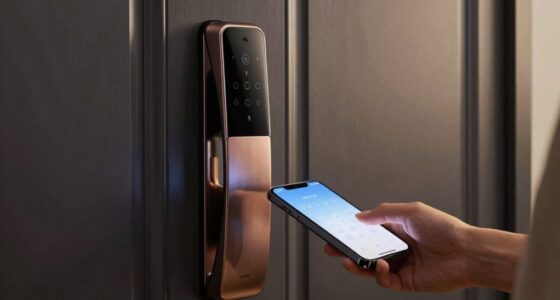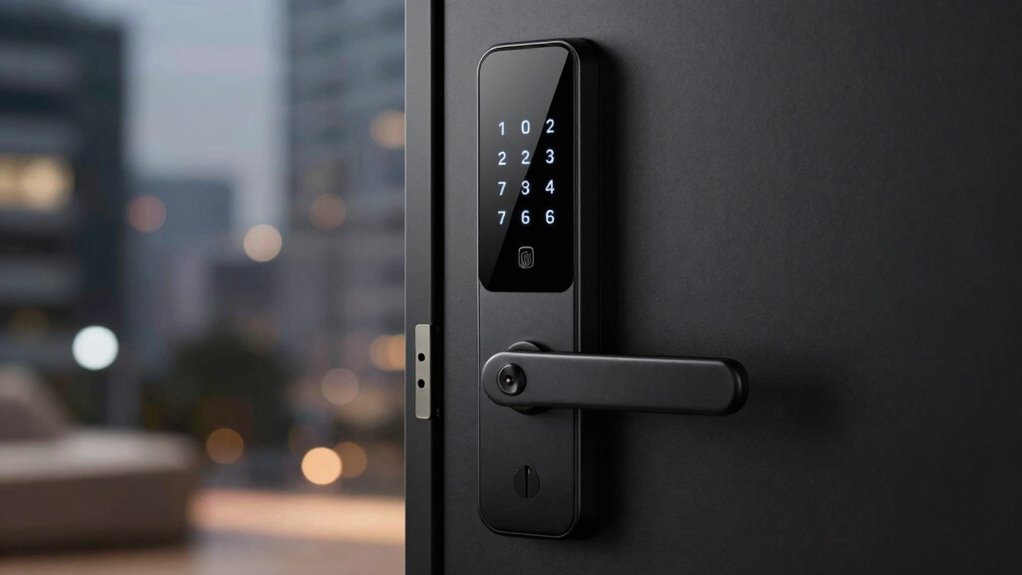
If you’re considering a smart lock, you’re looking for a combination of security, convenience, and smart home integration. The Schlage Encode stands out as the best overall choice thanks to its reliable Wi-Fi connectivity and robust build. For those prioritizing ease of use, the Philips WiFi Keypad Deadbolt offers straightforward remote control and keypad access. However, tradeoffs include higher costs for premium features and potential compatibility issues with existing smart home systems. Keep reading for a detailed breakdown of how these options compare and what to look for when selecting a smart lock.

Turn the school run and nap time into listening time
- Thousands of audiobooks, podcasts and originals
- Listen on your phone, tablet or Echo — also offline
- Cancel anytime
Complete the kit


Key Takeaways
- The best smart locks balance security features with ease of installation and user interface.
- Wi-Fi connectivity tends to offer more seamless remote access but can add to the cost and complexity.
- Fingerprint and keypad options provide versatile access methods, but each has tradeoffs in speed and security.
- Premium models often include better build quality and integration, but may be overkill for casual users.
- Compatibility with existing smart home ecosystems is a key factor in ensuring long-term satisfaction.
| Smart Door Lock Keyless Entry Handle with Fingerprint, Black |  | Best for Versatile Access Methods and Remote Management | Unlocking Methods: Fingerprint, password, smart card, physical key, Tuya app | Connectivity: Tuya app | Compatibility: Wooden and stainless-steel doors | VIEW ON AMAZON | See Our Full Breakdown |
| Schlage Encode Smart WiFi Deadbolt Lock with Century Trim, Matte Black |  | Best for High Security and Easy Installation | Connectivity: WiFi | Control: Schlage Home app, Key by Amazon app | Finish: Matte Black | VIEW ON AMAZON | See Our Full Breakdown |
| ULTRALOQ Bolt SE Wi-Fi Smart Lock with Matter over Thread and App Control |  | Best for Weather-Resistant, Multi-Method Access | Fingerprint Storage: up to 50 | Passcode Storage: up to 50 | Connectivity: Wi-Fi 2.4 GHz, Matter over Thread | VIEW ON AMAZON | See Our Full Breakdown |
| Philips WiFi Keypad Deadbolt with Handle, Built-in WiFi, App Remote Control |  | Best for Quick Biometric Access and Easy DIY Setup | WiFi Connectivity: 2.4GHz WiFi | Auto-Lock: Yes, customizable | Battery Life: Up to 6 months | VIEW ON AMAZON | See Our Full Breakdown |
| Yale Assure Lock 2 Keypad Deadbolt with Wi-Fi, Black Suede |  | Best for Hands-Free, Keyless Convenience | Connectivity: Wi-Fi (2.4 GHz) | Auto-Unlock: Yes | Compatibility: Standard US deadbolts | VIEW ON AMAZON | See Our Full Breakdown |
| Smart Door Handle Lock with Keypad and Fingerprint for Front Door |  | Best Overall Smart Lock for Versatility and Ease of Use | Unlocking Methods: Fingerprint, Bluetooth app, passcodes, key fobs, mechanical keys, Alexa voice | Installation Time: 10 minutes | Handle Compatibility: Reversible for left and right-handed doors | VIEW ON AMAZON | See Our Full Breakdown |
| Aqara UWB Smart Lock U400, Apple Home Key, Fingerprint Deadbolt, Black |  | Best for Hands-Free, Ultra-Wideband Access | Unlocking Technology: UWB, Apple Home Key, fingerprint, passcode, NFC, physical key | Connectivity: Matter over Thread, Wi-Fi | Power: Rechargeable lithium battery, USB-C charging | VIEW ON AMAZON | See Our Full Breakdown |
| eufy Security Smart Lock C220, Fingerprint Keyless Entry Door Lock |  | Best for Long-Lasting, Multi-Method Home Security | Unlock Methods: Fingerprint, app, keypad, physical key, voice (Alexa/Google) | Battery Life: 8 months | Batteries: 8 AA batteries | VIEW ON AMAZON | See Our Full Breakdown |
| Philips Wi-Fi Smart Deadbolt Lock, Keyless Entry Door Lock |  | Best for Remote Monitoring and Large User Management | Connectivity: Wi-Fi (2.4GHz only) | Power: AA alkaline batteries | Compatibility: Standard doors 1-3/8″ to 2″ thick | VIEW ON AMAZON | See Our Full Breakdown |
| TEEHO TE001 Keyless Entry Deadbolt with Keypad for Front Door, Matte Black |  | Best Budget-Friendly Keypad Lock with Reliable Security | Material: Aluminum alloy | Battery: 4 AA batteries (not included) | Battery Life: Up to 365 days | VIEW ON AMAZON | See Our Full Breakdown |
| smart lock | Connectivity | Compatibility | Battery Life |
|---|---|---|---|
| Smart Door Lock Keyless Entry | Tuya app | Wooden and stainless-steel doors | — |
| Schlage Encode Smart WiFi Dead | WiFi | — | — |
| ULTRALOQ Bolt SE Wi-Fi Smart L | Wi-Fi 2.4 GHz, Matter over Thread | — | up to 18 months |
| Philips WiFi Keypad Deadbolt w | — | 1-3/8" to 1-3/4" doors | Up to 6 months |
| Yale Assure Lock 2 Keypad Dead | Wi-Fi (2.4 GHz) | Standard US deadbolts | — |
| Smart Door Handle Lock with Ke | Bluetooth, WiFi (with gateway) | — | — |
| Aqara UWB Smart Lock U400 | Matter over Thread, Wi-Fi | Apple Watch Series 6+, iPhone 11+, Thread-enabled Matter controllers | Up to 6 months per charge |
| eufy Security Smart Lock C220 | Built-in Wi-Fi, no bridge needed | — | 8 months |
| Philips Wi-Fi Smart Deadbolt L | Wi-Fi (2.4GHz only) | Standard doors 1-3/8" to 2" thick | — |
| TEEHO TE001 Keyless Entry Dead | — | — | Up to 365 days |
More Details on Our Top Picks
Smart Door Lock Keyless Entry Handle with Fingerprint, Black
This smart lock stands out for offering five different unlocking options: fingerprint, password, smart card, physical key, and app control via Tuya. Its quick biometric recognition provides a seamless entry experience, rivaling the convenience of the ULTRALOQ Bolt SE but with a broader variety of unlocking methods. However, it requires batteries (not included), which could be an inconvenience, and its reliance on a smartphone for app features limits its use for those without a compatible device. Compared with the Schlage Encode, it’s more flexible in unlocking options but lacks the integrated security features like alarms. For anyone valuing multiple entry methods and remote management, this lock provides high convenience at the cost of extra battery and setup considerations.
Pros:- Multiple unlocking options for maximum convenience
- Fast and accurate fingerprint recognition
- Remote access management via Tuya app
Cons:- Batteries are not included, requiring additional purchase
- Requires smartphone for app-based features
- Potential compatibility issues with non-standard doors
Best for: Homeowners who want flexible unlocking options and remote control without hardwiring.
Not ideal for: People who prefer completely battery-free, off-grid solutions or don’t want to depend on smartphone apps.
- Unlocking Methods:Fingerprint, password, smart card, physical key, Tuya app
- Connectivity:Tuya app
- Compatibility:Wooden and stainless-steel doors
- Batteries:Not included
Our verdict“This lock is ideal for users seeking flexible, remote-controlled access with biometric options, accepting the need for batteries and app dependence.”
Schlage Encode Smart WiFi Deadbolt Lock with Century Trim, Matte Black
The Schlage Encode stands out for its high security features, including encrypted WiFi connection and a built-in alarm, making it a top choice for safety-conscious homeowners. Its straightforward installation process requires only a screwdriver, unlike some models that need hardwiring. Unlike the ULTRALOQ Bolt SE, it doesn’t support Matter over Thread but compensates with a reliable WiFi connection. The battery life is solid, but frequent heavy use may require battery replacements sooner than expected. It’s best suited for users who want remote control, voice compatibility, and robust security features without complex wiring. For those in search of a secure, easy-to-use smart lock with comprehensive remote monitoring, this is a strong pick.
Pros:- Remote access and monitoring from anywhere
- Easy to install without hardwiring
- Supports voice control with Alexa and Google Home
- High security with encrypted connection and alarm
Cons:- Battery life may require frequent replacements with heavy use
- Requires WiFi connection for remote features
- Limited to standard door sizes and backset
Best for: Families prioritizing security and simple installation in standard door setups.
Not ideal for: Tech enthusiasts seeking support for Thread or longer battery life in heavily used locks.
- Connectivity:WiFi
- Control:Schlage Home app, Key by Amazon app
- Finish:Matte Black
- Battery:4 AA batteries (included)
- Security:Encrypted connection, built-in alarm
Our verdict“Ideal for security-focused users who want reliable remote control with minimal installation fuss.”
ULTRALOQ Bolt SE Wi-Fi Smart Lock with Matter over Thread and App Control
The ULTRALOQ Bolt SE excels with its support for multiple access methods—fingerprint, passcodes, app, and mechanical keys—making it versatile for various users. Its long battery life of up to 18 months reduces maintenance, and its IP65 water resistance suits outdoor environments. Compared to the Schlage Encode, it offers more flexible access options and weather resistance, but it requires a compatible Matter over Thread hub for remote access via Thread, which adds complexity. The lock’s 2.4 GHz Wi-Fi may limit connectivity in some homes, and the door sensor isn’t included, so you can’t monitor door status directly. It’s best for tech-savvy homeowners wanting durable, multi-method access with minimal upkeep, especially in outdoor or high-use contexts.
Pros:- Supports multiple access methods including fingerprint, passcodes, and app
- Long battery life of up to 18 months
- Weather-resistant IP65 design
- Easy DIY installation
Cons:- Requires a Matter over Thread hub for remote access via Thread
- Door sensor not included, limiting door status monitoring
- Limited to 2.4 GHz Wi-Fi, which could affect connectivity
Best for: Homeowners wanting a weatherproof, multi-access smart lock with long battery life and DIY installation.
Not ideal for: Users seeking a simple, plug-and-play Wi-Fi lock without additional hub dependencies or those who need door status monitoring out of the box.
- Fingerprint Storage:up to 50
- Passcode Storage:up to 50
- Connectivity:Wi-Fi 2.4 GHz, Matter over Thread
- Battery Life:up to 18 months
- Water Resistance:IP65
Our verdict“Best suited for users who need a durable, versatile, outdoor-ready lock with long-lasting batteries and multiple access options.”
Philips WiFi Keypad Deadbolt with Handle, Built-in WiFi, App Remote Control
The Philips WiFi Keypad Deadbolt offers rapid biometric access with a 0.3-second fingerprint recognition, making it ideal for users who prioritize speed and convenience. Its simple installation process suits DIY enthusiasts and those who want a straightforward upgrade. It supports remote control via the smartphone app and integrates with voice assistants like Alexa and Google, similar to the Yale Assure but with a focus on biometric speed. The auto-lock feature is customizable, but requires manual activation through the app, which might be less seamless for some. Batteries are not included, so users must stock standard alkaline batteries. This lock makes the most sense for users seeking quick, biometric unlocking and easy installation for right-opening doors.
Pros:- Fast biometric fingerprint access
- Easy DIY installation
- Remote control via app
- Supports voice assistants
Cons:- Batteries not included, need standard alkaline batteries
- Auto-lock requires manual activation in the app
- Primarily designed for right-opening doors
Best for: Homeowners who need fast, biometric access with easy DIY installation and smart features.
Not ideal for: People with left-opening doors or those seeking a lock with built-in auto-lock that activates automatically without manual setup.
- WiFi Connectivity:2.4GHz WiFi
- Auto-Lock:Yes, customizable
- Battery Life:Up to 6 months
- Fingerprint Speed:0.3 seconds
- Compatibility:1-3/8″ to 1-3/4″ doors
Our verdict“Best for users wanting quick biometric access and simple installation for standard right-opening doors.”
Yale Assure Lock 2 Keypad Deadbolt with Wi-Fi, Black Suede
The Yale Assure Lock 2 combines keypad entry with smartphone control and voice assistant support, making it a versatile choice for convenient, keyless access. Its auto-unlock feature detects your approach, providing hands-free entry similar to the Philips lock but with broader remote management capabilities. It’s designed for standard US deadbolts and is straightforward to install, appealing to those who prefer a seamless upgrade. Compared to the Schlage Encode, it offers fewer security features but emphasizes ease of use and regional availability. For users wanting a reliable, easy-to-install lock with multiple access options and automatic unlocking, this model fits well, though it depends on stable Wi-Fi and smartphone connectivity.
Pros:- Multiple access methods including keypad, voice, and app
- Auto-unlock feature for hands-free convenience
- Easy to install without professional help
- Supports remote management
Cons:- Limited to 2.4 GHz Wi-Fi networks
- Region-specific restrictions
- Requires smartphone for full remote features
Best for: Homeowners seeking a combination of keypad, app, and voice control with auto-unlock for busy households.
Not ideal for: Users outside the US or Canada, or those requiring advanced security features beyond auto-unlock and basic remote control.
- Connectivity:Wi-Fi (2.4 GHz)
- Auto-Unlock:Yes
- Compatibility:Standard US deadbolts
- Auto-Lock:Yes
- Remote Access:Yes
Our verdict“Ideal for users wanting a versatile, easy-to-install keyless lock with auto-unlock and remote control features for standard US doors.”
Smart Door Handle Lock with Keypad and Fingerprint for Front Door
This smart door handle combines multiple unlocking options—fingerprint, app, passcodes, key fobs, mechanical keys, and Alexa voice control—making it highly adaptable for various users. Its quick, tool-free installation and reversible handle design set it apart from bulkier, less flexible options like the Schlage Encode, which may require more effort to install. However, full Alexa compatibility depends on a WiFi gateway, adding an extra step and cost for remote voice control. Compared with simpler keypad locks, this model offers richer access control but introduces dependency on a smartphone app for remote management. Its design suits homeowners seeking convenience, especially those with multiple residents or tenants who require varied access methods.Pros:- Multiple unlocking options for enhanced convenience and security
- Easy, tool-free installation suitable for most door types
- App-based remote access management and monitoring
- Reversible handle compatible with both left and right-handed doors
Cons:- Requires WiFi gateway for Alexa voice control, adding cost and complexity
- Potential reliance on smartphone app for full functionality
Best for: Homeowners and property managers who need flexible, easy-to-install access options for multiple users.
Not ideal for: Renters or users seeking a purely voice-controlled lock without extra gateways, as Alexa voice control requires additional setup.
- Unlocking Methods:Fingerprint, Bluetooth app, passcodes, key fobs, mechanical keys, Alexa voice
- Installation Time:10 minutes
- Handle Compatibility:Reversible for left and right-handed doors
- Connectivity:Bluetooth, WiFi (with gateway)
Our verdict“This pick is best for users who want a highly flexible, easy-to-install smart lock with multiple access options and remote control capabilities.”
Aqara UWB Smart Lock U400, Apple Home Key, Fingerprint Deadbolt, Black
The Aqara UWB U400 leverages UWB technology to enable truly hands-free unlocking by detecting your presence, outperforming traditional Bluetooth locks like the eufy C220 in convenience. Its support for Apple Home Key and multiple access methods—fingerprint, passcode, NFC, and physical key—provides broad compatibility and flexibility. The lock’s weather resistance (IP65) makes it suitable for outdoor use, but UWB functionality hinges on specific Apple devices and hubs, which could limit its appeal to Apple ecosystems enthusiasts. While setup can be complex, the seamless integration with Apple and Aqara systems offers a high level of security and automation. It’s ideal for tech-savvy users who prioritize convenience and ecosystem integration, especially in outdoor settings.Pros:- Hands-free unlocking with UWB technology for unmatched convenience
- Supports multiple access methods including Apple Home Key and fingerprint
- Weather-resistant and durable for outdoor use
- Seamless integration with Apple devices and Aqara ecosystem
Cons:- Requires compatible Apple devices and hubs for UWB functionality
- NFC support sold separately, adding extra cost
- Complex setup may be daunting for less tech-savvy users
Best for: Apple users seeking a secure, hands-free smart lock with advanced UWB technology for outdoor or high-traffic environments.
Not ideal for: Users without compatible Apple devices or those preferring simple Bluetooth locks, as UWB setup and device requirements are more involved.
- Unlocking Technology:UWB, Apple Home Key, fingerprint, passcode, NFC, physical key
- Connectivity:Matter over Thread, Wi-Fi
- Power:Rechargeable lithium battery, USB-C charging
- Battery Life:Up to 6 months per charge
- Water Resistance:IP65
- Compatibility:Apple Watch Series 6+, iPhone 11+, Thread-enabled Matter controllers
Our verdict“This lock is ideal for Apple ecosystem users wanting a secure, hands-free outdoor lock with advanced UWB tech for effortless access.”
eufy Security Smart Lock C220, Fingerprint Keyless Entry Door Lock
The eufy C220 combines fingerprint, app, keypad, physical key, and voice control options, making it versatile for family use. Its self-learning AI enhances fingerprint recognition accuracy over time, a step up from basic biometric locks like the TEEHO TE001, which may struggle initially. Its battery life of around 8 months exceeds many competitors, and the quick, drill-free installation appeals to DIYers. However, battery performance can vary with usage, and initial AI accuracy may require some patience. It’s designed for users who want reliable, long-term security with minimal hassle, especially within the eufy ecosystem, but less suitable for those needing ultra-precise biometric recognition or extensive remote management without Wi-Fi.Pros:- Multiple unlocking options including fingerprint and voice control
- Long battery life of approximately 8 months
- Easy, drill-free installation within 15 minutes
- AI-driven fingerprint recognition improves over time
Cons:- Battery life may vary with frequent use
- AI recognition might be less accurate initially
- Requires standard deadbolt compatibility
Best for: Homeowners wanting a reliable, long-lasting smart lock with multiple access options and AI-enhanced fingerprint recognition.
Not ideal for: Users seeking a very high-security biometric lock with enterprise-grade recognition accuracy, as initial AI setup may need time to stabilize.
- Unlock Methods:Fingerprint, app, keypad, physical key, voice (Alexa/Google)
- Battery Life:8 months
- Batteries:8 AA batteries
- AI Recognition:Self-learning fingerprint
- Connectivity:Built-in Wi-Fi, no bridge needed
- Certification:BHMA Grade 3
- Waterproof:IP53
Our verdict“This lock suits users looking for dependable, multi-method security with smart features and extended battery life.”
Philips Wi-Fi Smart Deadbolt Lock, Keyless Entry Door Lock
The Philips Wi-Fi Smart Deadbolt offers robust remote control via app, passcodes, fingerprint, and voice commands, making it a strong choice for those who want detailed access management. Its ability to support up to 100 user codes and real-time activity notifications surpasses basic locks like the TEEHO TE001, which has limited user capacity. However, reliance on 2.4GHz Wi-Fi and the absence of a door sensor can limit real-time status updates and require additional accessories. Installation is straightforward on most standard doors, but users should note the need for batteries (not included). This lock is best for users who value remote monitoring and extensive user control over a simple, straightforward setup.Pros:- Remote control with real-time alerts and activity history
- Supports up to 100 user codes, ideal for large households or property management
- Easy DIY installation compatible with most standard doors
- Supports voice commands via Alexa and Google Assistant
Cons:- Requires 2.4GHz Wi-Fi, not compatible with 5GHz networks
- Batteries are not included, requiring additional purchase
- No automatic door status sensor, limiting real-time position updates
Best for: Families or property managers needing remote control, activity logs, and many user codes for multiple residents or guests.
Not ideal for: Users without stable 2.4GHz Wi-Fi or those seeking a lock with automatic door status detection, as it lacks a door sensor.
- Connectivity:Wi-Fi (2.4GHz only)
- Power:AA alkaline batteries
- Compatibility:Standard doors 1-3/8″ to 2″ thick
- Remote Range:65 ft
- Auto-Lock Timer:10-180 seconds
- User Codes:Up to 100
Our verdict“This lock is well-suited for users prioritizing remote management, multiple user support, and activity monitoring over simple installation.”
TEEHO TE001 Keyless Entry Deadbolt with Keypad for Front Door, Matte Black
The TEEHO TE001 offers a simple keypad interface with 20 access codes, including a one-time guest code, making it suitable for basic home access needs. Its automatic locking feature enhances security without user intervention, and the weather-resistant build ensures durability outdoors. Compared with the more advanced eufy C220, it lacks biometric options and smart home integrations, but it excels in affordability and ease of use. Battery life up to a year is appealing, although batteries are not included, which can be inconvenient. This model suits users seeking a straightforward, weatherproof keypad lock that requires minimal setup and provides reliable access for guests or family members.Pros:- Multiple access codes including a one-time guest code
- Automatic locking and low battery indicator
- Weather-resistant and durable for outdoor use
- Easy installation with minimal tools
Cons:- Batteries not included, requiring additional purchase
- Limited access methods—no biometric or app control
- Requires reset before first use
Best for: Budget-conscious homeowners or renters needing a straightforward keypad lock with reliable automatic locking.
Not ideal for: Users seeking biometric or remote management features, as this lock is limited to keypad entry and manual control.
- Material:Aluminum alloy
- Battery:4 AA batteries (not included)
- Battery Life:Up to 365 days
- Weather Resistance:IP54
- Door Hole Size:2-1/8″ (54mm)
Our verdict“This lock is ideal for users needing an affordable, weatherproof keypad lock with automatic locking and simple operation.”

How We Picked
In selecting these smart locks, I focused on key factors that influence everyday usability and long-term value. Performance was evaluated based on lock reliability, speed of access, and connectivity stability. Usability considered how intuitive the app controls and physical access methods are, including fingerprint, keypad, or key. Build quality and durability played a role, especially for outdoor front doors. Value was assessed by balancing features with price, ensuring options suit different budgets. Finally, compatibility with popular smart home systems like Alexa, Google Home, or Apple HomeKit was essential, as it determines how well the lock integrates into broader setups. The products are ranked based on a combination of these criteria, with the most balanced options placed higher.Factors to Consider When Choosing Smart Lock
Choosing the right smart lock involves more than just picking the most feature-rich model. Several factors influence how well a lock will perform in your home environment and how much you’ll enjoy using it. Understanding these considerations can help you avoid common pitfalls and select a lock that truly meets your needs.Connectivity and Compatibility
Ensure the smart lock easily integrates with your existing smart home ecosystem, whether that’s Alexa, Google Home, Apple HomeKit, or Zigbee. Compatibility prevents frustration and guarantees smoother automation routines. Additionally, consider whether the lock connects via Wi-Fi, Bluetooth, or Z-Wave, as each offers different ranges and reliability levels. Wi-Fi models provide remote access without hubs but may consume more power and cost more upfront. Choosing a compatible system ensures your lock can work seamlessly with other devices and services in your home.
Security Features and Build Quality
Look for locks with strong encryption standards and tamper alerts to prevent unauthorized access. Physical build quality matters greatly, especially for outdoor doors exposed to weather; a sturdy, weatherproof design ensures longevity. Features like hardened deadbolts, reinforced strike plates, and secure keypad or fingerprint sensors add layers of security. Avoid overly cheap models that skimp on materials or security features, as they may compromise your home’s safety over time.
Access Methods and User Management
Decide whether you prefer keypad codes, fingerprint recognition, or traditional keys as your primary access method. Keypads are convenient for multiple users but can be less secure if codes are shared or easily guessed. Fingerprint sensors offer quick access but may be less reliable in extreme weather conditions or for users with worn fingerprints. Consider whether the lock allows for temporary or scheduled access, which is useful for guests or service providers. A flexible access system can simplify your daily routines and enhance security.
Ease of Installation and Maintenance
Many smart locks are designed for DIY installation, but some models require professional setup. Check the compatibility of the lock with your door type and size, as this can influence installation time and success. Maintenance considerations include battery life and ease of battery replacement; longer battery life reduces the need for frequent changes. Also, verify whether the lock requires periodic firmware updates or app calibrations, which can affect long-term usability.
Price and Value
While premium models offer advanced features and superior build quality, they also come at a higher cost. It’s important to match your budget with your security and convenience needs. Sometimes, a mid-range lock provides excellent value without unnecessary bells and whistles. Be wary of very cheap options that might lack essential security features or durability. Investing in a reliable model can save money and hassle in the long run, especially if it offers good integration and security.
Frequently Asked Questions
Can I upgrade my existing lock to a smart lock?
In many cases, yes. If your current lock has a compatible deadbolt mechanism, a retrofit smart lock can often be installed without replacing the entire door hardware. However, compatibility varies by door thickness, deadbolt style, and existing hardware. It’s important to check the specifications and installation requirements of the smart lock you’re considering. Upgrading can be a cost-effective way to add smart features, but it’s worth verifying whether your door and lock setup support the upgrade before purchasing.
How secure are smart locks against hacking?
Most reputable smart locks use advanced encryption and security protocols, making unauthorized access difficult. However, like any connected device, they are not immune to hacking if vulnerabilities exist. Regular firmware updates, strong unique passwords, and avoiding default settings significantly enhance security. Some models also include tamper alerts or alarms that notify you if someone tries to interfere with the lock. While no system can be entirely hack-proof, choosing well-reviewed locks with security certifications reduces risks considerably.
What happens if the Wi-Fi connection drops?
Many smart locks retain local control via Bluetooth or keypad operation even if Wi-Fi is temporarily unavailable. This means you can still unlock your door manually or with a connected app once the connection is restored. However, remote access features will be limited during outages, which could be inconvenient if you need to let someone in remotely. To mitigate this, consider a lock with backup access methods like keypad codes or physical keys, ensuring you maintain control at all times.
Are smart locks suitable for rental properties?
Yes, smart locks can be highly practical for rental properties because they allow you to grant and revoke access easily without changing locks. You can set temporary codes or scheduled access for guests, cleaners, or maintenance workers. However, it’s important to choose models with robust security and reliable operation to prevent lockouts or unauthorized access. Clear communication with tenants about how to operate the lock is also essential to avoid confusion or damage.
How long do smart lock batteries typically last?
Battery life varies among models but generally ranges from 6 months to over a year with regular use. Many locks feature low-battery alerts via app notifications or on-device indicators, giving you time to replace batteries before failure. Using energy-efficient components and turning off unnecessary features can extend battery life. For high-traffic doors, opting for locks with longer-lasting batteries or easy replacement access can minimize the risk of being locked out unexpectedly.
Conclusion
The best overall smart lock for most users remains the Schlage Encode because of its reliable Wi-Fi connection, sturdy construction, and ease of integration. For those on a tighter budget or seeking quick upgrades, the Philips WiFi Keypad Deadbolt offers excellent value with straightforward features. If you prefer a premium experience, the ULTRALOQ Bolt SE combines advanced features with flexible control options. Beginners should lean toward models with simple installation and intuitive apps, while security-conscious buyers should prioritize locks with strong encryption and tamper alerts. Matching your specific needs with these priorities will help you choose the perfect smart lock for your home.
Cold & flu season Picks
humidifiers
As an affiliate, we earn on qualifying purchases.