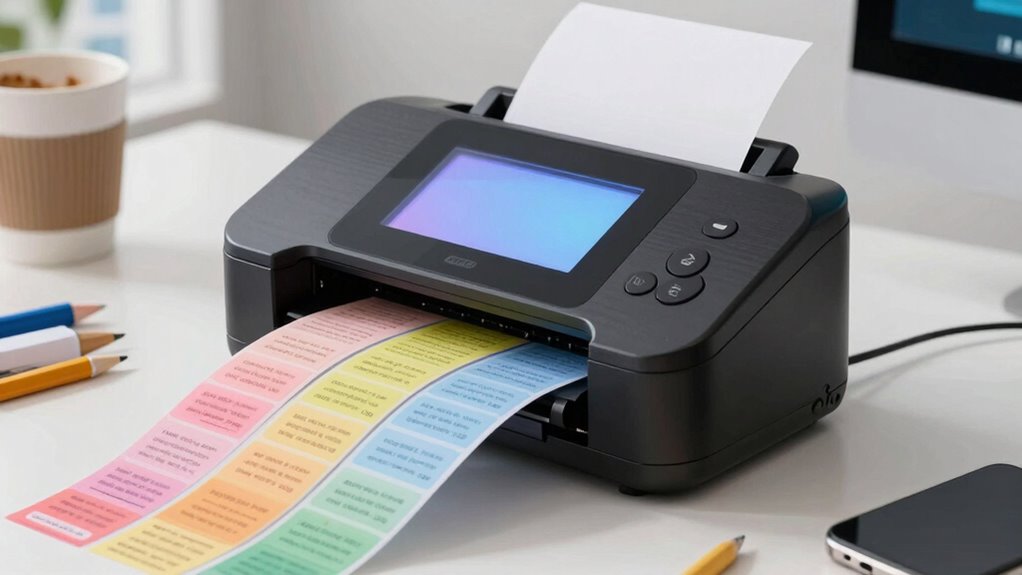

If you’re searching for a label maker, you’re likely balancing ease of use, printing quality, and affordability. The Brother P-Touch PT-D220 stands out as the best overall for its reliability and versatile tape options. For those who prioritize portability, the Nelko P21 offers Bluetooth connectivity and colorful labels in a compact design. The main tradeoffs involve balancing advanced features against simplicity and cost—more features usually mean higher prices, while basic models may lack customization. Continue reading to see how these options compare and which one fits your specific needs.

Turn the school run and nap time into listening time
- Thousands of audiobooks, podcasts and originals
- Listen on your phone, tablet or Echo — also offline
- Cancel anytime
Complete the kit


Key Takeaways
- Top picks vary significantly based on portability versus advanced customization features.
- Wireless Bluetooth connectivity is a common trait among the most versatile models.
- Print quality and tape compatibility strongly influence the overall value of a label maker.
- Budget models often sacrifice features like color printing or large screen interfaces.
- Choosing the right label maker depends heavily on your primary use—home, office, or on-the-go.
| SUPVAN E11 Keyboard & Bluetooth Label Maker with 4 Tapes |  | Best for Versatile On-the-Go Labeling | Battery: 1200 mAh rechargeable | Weight: 0.5 lb | Dimensions: 5.7 x 2.9 x 1.3 inches | VIEW ON AMAZON | See Our Full Breakdown |
| Brother P-Touch PT-D220 Home/Office Label Maker – Prints TZe Label Tapes up to 1/2 inch |  | Best for Easy, Durable Labeling | Label Tape Width: up to 1/2 inch (12mm) | Power Source: 6 AAA batteries or optional AC adapter | Fonts: 14 | VIEW ON AMAZON | See Our Full Breakdown |
| DYMO Label Maker Machine with 3 Tapes – 100H LetraTag Handheld, Includes 3 LT Label Tapes |  | Best for Portable, Quick Labeling | Power: Auto-off functionality | Included Tapes: 3 LT Label Tapes (paper, plastic, clear) | Font Sizes: 5 | VIEW ON AMAZON | See Our Full Breakdown |
| Brother P-Touch PT-D210 Label Maker Bundle (4 Tapes Included) |  | Best for Versatile, Durable Labels | Compatible Tape Widths: 3.5mm, 6mm, 9mm, 12mm | Power: 6 AAA batteries (sold separately), optional AC adapter | Included Tapes: One 12mm x 13.1ft, three 12mm x 26.2ft | VIEW ON AMAZON | See Our Full Breakdown |
| Brother P-Touch PT-N10 Personal Handheld Label Maker, Portable, Prints Colorful Labels with ½” (12mm) Wide Tapes |  | Best for Colorful, Compact Personal Labels | Tape Width: ½ inch (12mm) | Tape Length: 13.1 feet (4 meters) | Fonts: 3 | VIEW ON AMAZON | See Our Full Breakdown |
| SUPVAN E12 Keyboard & Bluetooth Label Maker Machine with 4 Tapes |  | Best for Customization and Mobile Use | Battery: 1200mAh rechargeable | Printing Margin: 0.2 inches | Languages: 17 | VIEW ON AMAZON | See Our Full Breakdown |
| DYMO LabelManager 160 Label Maker Bundle with 3 D1 Label Cassettes |  | Best for Portability and Quick Labeling | Type: Label Maker | Display: Large display | Keyboard: QWERTY | VIEW ON AMAZON | See Our Full Breakdown |
| Nelko P21 Label Maker Machine with Tape, Bluetooth Portable Label Printer, White |  | Best for On-the-Go, Ink-Free Labeling | Technology: BPA-Free Direct Thermal | Resolution: 203 DPI | Connectivity: Bluetooth (iOS & Android) | VIEW ON AMAZON | See Our Full Breakdown |
| DYMO LetraTag 100H Plus Handheld Label Maker – for Office or Home Organization |  | Best for Basic, Everyday Labeling | Printer Type: Thermal | Output Type: Monochrome | Display Type: LCD | VIEW ON AMAZON | See Our Full Breakdown |
| Nelko P21 Label Maker Machine with Tape, Bluetooth Label Printer, Black |  | Best for Monochrome, Mobile Labeling | Technology: BPA-Free Direct Thermal | Resolution: 203 DPI | Connectivity: Bluetooth (iOS & Android) | VIEW ON AMAZON | See Our Full Breakdown |
More Details on Our Top Picks
SUPVAN E11 Keyboard & Bluetooth Label Maker with 4 Tapes
The SUPVAN E11 stands out for its portability and extensive customization options, thanks to a Bluetooth-connected app that lets you design labels with over 30 fonts, 50 frames, and 660 icons. Its rechargeable battery makes it ideal for quick, mobile labeling tasks, whether in a home or office setting. Compared with the Brother P-Touch PT-D220, which is more straightforward with a physical keyboard, the E11 offers more design flexibility but requires a Bluetooth connection—adding a layer of complexity. Its limited 4 tapes might restrict variety initially, but the ability to customize labels on the fly compensates well. Tradeoffs include reliance on Bluetooth for advanced features and a small tape selection. This pick is perfect for users needing flexible, portable labeling with creative options, but less so if you prefer a simple, plug-and-play device.
Pros:- Portable and lightweight for easy transport
- Supports extensive customization via Bluetooth app
- Long-lasting rechargeable battery
Cons:- Limited to only 4 tapes, restricting initial variety
- Requires Bluetooth connection for advanced features
Best for: People who need portable, customizable labels for home, office, or on-the-go projects
Not ideal for: Users seeking a basic, plug-and-play label maker without Bluetooth setup or extensive design options
- Battery:1200 mAh rechargeable
- Weight:0.5 lb
- Dimensions:5.7 x 2.9 x 1.3 inches
- Fonts:30+
- Frames:50+
- Icons:660+
- Languages:17
Our verdict“This is best suited for creative users who want flexible, mobile labeling with a variety of design options.”
Brother P-Touch PT-D220 Home/Office Label Maker – Prints TZe Label Tapes up to 1/2 inch
The Brother P-Touch PT-D220 is designed for straightforward, durable labeling with its easy-to-use QWERTY keyboard and wide range of fonts, symbols, and frames. It produces laminated labels up to 1/2 inch wide, making it perfect for organizing files, shelves, or cables. Compared to the DYMO LetraTag 100H Plus, which offers a more compact handheld experience, the PT-D220’s larger screen and customizable features make it more suitable for detailed labeling. However, it limits tape width to 1/2 inch, which might be restrictive for some larger projects. The need for an optional AC adapter adds a minor inconvenience for plug-in use. This model excels in producing durable labels quickly and easily, but is less suited for those needing extra-large or multi-line labels.
Pros:- Easy-to-use QWERTY keyboard for quick operation
- Wide selection of fonts, symbols, and frames for customization
- Produces laminated, water- and fade-resistant labels
Cons:- Limited to label tapes up to 1/2 inch wide
- Requires an optional AC adapter for continuous use
Best for: Home and office users who want reliable, durable labels with minimal fuss
Not ideal for: People needing larger, multi-line, or outdoor labels, or those who require a more portable device without optional power adapters
- Label Tape Width:up to 1/2 inch (12mm)
- Power Source:6 AAA batteries or optional AC adapter
- Fonts:14
- Font Styles:11
- Designer Frames:99
- Symbols:over 600
- Memory:Stores up to 30 labels
Our verdict“This is a solid choice for users wanting durable, customizable labels with a straightforward device.”
DYMO Label Maker Machine with 3 Tapes – 100H LetraTag Handheld, Includes 3 LT Label Tapes
The DYMO LetraTag 100H offers a lightweight, handheld design that’s ideal for quick, on-the-spot labeling. Its compact form makes it easy to carry around, especially compared to bulkier models like the Brother PT-D210. It provides multiple font sizes and styles, along with a preview feature that helps prevent mistakes. The included three tapes cover different needs right out of the box, making it a good value for casual users. However, its portability comes with limitations; it’s not built for large projects or continuous use, and batteries (not included) are required. Its basic interface may also feel limiting for more complex or detailed labeling tasks. This model fits best for users needing quick, small labels in a portable package, but not for extensive or outdoor labeling projects.
Pros:- Lightweight and portable for on-the-go use
- Includes 3 different tapes for immediate use
- Multiple font sizes and preview options
Cons:- Limited to handheld use, not suitable for large projects
- Batteries are not included, adding extra cost
Best for: Individuals who want a lightweight, easy-to-use handheld labeler for occasional labeling tasks
Not ideal for: Heavy-duty users or those needing large, multi-line, or outdoor labels, due to its limited size and power options
- Power:Auto-off functionality
- Included Tapes:3 LT Label Tapes (paper, plastic, clear)
- Font Sizes:5
- Print Styles:7
- Box Styles:8
Our verdict“This is an excellent choice for quick, portable labeling needs but not for continuous or large-scale projects.”
Brother P-Touch PT-D210 Label Maker Bundle (4 Tapes Included)
The Brother PT-D210 is a versatile, portable label maker that balances ease of use with extensive customization. It offers a large preview screen and supports a wide variety of fonts, styles, and templates, making it suitable for labeling everything from storage bins to outdoor equipment. Compared with the SUPVAN E11, which emphasizes digital design and Bluetooth, the PT-D210 is more straightforward and user-friendly for typical home and office tasks. Its laminated tapes are water- and fade-resistant, enhancing durability. The main tradeoff is that it’s limited to laminated tapes, which may not suit users who want fabric or paper labels. Although it requires six AAA batteries, the included tapes add significant value. This device excels at producing durable, customizable labels but is less flexible for non-laminated options.
Pros:- Supports a wide variety of fonts, styles, and templates
- Produces water- and fade-resistant laminated labels
- Includes multiple tapes for immediate use
Cons:- Requires six AAA batteries (not included)
- Limited to laminated tape options
Best for: Home and office users needing durable, customizable labels with straightforward operation
Not ideal for: Those seeking a device for outdoor or fabric labels, or who prefer a rechargeable cordless model
- Compatible Tape Widths:3.5mm, 6mm, 9mm, 12mm
- Power:6 AAA batteries (sold separately), optional AC adapter
- Included Tapes:One 12mm x 13.1ft, three 12mm x 26.2ft
- Display:Preview screen
- Fonts:14
- Styles:10
- Symbols:Over 600
Our verdict“Ideal for users needing durable, versatile labels for indoor and outdoor use, with simple operation and included tapes.”
Brother P-Touch PT-N10 Personal Handheld Label Maker, Portable, Prints Colorful Labels with ½” (12mm) Wide Tapes
The Brother P-Touch PT-N10 offers vibrant, colorful labels in a compact handheld form, making it perfect for personal organization or creative projects. Its full QWERTY keyboard and customizable fonts and symbols enable quick label creation, similar in ease to the DYMO LetraTag 100H, but with more options for color and style. The ½-inch wide tapes produce bold, eye-catching labels, ideal for DIY projects or personal storage. A key limitation is its restriction to two lines per label, which can be restrictive for more complex labels. It runs on six AAA batteries, which are sold separately, adding to ongoing costs. This device is best for vibrant, personal labels, but less suited for professional or outdoor applications requiring larger or multi-line labels.
Pros:- Portable with a full QWERTY keyboard
- Produces vibrant, colorful labels up to ½ inch wide
- Easy to preview before printing
Cons:- Limited to 2 lines per label
- Requires 6 AAA batteries, not included
Best for: Individuals creating colorful, eye-catching labels for personal use or small projects
Not ideal for: Users needing multi-line, professional, or outdoor labels, or those requiring rechargeable power
- Tape Width:½ inch (12mm)
- Tape Length:13.1 feet (4 meters)
- Fonts:3
- Font Styles:6
- Symbols:200
- Label Lines:up to 2
- Display:12-character preview screen
Our verdict“Perfect for adding colorful, personal flair to labels but not suitable for large or outdoor labeling needs.”
SUPVAN E12 Keyboard & Bluetooth Label Maker Machine with 4 Tapes
The SUPVAN E12 stands out for its dual printing options—keyboard and Bluetooth app—offering flexibility that surpasses the simplicity of traditional handheld models like the DYMO LetraTag 100H Plus. Its extensive app features, including fonts, icons, and multilingual support, make it ideal for users who want personalized, professional-looking labels. However, its reliance on Bluetooth means a stable connection is essential for full functionality, which could be a hurdle for some. The inclusion of four tapes is convenient, but the limited number may require additional purchases for ongoing projects. Compared with the DYMO LabelManager 160, the E12’s customization options excel, but it demands a smartphone or tablet for full use. This pick makes the most sense for users seeking highly customizable labels with mobile flexibility, willing to handle app setup.Pros:- Fast printing via keyboard or Bluetooth app
- Long-lasting 1200mAh rechargeable battery
- Minimal margin printing saves material
- Extensive customization with fonts, icons, and languages
Cons:- Requires Bluetooth connection for full customization
- Limited to 4 tapes included, additional purchase needed
Best for: Creative users and small business owners who need detailed customization and mobile printing options.
Not ideal for: People who prefer simple, stand-alone label makers without app dependency or those who require more than four tapes upfront.
- Battery:1200mAh rechargeable
- Printing Margin:0.2 inches
- Languages:17
- Fonts:30+
- Frames:50+
- Icons:660+
Our verdict“Best suited for users who prioritize customization and mobile connectivity over simplicity.”
DYMO LabelManager 160 Label Maker Bundle with 3 D1 Label Cassettes
The DYMO LabelManager 160 excels in portability with its handheld, battery-operated design, making it a clear choice over bulkier options like the SUPVAN E12 when quick, on-the-go labeling is needed. Its large display and QWERTY keyboard simplify label creation without smartphone reliance, ideal for home and office tasks. The included three cassettes offer immediate versatility, though the need for authentic DYMO tapes and specific widths could limit flexibility, especially compared with models like Nelko P21 that support more formats. Its slower print speed of one page per minute might be frustrating for high-volume labeling, but for occasional use, it remains efficient. This model is best for users who want fast, straightforward labels without digital complexity, but not for those needing advanced customization.Pros:- Portable and easy to carry
- User-friendly with smart keys and QWERTY keyboard
- Includes multiple label cassettes for convenience
- Supports various label formats and symbols
Cons:- Requires authentic DYMO tapes for best results
- Limited to specific tape widths
Best for: Home users and office workers seeking a portable, easy-to-use label maker with quick setup.
Not ideal for: Heavy users needing high-volume or highly customizable labels, as the device is limited in speed and formatting complexity.
- Type:Label Maker
- Display:Large display
- Keyboard:QWERTY
- Power:Battery operated
- Included Cassettes:3 D1 label cassettes, 12mm x 23ft
- Recommended Tape Widths:1/4, 3/8, 1/2 inch
Our verdict“Ideal for quick, reliable labeling in home or small office settings where portability matters.”
Nelko P21 Label Maker Machine with Tape, Bluetooth Portable Label Printer, White
The Nelko P21 offers a compact, wireless solution that appeals to users who want high-quality thermal labels without fuss. Its thermal printing technology, similar to the Nelko P21 Black model, produces sharp, durable labels ideal for organizing homes, offices, or classrooms. Compared to the SUPVAN E12, it’s less customizable but more straightforward, with fewer setup requirements and no need for an app for basic labels. The limited color options—monochrome only—are a tradeoff for its simplicity and portability. Its compatibility with iOS and Android enhances convenience, though it’s not compatible with Google phones running Android 14, a potential drawback for some. This model suits those looking for a reliable, inkless solution with quick, neat labels, but not for users seeking vibrant, multicolor labels.Pros:- Compact and portable for on-the-go labeling
- High-definition thermal printing without ink or toner
- Wide variety of templates, icons, and customization options
- Compatible with iOS and Android devices
Cons:- Not compatible with Google phones running Android 14
- Charging adapter not included
Best for: Individuals needing durable, monochrome labels on the go, especially in home or classroom environments.
Not ideal for: Users who want colorful labels or need compatibility with Android 14 devices or computers, as the app and device limitations restrict flexibility.
- Technology:BPA-Free Direct Thermal
- Resolution:203 DPI
- Connectivity:Bluetooth (iOS & Android)
- Battery:Built-in rechargeable
- Label Size Options:14×40mm, 14×50mm, 14×75mm
- Languages Supported:29
Our verdict“A straightforward, durable label maker perfect for mobile users who prioritize simplicity and reliability.”
DYMO LetraTag 100H Plus Handheld Label Maker – for Office or Home Organization
The DYMO LetraTag 100H Plus emphasizes simplicity and portability, making it a practical choice for quick labels around the home or office. Its monochrome thermal output and graphical LCD display allow for basic previewing of font effects before printing, which is a step above the minimal feedback of some simpler models. While it’s slower—printing one page per minute—it compensates with ease of use and the ability to support multiple font styles and sizes. This model’s reliance on authentic DYMO labels ensures optimal performance but limits flexibility to specific tapes and formats. Compared to the more feature-rich SUPVAN E12, it’s a straightforward, no-fuss device suited for occasional labeling needs rather than complex projects.Pros:- Portable and lightweight for easy use anywhere
- Graphical display to preview font effects
- Multiple font styles and sizes supported
- Uses authentic DYMO labels for consistent quality
Cons:- Limited to monochrome printing
- Print speed may be slow for large batches
Best for: Home users or small office staff looking for a lightweight, reliable label maker for everyday organization.
Not ideal for: High-volume users or those needing colorful, detailed labels, as the monochrome output and limited features could become restrictive.
- Printer Type:Thermal
- Output Type:Monochrome
- Display Type:LCD
- Resolution:300 x 300
- Print Speed:1 page per minute
- Control Method:App
Our verdict“Perfect for simple, reliable labeling in everyday settings where speed and color are less critical.”
Nelko P21 Label Maker Machine with Tape, Bluetooth Label Printer, Black
The Nelko P21 Black is a compact, Bluetooth-enabled thermal label maker that offers a straightforward, ink-free solution for on-the-go labeling needs. Its high-definition thermal printing ensures sharp, durable black text, similar to the white version, but with a sleek, minimalist design suited for users who prioritize portability. Compared with the SUPVAN E12, it sacrifices extensive customization and app features for simplicity and ease of use, making it ideal for quick labels in homes or classrooms. Its limited compatibility—excluding Android phones running Android 14—may be a downside for some users. The device’s focus on monochrome output keeps things simple, but it’s not suited for users seeking colorful or elaborate labels.Pros:- Compact and portable for mobile labeling
- High-quality thermal printing without ink or toner
- Rich template library with icons and borders
- Easy Bluetooth pairing with smartphones
Cons:- Not compatible with Android 14 devices
- Charging adapter not included
Best for: Mobile users who need quick, durable, monochrome labels in diverse environments without fuss.
Not ideal for: Those requiring color labels or full compatibility with all Android devices, especially Android 14 users, as the device is limited in connectivity.
- Technology:BPA-Free Direct Thermal
- Resolution:203 DPI
- Connectivity:Bluetooth (iOS & Android)
- Battery:Built-in rechargeable
- Label Size Options:14×40mm, 14×50mm, 14×75mm
Our verdict“Great for users who want reliable, monochrome labels on the go without the complexity of advanced features.”

How We Picked
We evaluated each label maker based on performance, ease of use, build quality, and value. Additional factors included tape versatility, connectivity options, and user interface design. Our ranking emphasizes models suitable for common tasks like organization, labeling, and small business use, while balancing affordability and feature set. We prioritized products that demonstrate reliability over long-term use and considered user feedback to identify which models deliver consistent results in real-world scenarios.Factors to Consider When Choosing Label Maker
When selecting a label maker, it’s important to consider several key factors that impact usability and longevity. Beyond just the initial purchase price, think about how the device fits into your workflow, its connectivity options, and the types of tapes it supports. Making the right choice can save you money and frustration over time, especially if you plan to use your label maker frequently or for specific tasks like color coding or outdoor labeling.Connectivity and Compatibility
Many modern label makers include Bluetooth or Wi-Fi, allowing you to design labels on your phone or computer. This feature can be a game-changer for creating complex or multiple labels quickly. However, it also adds to the cost and potential technical issues. If you prefer simplicity, a basic model with manual input may be sufficient, especially for occasional use or minimal labeling tasks.
Tape Types and Sizes
The variety of tapes supported by a label maker directly impacts its versatility. Consider whether you need narrow tapes for small items or wider tapes for larger labels. Some models only work with proprietary tapes, which can be more expensive or harder to find. For heavy-duty or outdoor use, look for waterproof or weather-resistant tapes, even if it means paying a premium.
Ease of Use and Interface
Intuitive interfaces, clear screens, and easy-to-navigate menus reduce the learning curve. Touchscreens or large displays are helpful for customizing fonts and layouts. However, simpler models with physical buttons can be more durable and straightforward for quick tasks. Consider your comfort level with technology and how often you’ll be using the device to decide the right balance.
Battery Life and Power Options
If portability is essential, check whether the device uses batteries or has an option for rechargeable power. Longer battery life is beneficial for on-the-go labeling, but some models may drain batteries quickly, especially with backlit screens or wireless features. For stationary use, plugging into an outlet can be more economical and reliable.
Price and Long-term Value
While budget models can meet basic needs, investing a bit more often yields better durability, more features, and cheaper tape replacements. Consider the total cost of ownership, including the initial price and ongoing tape expenses. A higher upfront investment can be justified if it enhances productivity or provides professional-quality results, especially for frequent or business use.
Frequently Asked Questions
Can I use third-party tapes with all label makers?
Not all label makers are compatible with third-party tapes, as many brands design their tapes to work specifically with their devices. Using incompatible tapes may lead to poor print quality or damage to the device. It’s best to check the manufacturer’s recommendations before purchasing third-party options, and when possible, stick with verified tapes to ensure consistent performance and durability.
Are wireless label makers more reliable than wired ones?
Wireless label makers offer more flexibility and ease of use, especially if you want to design labels from your computer or phone. However, they can be prone to connectivity issues or require software updates. Wired models tend to be more straightforward and reliable for stationary setups, especially in environments where Wi-Fi signals are weak or unstable. Your choice depends on how much convenience outweighs the need for consistent, trouble-free operation.
What’s the benefit of color printing on a label maker?
Color printing allows for more effective organization, such as color coding files, shelves, or cables. It makes labels more visible and can help differentiate items quickly. However, color-capable models generally cost more and require specialized tapes, which may be less readily available. If color coding is a key part of your organization strategy, investing in a color label maker can be worthwhile, but for basic labeling, monochrome models are often sufficient.
How important is a large screen on a label maker?
A large, clear screen improves usability by making it easier to preview labels, customize fonts, and navigate menus. For users who frequently create complex or detailed labels, a larger display can save time and reduce errors. Conversely, smaller screens with physical buttons tend to be more durable and less expensive, which suits occasional users or those who prioritize portability. Think about your labeling needs and how much time you’ll spend customizing labels before choosing a screen size.
Is it better to buy a budget label maker or a more expensive one?
The choice depends on your intended use. Budget models are suitable for light, infrequent tasks and can be a good entry point. More expensive models often include better build quality, additional features like Bluetooth connectivity, a wider range of tapes, and higher print quality. If you plan to use your label maker regularly or for professional purposes, investing in a higher-end model can provide better reliability and long-term value, saving you money and hassle over time.
Conclusion
For most casual users or home organizers, the Brother P-Touch PT-D220 offers a great balance of affordability and features. Those needing portability and advanced customization may prefer the Nelko P21 Bluetooth model. If your priority is durability and professional-quality labels, investing in a premium option like the DYMO LabelManager 160 makes sense. Beginners should look for models with simple interfaces, while small businesses or heavy users should consider more feature-rich, reliable brands. Ultimately, your choice should align with your specific labeling needs, frequency of use, and budget constraints.
Fall Picks
fall essentials
As an affiliate, we earn on qualifying purchases.