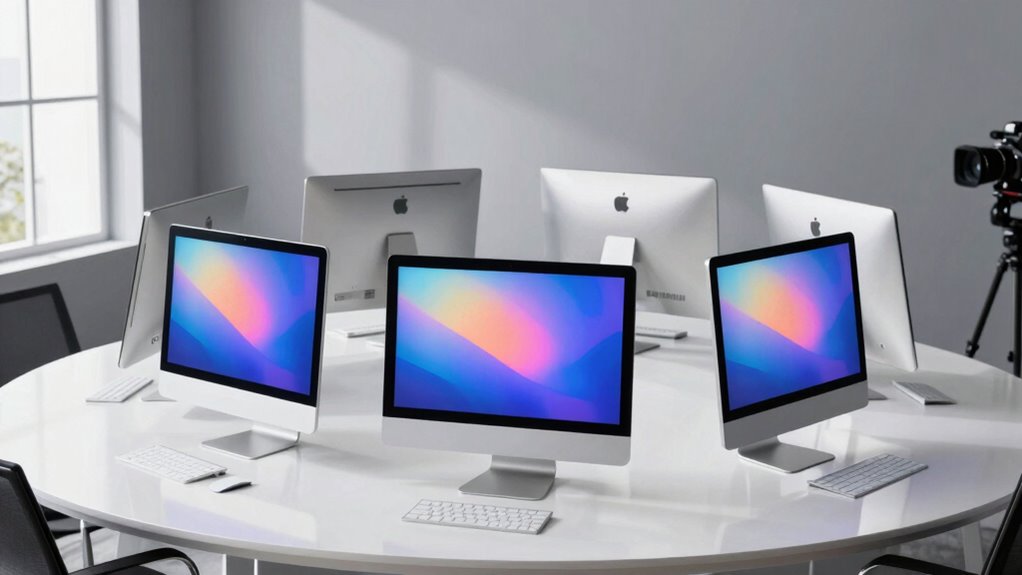

Renewed iMac desktops range from older Intel all-in-ones to newer M1 models, and the differences affect speed, software support, screen size, and storage. My best overall pick is the 2021 24-inch M1 iMac with 512GB SSD, which pairs a modern chip with more built-in space than the 256GB versions. The 27-inch Retina 5K iMac is the standout for buyers who prioritize a larger, sharper display, while the 256GB M1 models suit everyday work if files mostly live elsewhere. Older Intel options can offer a lower-cost path, but their age and dated software make them a more limited choice. Read on for the full breakdown and guidance on choosing a renewed model that fits your needs.

Give the gift of listening to the whole family
- Choose a 1-, 3-, 6- or 12-month membership
- They pick the audiobooks they love
- Easy to send by email
Complete the kit


Key Takeaways
- The 24-inch M1 models are the strongest all-around group: their newer chip generation makes them a better fit for current everyday workloads than the older Intel configurations listed here.
- The 512GB M1 configuration has a practical advantage over the 256GB M1 models if you keep photos, documents, or applications on the computer rather than external storage.
- The 27-inch Retina 5K model is the display-first alternative, but its Intel generation and specific configuration details matter more than screen size alone.
- The two older 21.5-inch Intel options are not interchangeable: one lists a 256GB SSD and macOS Sierra, while the 2017 model lists 1TB storage; confirm the storage type and supported software before choosing either.
- Renewed condition and included support can change the value of any pick; check the seller’s return terms, warranty, battery-free desktop condition, and exact hardware configuration before ordering.
| Apple iMac 27-Inch Retina 5K Desktop (Renewed) |  | Best for a Large 5K Workspace | Display: 27-inch Retina 5K | Processor: 3.2GHz Intel Core i5 quad-core | Graphics: AMD Radeon R9 M390 | VIEW ON AMAZON | See Our Full Breakdown |
| Apple 2021 iMac with Apple M1 Chip with 8-core CPU 24-inch, 8GB RAM, 256GB SSD Storage Blue (Renewed) |  | Best for a Colorful, Modern Setup | Display: 24-inch 4.5K Retina, P3 wide color, 500 nits | Processor: Apple M1 with 8-core CPU | Graphics: 7-core GPU | VIEW ON AMAZON | See Our Full Breakdown |
| Apple iMac 21.5in 2.7GHz Core i5 (ME086LL/A) All In One Desktop, 8GB Memory, 256GB Solid State Drive, MacOS 10.12 Sierra (Renewed) |  | Best for a Basic Compact Mac Desktop | Display: 21.5-inch | Resolution: 1920 × 1080 | Processor: 2.7GHz Intel Core i5 | VIEW ON AMAZON | See Our Full Breakdown |
| Apple 2017 iMac with Intel Core i5, 21.5-inch, 8GB RAM, 1TB Storage – Silver (Renewed) |  | Best for Built-In Storage on a Basic Budget | Display: 21.5-inch widescreen LED-backlit | Resolution: 1920 × 1080 | Processor: 2.3GHz 7th-generation Intel Core i5-7360U, dual-core | VIEW ON AMAZON | See Our Full Breakdown |
| Apple 2021 iMac with M1 Chip, 24-inch, 8GB RAM, 512GB SSD, Silver (Renewed) |  | Best Overall for Most Buyers | Display: 24-inch Retina, 4480 × 2520 | Processor: Apple M1, 8-core CPU | Graphics: Integrated 8-core GPU | VIEW ON AMAZON | See Our Full Breakdown |
| 2021 Apple iMac with Apple M1 Chip with 8-core CPU (24-inch, 8GB RAM, 256GB SSD Storage) (QWERTY English) Silver (Renewed) |  | Best for a Compact, Modern All-in-One | Release year: 2021 | Display: 24-inch 4.5K Retina, P3 wide color, 500 nits | Processor: Apple M1, 8-core CPU | VIEW ON AMAZON | See Our Full Breakdown |
| renewed imac desktop | Display | Processor | Memory | Storage |
|---|---|---|---|---|
| Apple iMac 27-Inch Retina 5K D | 27-inch Retina 5K | 3.2GHz Intel Core i5 quad-core | 8GB | 1TB Fusion Drive |
| Apple 2021 iMac with Apple M1 | 24-inch 4.5K Retina, P3 wide color, 500 nits | Apple M1 with 8-core CPU | 8GB | 256GB SSD |
| Apple iMac 21.5in 2.7GHz Core | 21.5-inch | 2.7GHz Intel Core i5 | 8GB DDR3, maximum listed 8GB | 256GB SSD |
| Apple 2017 iMac with Intel Cor | 21.5-inch widescreen LED-backlit | 2.3GHz 7th-generation Intel Core i5-7360U, dual-core | 8GB DDR4 2133MHz | 1TB HDD |
| Apple 2021 iMac with M1 Chip | 24-inch Retina, 4480 × 2520 | Apple M1, 8-core CPU | 8GB, listed as DDR3 SDRAM | 512GB SSD |
| 2021 Apple iMac with Apple M1 | 24-inch 4.5K Retina, P3 wide color, 500 nits | Apple M1, 8-core CPU | 8GB RAM | 256GB SSD |
More Details on Our Top Picks
Apple iMac 27-Inch Retina 5K Desktop (Renewed)
The 27-inch Retina 5K display is the reason to choose this renewed iMac: its large, detailed workspace suits photo editing, design projects, and keeping several windows visible at once. Compared with the 2021 24-inch M1 iMac, it offers a bigger screen and a 1TB Fusion Drive, but its older Intel platform and spinning-drive component make it a less responsive choice for everyday multitasking. The 3.2GHz quad-core Core i5 and Radeon graphics still give it a useful foundation for display-heavy work, while 8GB of RAM may constrain demanding modern apps. I’d rank it ahead of older 21.5-inch models for screen quality, but below the M1 options for speed and newer connectivity. Renewed condition and warranty coverage can vary, so check the seller’s terms.
Pros:- 27-inch 5K Retina display provides a large, detailed workspace.
- Quad-core Intel Core i5 is suited to general productivity and display-focused creative tasks.
- 1TB Fusion Drive provides more built-in capacity than the 256GB M1 model.
- Radeon R9 M390 graphics support graphics-intensive work better than basic integrated graphics.
Cons:- Fusion Drive is less consistently responsive than the SSD storage in the 2021 M1 iMacs.
- 8GB RAM may limit demanding creative workloads and newer multitasking needs.
- Renewed warranty coverage and condition depend on the seller.
Best for: Photo editors and designers who want a large, high-resolution built-in display and need substantial local storage.
Not ideal for: Buyers prioritizing snappy SSD performance, newer connectivity, or a compact desk setup; the M1 iMacs are better fits for those needs.
- Display:27-inch Retina 5K
- Processor:3.2GHz Intel Core i5 quad-core
- Graphics:AMD Radeon R9 M390
- Memory:8GB
- Storage:1TB Fusion Drive
- Operating system:macOS
Our verdict“Choose this model for its expansive 5K screen and larger drive, not for the newer performance and SSD responsiveness of the M1 iMacs.”
Apple 2021 iMac with Apple M1 Chip with 8-core CPU 24-inch, 8GB RAM, 256GB SSD Storage Blue (Renewed)
This blue 2021 iMac pairs the M1 chip with a sharp 24-inch 4.5K display, making it a more current all-around choice than the older Intel 21.5-inch models here. Its 256GB SSD should feel more responsive than the 1TB HDD in the 2017 iMac, though it leaves much less room for large media libraries. The 1080p camera and six-speaker system are practical advantages for frequent video calls and shared home use; the 27-inch 5K iMac, by contrast, gives creative workers a larger canvas. This configuration has 8GB RAM and two Thunderbolt/USB 4 ports, so extensive workloads and accessory-heavy desks may call for another setup. The listing’s memory details conflict with its M1 description, so I’d verify the exact configuration with the seller before buying.
Pros:- M1 8-core CPU offers a newer platform than the Intel-based 21.5-inch models.
- 24-inch 4.5K display combines sharp detail with P3 wide color and 500-nit brightness.
- 1080p FaceTime HD camera and six-speaker audio suit video calls and media playback.
- Thin blue all-in-one design gives a compact, coordinated desktop setup.
Cons:- 256GB SSD leaves limited room for large files and app libraries.
- 8GB RAM may be restrictive for demanding creative work and heavy multitasking.
- Product listing includes conflicting memory details, so configuration should be confirmed.
Best for: Home users and students who want an M1 all-in-one with a high-quality screen, video-call camera, and distinctive blue finish.
Not ideal for: People storing large video or photo libraries locally, or buyers who need extensive built-in ports and memory headroom.
- Display:24-inch 4.5K Retina, P3 wide color, 500 nits
- Processor:Apple M1 with 8-core CPU
- Graphics:7-core GPU
- Memory:8GB
- Storage:256GB SSD
- Camera:1080p FaceTime HD
- Audio:Six-speaker sound system
- Ports:Two Thunderbolt/USB 4 ports; up to two USB 3 ports
- Color:Blue
Our verdict“Pick this blue M1 model for a polished home or school desktop, provided 256GB storage and 8GB memory fit your workload.”
Apple iMac 21.5in 2.7GHz Core i5 (ME086LL/A) All In One Desktop, 8GB Memory, 256GB Solid State Drive, MacOS 10.12 Sierra (Renewed)
This older 21.5-inch iMac is the straightforward pick for buyers who need a basic Mac desktop and prefer a compact full-size display over the newer M1 models’ higher resolution. Its 256GB SSD can make startup and file access feel quicker than the 2017 iMac’s 1TB hard drive, but the 1920×1080 screen is much less detailed than either 24-inch M1 display or the 27-inch 5K model. The 2.7GHz Core i5 and 8GB of memory fit routine browsing, documents, and streaming better than demanding creative work. It also runs macOS 10.12 Sierra, an old operating system that may limit app compatibility and security support. I’d choose it over the 2017 HDD configuration only when SSD responsiveness matters more than newer software support; check the supplier’s warranty and included accessories.
Pros:- 256GB SSD offers quicker storage response than the 2017 iMac’s listed HDD.
- 21.5-inch all-in-one design takes less room than the 27-inch 5K iMac.
- Core i5 processor and 8GB memory are suitable for routine desktop tasks.
- Renewed listing specifies a minimum 90-day supplier-backed warranty.
Cons:- 1920×1080 resolution is substantially less detailed than the 4.5K and 5K alternatives.
- macOS 10.12 Sierra is dated and may restrict newer app compatibility and security support.
- Memory is listed as a maximum of 8GB, limiting upgrade headroom.
Best for: A buyer seeking an older, compact all-in-one for basic browsing, documents, and streaming who values SSD storage over a high-resolution display.
Not ideal for: Students or professionals who need current macOS app support, a high-resolution screen, or headroom for demanding creative software.
- Display:21.5-inch
- Resolution:1920 × 1080
- Processor:2.7GHz Intel Core i5
- Memory:8GB DDR3, maximum listed 8GB
- Storage:256GB SSD
- Operating system:macOS 10.12 Sierra
- Connectivity:Bluetooth 4.0, Ethernet, Thunderbolt, USB 3.0, Wi-Fi
- Weight:12.5 pounds
Our verdict“Choose this iMac for basic use and SSD responsiveness only if its dated software and standard-resolution display meet your needs.”
Apple 2017 iMac with Intel Core i5, 21.5-inch, 8GB RAM, 1TB Storage – Silver (Renewed)
The 2017 21.5-inch iMac is the storage-first option among these older desktops: its 1TB HDD gives file-heavy households more room than the 256GB SSD in the older ME086LL/A, but opening apps and moving files will be slower. Its dual-core 2.3GHz Core i5 and 8GB RAM are best reserved for everyday tasks such as email, schoolwork, and web browsing, not sustained creative workloads. The 1080p screen is practical for general use, although it cannot match the M1 iMac’s 4.5K detail or the 27-inch model’s 5K workspace. Four USB 3.0 ports and two Thunderbolt ports help accommodate accessories. The listing’s operating-system and storage details are inconsistent, so confirm the actual configuration and software with the seller before purchase.
Pros:- 1TB drive offers substantially more listed capacity than the 256GB SSD configurations.
- Four USB 3.0 ports and two Thunderbolt ports support several wired accessories.
- 21.5-inch all-in-one design combines the computer and display in one unit.
- 8GB memory and Core i5 processor can handle basic productivity tasks.
Cons:- Listed storage is an HDD, which is slower for startup and file access than the SSD options.
- Dual-core processor and 8GB RAM limit demanding work and heavier multitasking.
- 1080p display lacks the detail of the M1 4.5K and 27-inch 5K screens.
- Product data has conflicting operating-system and storage details that require seller confirmation.
Best for: Households or students who keep many documents and media files locally and mainly use a desktop for everyday tasks.
Not ideal for: Creative professionals, multitaskers, or anyone who expects fast SSD performance and a high-resolution screen.
- Display:21.5-inch widescreen LED-backlit
- Resolution:1920 × 1080
- Processor:2.3GHz 7th-generation Intel Core i5-7360U, dual-core
- Graphics:Intel Iris Plus Graphics 640
- Memory:8GB DDR4 2133MHz
- Storage:1TB HDD
- Ports:Four USB 3.0, two Thunderbolt, RJ-45
- Wireless:Wi-Fi and Bluetooth 4.2
Our verdict“Pick this 2017 iMac when local drive capacity matters more than speed, display detail, and newer processing performance.”
Apple 2021 iMac with M1 Chip, 24-inch, 8GB RAM, 512GB SSD, Silver (Renewed)
This silver 2021 iMac earns the overall spot by balancing a 24-inch 4.5K Retina display with M1 performance and a 512GB SSD. Compared with the blue 256GB M1 model, it provides twice the listed storage, which gives apps and personal files more breathing room without sacrificing the newer platform. Its 8-core CPU and GPU suit everyday productivity, video calls, and moderate creative work, while the screen’s 4480 × 2520 resolution makes text and images notably sharper than on the older 21.5-inch models. The 27-inch 5K iMac still offers more screen area, but this one is a more compact, modern fit for most desks. The limits are 8GB RAM, modest listed port options, and a 90-day warranty; its product data also labels the memory DDR3, so verify the configuration.
Pros:- M1 8-core CPU and GPU provide a newer platform than the Intel-based models.
- 24-inch 4.5K Retina display offers far more detail than the 21.5-inch 1080p options.
- 512GB SSD provides twice the listed capacity of the blue 256GB M1 model.
- Wi-Fi 6, Bluetooth 5.0, USB 4, and USB 3 support modern connections.
Cons:- 8GB RAM may constrain demanding creative work and heavy multitasking.
- 90-day limited warranty is short compared with the ownership horizon many desktop buyers want.
- Product data lists DDR3 memory despite the M1 configuration, so confirm specifications with the seller.
Best for: Home and hybrid-work users who want a sharp display, current M1 performance, and more built-in SSD space than the 256GB model.
Not ideal for: Buyers who need a larger 27-inch work surface, substantial memory for demanding professional workloads, or a longer warranty than the listed 90 days.
- Display:24-inch Retina, 4480 × 2520
- Processor:Apple M1, 8-core CPU
- Graphics:Integrated 8-core GPU
- Memory:8GB, listed as DDR3 SDRAM
- Storage:512GB SSD
- Operating system:macOS
- Connectivity:Wi-Fi 6, Bluetooth 5.0, USB 4, USB 3
- Weight:15.6 pounds
- Warranty:90-day limited warranty
Our verdict“For most buyers choosing a renewed iMac, this is the strongest balance of modern M1 performance, 4.5K detail, and usable SSD capacity.”
2021 Apple iMac with Apple M1 Chip with 8-core CPU (24-inch, 8GB RAM, 256GB SSD Storage) (QWERTY English) Silver (Renewed)
This renewed 24-inch M1 iMac is a strong fit for buyers who want a current-feeling desktop without a separate tower and monitor. Its 4.5K Retina display, bright 500-nit panel, and P3 color make photos, documents, and video look crisp, while the M1’s 8-core CPU handles everyday work smoothly. Compared with the renewed 27-inch Retina 5K iMac, this model takes up less desk space and has a newer Apple-designed processor, but gives you a smaller screen and less room for demanding expansion. The 8GB of memory and 256GB SSD suit browsing, schoolwork, and routine office use; buyers with large media libraries or heavier workloads may prefer the 512GB M1 model. Its built-in camera, microphones, and speakers also reduce the need for desk accessories, though the limited ports and generic keyboard and mouse are compromises.
Pros:- Sharp 24-inch 4.5K Retina display with P3 wide color and 500-nit brightness
- M1 8-core CPU offers capable everyday performance in a thin all-in-one design
- 1080p FaceTime HD camera, three-mic array, and six-speaker system are built in
- Wi-Fi 6 and Bluetooth 5.0 provide modern wireless connectivity
Cons:- 8GB RAM and 256GB SSD can feel restrictive for demanding workflows or large file collections
- Two Thunderbolt/USB 4 ports leave limited room for wired accessories without adapters
- Renewed condition and included generic keyboard and mouse may not suit buyers seeking original accessories
Best for: Home-office users, students, and families who want a compact all-in-one for everyday computing, video calls, and streaming.
Not ideal for: Video editors, users who keep large local files, or buyers who need a larger display and more connection options.
- Release year:2021
- Display:24-inch 4.5K Retina, P3 wide color, 500 nits
- Processor:Apple M1, 8-core CPU
- Graphics:7-core GPU
- Memory:8GB RAM
- Storage:256GB SSD
- Ports:Two Thunderbolt/USB 4 ports; up to two USB 3 ports
- Wireless:Wi-Fi 6 and Bluetooth 5.0
- Camera:1080p FaceTime HD
Our verdict“Choose this renewed iMac for a small-footprint, polished everyday desktop, but pick the 512GB M1 model if you expect to store more files locally.”

How We Picked
I compared these six renewed iMacs around the factors that most affect ownership: processor generation, memory, storage capacity and type, display size and resolution, and likely fit for current tasks. I gave the strongest placement to configurations that pair a newer platform with useful everyday performance and fewer immediate storage compromises. That puts the 2021 M1 24-inch model with 512GB first, followed by the 256GB M1 options, while the 27-inch 5K Intel model earns a distinct place for buyers who value workspace and image detail more than the newest chip.
The older 21.5-inch Intel models rank lower because their age and listed operating-system details call for extra checks before purchase. The 2017 model’s 1TB capacity may suit a large local library, but storage capacity alone does not tell you whether it is a fast SSD. Since renewed listings can vary in cosmetic condition, accessories, warranty, and exact specifications, I treat those as purchase checks rather than assumed benefits. I also distinguish the two similarly specified 256GB M1 listings by keyboard layout and listing details, not by claiming a performance difference that their stated hardware does not support.
| renewed imac desktop | Operating system | Ports |
|---|---|---|
| Apple iMac 27-Inch Retina 5K D | macOS | — |
| Apple 2021 iMac with Apple M1 | — | Two Thunderbolt/USB 4 ports; up to two USB 3 ports |
| Apple iMac 21.5in 2.7GHz Core | macOS 10.12 Sierra | — |
| Apple 2017 iMac with Intel Cor | — | Four USB 3.0, two Thunderbolt, RJ-45 |
| Apple 2021 iMac with M1 Chip | macOS | — |
| 2021 Apple iMac with Apple M1 | — | Two Thunderbolt/USB 4 ports; up to two USB 3 ports |
Factors to Consider When Choosing Renewed Imac Desktops
Before choosing among renewed iMac desktops, I would match the computer to the way you work, then verify the exact unit and seller terms. A familiar model name does not guarantee the same storage, ports, software support, or condition.
Match the chip generation to your everyday workload
Start with the applications you expect to run, not just the model year. Newer M1 systems are a sensible baseline for browsing, office tasks, video calls, and many creative workflows, while older Intel models may still serve simple, well-defined tasks. Check whether your essential apps support the processor and operating system on the specific unit. If you rely on specialist software, confirm its requirements before buying rather than assuming an older Mac can run the current release. A less demanding workload can make an older system viable, but a short-term saving matters less if the software you need will not install or receive updates.
Treat storage type and capacity as separate questions
A listing’s storage number tells you how much space it has, not how quickly it responds. The 2017 model here lists 1TB, but the listing information provided does not establish the drive type, so verify whether it is an SSD before comparing it with M1 models that specify SSD storage. Think about your local files, photo library, and applications, then leave room for updates and future projects. External drives and cloud storage can stretch a smaller internal drive, but they add setup and ongoing file-management habits. If you want to keep a large library on the Mac itself, prioritize verified capacity and drive type over the headline model name.
Choose the display for your desk and work
The 27-inch 5K iMac offers more physical workspace and detailed imagery, which can help with side-by-side windows, image editing, and long sessions with dense layouts. A 24-inch iMac takes up less desk space and may feel better suited to a shared room or compact workstation. Bigger is not automatically better: measure the desk depth and viewing distance, and consider whether your work benefits from extra screen area. For text-heavy tasks, resolution and scaling affect how much information fits comfortably, so check the display specifications for the precise listing. Do not pay for a larger panel if the computer’s age or performance is a poorer match for your needs.
Check memory against the tasks you run together
All the listed 2021 M1 configurations specify 8GB of memory, which can handle routine personal and office use but leaves less room for demanding multitasking. Many browser tabs, large creative files, and virtual machines can put more pressure on memory than a simple task list suggests. Look up whether the exact renewed configuration allows memory upgrades; do not assume it can be expanded later. If your workload regularly pushes past everyday use, compare the full specification with your application’s requirements before committing. For lighter use, prioritize a healthy, well-documented unit over chasing a memory figure you may not need.
Verify operating-system support and app compatibility
Operating-system support affects security updates and whether newer versions of everyday apps will continue to work. One older listing explicitly identifies macOS 10.12 Sierra, so confirm what is currently installed and what versions that exact hardware supports. A seller’s generic statement that a Mac is ready to use does not answer whether your software will remain compatible. Check requirements for work tools, printers, scanners, and any accessories you depend on. When software longevity matters, an older Intel model needs more research than the M1 options in this group.
Read the renewed-condition and return details closely
Renewed products can differ in cosmetic wear, included accessories, inspection process, warranty, and return window. Confirm that the listing names the exact processor, display, storage type, keyboard layout, and operating-system condition rather than relying on a broad product title. Ask whether the power cable and any advertised accessories are included, and inspect the seller’s process for faults discovered after setup. A return period is particularly useful if you need to check the display, ports, speakers, and wireless connections at home. These terms can matter as much as a small difference in specifications when buying a used desktop remotely.
Frequently Asked Questions
Is a renewed M1 iMac a better choice than an older Intel iMac?
For many everyday users, an M1 iMac is the safer starting point because it belongs to a newer generation than the Intel models in this roundup. The older machines can still make sense for simple tasks or for buyers with a specific reason to use Intel-compatible software. Compare the exact apps you need, the supported macOS versions, and the storage configuration rather than relying on the processor label alone. If you need a large display, the 27-inch 5K Intel model may still suit that priority better than a smaller M1 screen. Choose based on the task that matters most, not on age or screen size in isolation.
Is 256GB enough storage for a renewed iMac?
It can be enough if you mainly use web apps, keep a modest number of applications installed, and store larger files in the cloud or on an external drive. It may feel restrictive if you keep a photo or video library on the computer or work with large project files. Remember that operating-system files and applications occupy part of the advertised capacity, leaving less room for personal data. The 512GB M1 option in this roundup offers more breathing room without requiring an external storage routine as soon. If you choose 256GB, plan how you will back up and manage files before the drive fills up.
Should I choose the 27-inch 5K iMac or a 24-inch M1 model?
Choose the 27-inch model if the larger, high-resolution display is central to your work, such as viewing detailed images or keeping several windows visible. The 24-inch M1 models are a stronger fit when newer processor generation and a smaller footprint matter more. The 27-inch listing’s exact processor, memory, storage, and supported software should be checked before purchase because the title alone does not specify them. Also compare your desk space and viewing distance; a large screen can be uncomfortable if it dominates a compact setup. Neither size is the automatic winner for every desk or workload.
Can I upgrade the memory or storage after buying a renewed iMac?
Do not assume that a renewed iMac can be upgraded later. Upgrade options depend on the specific generation and configuration, and the M1 iMacs are not designed for routine user upgrades to memory. Storage options also vary, while opening an all-in-one desktop can require specialist work and may affect service coverage. Confirm the upgrade path for the exact model identifier before ordering. If you expect your needs to grow, buying enough memory and storage at the outset is usually less hassle than planning around an uncertain upgrade.
What should I check when a renewed iMac listing gives conflicting specifications?
Pause the purchase until the seller clarifies the exact model identifier and configuration. Confirm processor, screen size, memory, storage capacity and type, keyboard layout, and operating-system version in writing. A broad title may combine details from different versions, and the 21.5-inch Intel listings here show why capacity alone is not enough to identify the drive. Compare the seller’s answer with Apple’s model specifications, then save the listing details in case the delivered computer differs. If the seller cannot confirm key components or return terms, choose a listing with clearer documentation.
Conclusion
My best overall recommendation is the 2021 24-inch M1 iMac with 512GB SSD for buyers who want a newer platform and more room for local files. For best value, consider one of the 256GB M1 models if your files are mostly cloud-based or stored externally; the two listings share core stated hardware, so compare condition, keyboard layout, warranty, and return terms. The best premium fit for display-focused work is the 27-inch Retina 5K iMac, provided its exact configuration and software support meet your needs. For beginners, a clearly documented 24-inch M1 model is the simplest starting point among these choices. For specific storage needs, the 2017 iMac’s listed 1TB capacity may appeal, but verify the drive type and software compatibility first; the 21.5-inch Sierra model makes most sense only for basic tasks that do not depend on newer software.