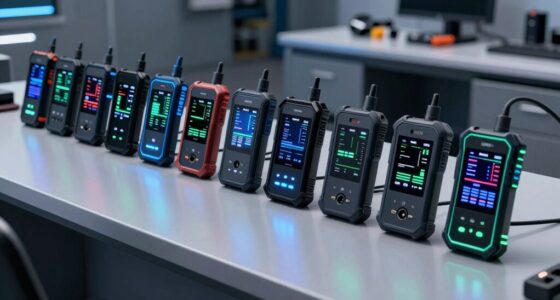
If you’re looking for the 13 best monitor color calibrator tools for 2026, I’ve got you covered. Top options include the Datacolor Spyder5PRO, SpyderX Pro, and Calibrite Photo and Video Kits, which support high-end display tech like OLED and HDR and offer quick, reliable calibration. These tools suit photographers, designers, and video professionals who need precise, consistent color. Keep going, and you’ll discover detailed insights and comparisons to help you choose the perfect fit.
Key Takeaways
- Top calibrator tools for professionals and enthusiasts supporting advanced display technologies like OLED, mini-LED, and HDR in 2026.
- Devices offering quick setup, user-friendly interfaces, and automatic ambient light adjustments for efficient calibration.
- Solutions with multi-display support, long-term stability, and environmental adaptability for complex workflows.
- Compatibility with Windows and macOS, featuring customizable software options for precise color, gamma, and grayscale calibration.
- High-value options balancing cost, accuracy, durability, and features like 3D LUT export and multi-screen calibration.
| Datacolor Spyder5PRO for Photographers and Designers |  | Best Overall | Calibration Speed: Under 5 minutes | Display Compatibility: All types (laptop/desktop) | Software Features: Profile creation, room light monitoring, comparison | VIEW LATEST PRICE | See Our Full Breakdown |
| Datacolor SpyderExpress |  | Fastest Calibration | Calibration Speed: Approximately 90 seconds | Display Compatibility: Latest LCD, OLED, mini-LED, Retina XDR | Software Features: Software upgradeable, ambient light adjustment, multi-display profiling | VIEW LATEST PRICE | See Our Full Breakdown |
| Datacolor Spyder X Pro Monitor Calibration Tool |  | Easy Professional | Calibration Speed: 1-2 minutes | Display Compatibility: Multiple monitors including OLED, mini-LED | Software Features: Guided wizard, before/after comparison, multi-display support | VIEW LATEST PRICE | See Our Full Breakdown |
| Calibrite Photo Kit – Display Pro HL and Passport Photo 2 (CCHL-PP2) |  | High-Precision | Calibration Speed: Fast, typically under 2 minutes | Display Compatibility: High-end displays, professional panels | Software Features: Custom profiles, camera calibration, software included | VIEW LATEST PRICE | See Our Full Breakdown |
| Calibrite Video Photo Kit: Display Plus HL & Passport Video |  | Workflow Ready | Calibration Speed: Not specified (implied quick setup) | Display Compatibility: LCD, OLED, Apple XDR, HDR | Software Features: Calibration presets, camera profiles, white balance | VIEW LATEST PRICE | See Our Full Breakdown |
| Calibrite Display 123 Colorimeter (CCDIS123) |  | User-Friendly | Calibration Speed: Not specified (assumed quick) | Display Compatibility: Multiple displays supported | Software Features: Basic calibration, user-friendly interface | VIEW LATEST PRICE | See Our Full Breakdown |
| Datacolor Spyder4Pro S4P100 Colorimeter for Display Calibration |  | Accurate & Reliable | Calibration Speed: Not specified (likely quick) | Display Compatibility: Broad display support, including OLED and HDR | Software Features: Recalibration assistant, automatic profile adjustment | VIEW LATEST PRICE | See Our Full Breakdown |
| Calibrite Creator Kit – Display 123 and Passport Video 2 (CC123-PPV2) |  | Creative Professional | Calibration Speed: Not specified (user-friendly, quick) | Display Compatibility: Up to 2 monitors via USB-C | Software Features: User-friendly, profile management, software support | VIEW LATEST PRICE | See Our Full Breakdown |
| Datacolor Spyder Monitor Calibration Tool |  | Advanced Technology | Calibration Speed: About 90 seconds | Display Compatibility: OLED, mini-LED, Apple Liquid Retina XDR | Software Features: DevicePreview, ambient light sensor, customizable profiles | VIEW LATEST PRICE | See Our Full Breakdown |
| Calibration Charts Set with Frame and User Guide |  | Portable & Durable | Calibration Speed: Not specified (designed for efficiency) | Display Compatibility: Multiple video and photo displays | Software Features: User guide, frame setup, calibration charts | VIEW LATEST PRICE | See Our Full Breakdown |
| Spyder Photo/Video Color Management Tools |  | Budget-Friendly | Calibration Speed: Not specified (assumed quick) | Display Compatibility: Supports various monitors, modern screens | Software Features: Color management, video/photo tools, white balance | VIEW LATEST PRICE | See Our Full Breakdown |
| Datacolor SpyderPro Monitor Calibration and Light Meter |  | High-Brightness Support | Calibration Speed: Not specified (likely quick) | Display Compatibility: Supports OLED, mini-LED, HDR, high-brightness | Software Features: Advanced export options, Content Credentials, ambient measurement | VIEW LATEST PRICE | See Our Full Breakdown |
| Calibrite ColorChecker Classic Mini (CCC-MINI) |  | Versatile Calibration | Calibration Speed: Approximately 90 seconds | Display Compatibility: QD-OLED, Mini-LED, Apple XDR, HDR | Software Features: Side-by-side comparison, 3D LUT, environmental calibration | VIEW LATEST PRICE | See Our Full Breakdown |
More Details on Our Top Picks
Datacolor Spyder5PRO for Photographers and Designers
If you’re a serious photographer or designer, the Datacolor Spyder5PRO is an excellent choice for guaranteeing your monitor displays true-to-life colors. It offers quick, full calibration in under five minutes, making it easy to maintain color accuracy. The device creates precise color profiles and includes room light monitoring to optimize brightness, helping you see fine details in shadows and highlights. Plus, its display analysis tools let you compare multiple monitors and review calibration results with your own photos. Proper calibration reduces wasted resources and ensures your images look consistent across screens and prints. Just calibrate in a controlled environment for the best results.
- Calibration Speed:Under 5 minutes
- Display Compatibility:All types (laptop/desktop)
- Software Features:Profile creation, room light monitoring, comparison
- Measurement Range / Brightness Support:Standard brightness, room light monitoring
- Calibration Type:Full monitor calibration, profile creation
- Additional Features:Shadow/highlight detail, print matching
- Additional Feature:Room light monitoring
- Additional Feature:Before and After comparisons
- Additional Feature:Profile creation for color management
Datacolor SpyderExpress
The Datacolor SpyderExpress stands out as an ideal choice for creators who need quick, reliable color calibration without hassle. It offers a straightforward process that takes about 90 seconds, ensuring your display shows true-to-life colors effortlessly. Designed to work with the latest screens, including Liquid Retina XDR, OLED, and mini-LED displays, it keeps your color accuracy consistent across devices. Up to three times faster than basic calibrators, it streamlines your workflow, allowing for quick adjustments. With easy software upgrades for features like ambient light adjustment and multi-display profiling, it’s perfect for those who want precise, trustworthy results with minimal setup.
- Calibration Speed:Approximately 90 seconds
- Display Compatibility:Latest LCD, OLED, mini-LED, Retina XDR
- Software Features:Software upgradeable, ambient light adjustment, multi-display profiling
- Measurement Range / Brightness Support:Supports latest displays, no specific luminance range stated
- Calibration Type:Display calibration, multi-display profiles
- Additional Features:Software upgrades, multi-display profiling
- Additional Feature:Support for latest display tech
- Additional Feature:Quick calibration process
- Additional Feature:Software upgrade options
Datacolor Spyder X Pro Monitor Calibration Tool
For anyone seeking quick, professional-grade color calibration, the Datacolor Spyder X Pro stands out with its advanced lens-based technology. It delivers high-precision color accuracy across multiple monitors, enhancing shadow detail and white balance. Features like room-light monitoring and automatic profile adjustments assure consistent, true-to-life colors in any environment. The setup is straightforward, with a user-friendly interface and a simple, one- to two-minute calibration process. The SpyderProof feature lets you compare before-and-after results directly using your own images. Plus, it supports calibration of multiple screens, making it perfect for photographers, designers, and content creators managing various displays effortlessly.
- Calibration Speed:1-2 minutes
- Display Compatibility:Multiple monitors including OLED, mini-LED
- Software Features:Guided wizard, before/after comparison, multi-display support
- Measurement Range / Brightness Support:Room-light monitoring, high accuracy
- Calibration Type:Color accuracy, profile adjustments
- Additional Features:Quick setup, before/after comparison
- Additional Feature:Automatic profile adjustments
- Additional Feature:SpyderProof comparison tool
- Additional Feature:Multi-monitor calibration support
Calibrite Photo Kit – Display Pro HL and Passport Photo 2 (CCHL-PP2)
Designed for professional photographers and videographers who demand precise color accuracy, the Calibrite Photo Kit—featuring the Display Pro HL and Passport Photo 2—delivers high-end calibration capabilities. The Display Pro HL colorimeter measures luminance up to 3,000 nits, ensuring accurate calibration for high-end displays like OLED and mini-LED panels. The Passport Photo 2 provides a 24-patch target for reliable color capture under various lighting conditions. Its software enables custom calibration for cameras and monitors, supporting Mac and Windows. With future-proof technology, this kit guarantees consistent, precise color reproduction across current and emerging display technologies, making it ideal for demanding professional workflows.
- Calibration Speed:Fast, typically under 2 minutes
- Display Compatibility:High-end displays, professional panels
- Software Features:Custom profiles, camera calibration, software included
- Measurement Range / Brightness Support:Measures luminance up to 3,000 nits
- Calibration Type:High-precision monitor calibration
- Additional Features:Camera calibration, future-proof hardware
- Additional Feature:Camera calibration software
- Additional Feature:Future-proof HL sensor
- Additional Feature:Customizable ICC profiles
Calibrite Video Photo Kit: Display Plus HL & Passport Video
If you need a professional-grade calibration tool that seamlessly integrates into your video and photo workflows, the Calibrite Video Photo Kit: Display Plus HL & Passport Video is an excellent choice. It features tools for camera calibration, including creating DNG and ICC profiles, ensuring accurate color reproduction across your entire setup. The kit supports consistent color management in various lighting conditions, making it perfect for multi-camera shoots. The Display Plus HL colorimeter measures luminance up to 10,000 nits, calibrating LCD, OLED, and Apple XDR displays with precision. The Calibrite Profiler software offers customizable presets, white point, and gamma adjustments, delivering superior color accuracy for professional editing.
- Calibration Speed:Not specified (implied quick setup)
- Display Compatibility:LCD, OLED, Apple XDR, HDR
- Software Features:Calibration presets, camera profiles, white balance
- Measurement Range / Brightness Support:Measures luminance up to 10,000 nits
- Calibration Type:Display calibration, camera profiling
- Additional Features:Video/Photo workflows, in-camera targets
- Additional Feature:Supports high luminance (10,000 nits)
- Additional Feature:Video and photo workflow compatibility
- Additional Feature:Custom camera profiles
Calibrite Display 123 Colorimeter (CCDIS123)
The Calibrite Display 123 Colorimeter stands out as an excellent choice for photographers, graphic designers, and home users who need quick, reliable monitor calibration. Its compact design (1.5 x 1.5 x 1.4 inches, 4.8 ounces) makes it easy to handle and store. Supporting two displays, it offers user-friendly operation and lets you choose between Native or Photo brightness modes for tailored calibration. Launched in March 2024, it’s recognized for its straightforward setup and dependable performance, with a 3.9-star rating from 176 reviews. Plus, it includes a warranty and options to report lower prices, ensuring value and support for diverse calibration needs.
- Calibration Speed:Not specified (assumed quick)
- Display Compatibility:Multiple displays supported
- Software Features:Basic calibration, user-friendly interface
- Measurement Range / Brightness Support:Not specified
- Calibration Type:Basic monitor calibration
- Additional Features:User-friendly, native or photo brightness modes
- Additional Feature:Supports Native/Photo brightness modes
- Additional Feature:Compact, portable design
- Additional Feature:Recognized best-seller in light meters
Datacolor Spyder4Pro S4P100 Colorimeter for Display Calibration
For professionals and enthusiasts seeking reliable, consistent color calibration across multiple displays, the Datacolor Spyder4Pro S4P100 Colorimeter stands out with its full-spectrum sensor and simultaneous multi-screen calibration capability. Its fourth-generation design features double-shielded color filters that closely match CIE standards, boosting long-term stability. The device offers up to 26% higher accuracy than previous models and improves consistency between units by 19%. With the Fast Re-calibration Assistant (ReCAL), recalibration is quick and straightforward, helping you maintain ideal display performance over time. Overall, this tool provides precise color and brightness calibration, making it ideal for both professional workflows and serious enthusiasts.
- Calibration Speed:Not specified (likely quick)
- Display Compatibility:Broad display support, including OLED and HDR
- Software Features:Recalibration assistant, automatic profile adjustment
- Measurement Range / Brightness Support:Not specified
- Calibration Type:Automated color and brightness calibration
- Additional Features:Recalibration, long-term stability
- Additional Feature:Full-spectrum color sensor
- Additional Feature:Faster recalibration (ReCAL)
- Additional Feature:Improved stability and accuracy
Calibrite Creator Kit – Display 123 and Passport Video 2 (CC123-PPV2)
Creative professionals who need precise color management across photo and video workflows will find the Calibrite Creator Kit – Display 123 and Passport Video 2 to be an indispensable tool. The kit includes the Display 123 colorimeter, which calibrates two monitors via USB-C for consistent, accurate colors. The Passport Video 2 offers in-camera white balance and exposure targets, along with custom profiles for raw images. Its user-friendly software streamlines calibration, color adjustments, and profile management, ensuring your display and camera outputs match your creative intent. This kit enhances workflow efficiency and confidence, delivering reliable, professional-grade color accuracy for both photo and video projects.
- Calibration Speed:Not specified (user-friendly, quick)
- Display Compatibility:Up to 2 monitors via USB-C
- Software Features:User-friendly, profile management, software support
- Measurement Range / Brightness Support:Not specified
- Calibration Type:Monitors, camera calibration
- Additional Features:Profile management, calibration efficiency
- Additional Feature:Calibrates up to two monitors
- Additional Feature:Video targets for in-camera white balance
- Additional Feature:Compatible with both Mac and Windows
Datacolor Spyder Monitor Calibration Tool
If you want precise color accuracy without complex setup, the Datacolor Spyder Monitor Calibration Tool is a top choice. It guarantees accurate color representation with advanced calibration technology, including its exclusive DevicePreview TM Beta, which shows how images will look on other devices. Compatible with modern screens like OLED, mini-LED, and Apple Liquid Retina XDR, it covers a wide range of displays. The intuitive software makes calibration quick—around 90 seconds—and suitable for beginners, while offering customizable settings for professionals. Its ambient light sensor adjusts to room conditions, ensuring consistent color accuracy, making it ideal for creative professionals seeking reliable, effortless calibration.
- Calibration Speed:About 90 seconds
- Display Compatibility:OLED, mini-LED, Apple Liquid Retina XDR
- Software Features:DevicePreview, ambient light sensor, customizable profiles
- Measurement Range / Brightness Support:Supports high brightness, automatic adjustments
- Calibration Type:Accurate display calibration, device preview
- Additional Features:Ambient light sensor, DevicePreview
- Additional Feature:DevicePreview TM Beta feature
- Additional Feature:Ambient light sensor
- Additional Feature:Supports OLED and mini-LED
Calibration Charts Set with Frame and User Guide
The Calibration Charts Set with Frame and User Guide stands out as an essential tool for professionals seeking precise and reliable color calibration. It offers superior accuracy with two 5×7 DKK charts, ensuring consistent image quality. The integrated colorbar and grayscale combo help achieve ideal color balance and correct exposure, ideal for professional video calibration. Its compact size makes it portable and easy to set up anywhere. Built with durable materials, it withstands frequent use in busy workflows. Compatibility with multiple software and camera systems makes it versatile. Plus, the included frame stand and user guide simplify setup, making calibration straightforward and efficient.
- Calibration Speed:Not specified (designed for efficiency)
- Display Compatibility:Multiple video and photo displays
- Software Features:User guide, frame setup, calibration charts
- Measurement Range / Brightness Support:Not specified
- Calibration Type:Video and photo calibration charts and tools
- Additional Features:Calibration charts, portable setup
- Additional Feature:High-quality durable materials
- Additional Feature:Portable 5×7 size
- Additional Feature:Includes setup frame and guide
Spyder Photo/Video Color Management Tools
For professionals seeking accurate color management across photo and video workflows, Spyder Photo/Video Color Management Tools offer thorough calibration and reference solutions. The SpyderPro calibrates monitors to guarantee consistent, precise colors on the latest display technologies. The Spyder Cube enhances white balance, exposure, and contrast, surpassing traditional grey cards for reliable color reference. For video, the Spyder Checkr Video provides detailed, accurate color information at a glance, streamlining color management during production. The Spyder Checkr Photo Card Set offers an affordable, versatile option for hybrid workflows. Combined, these tools optimize capture, display, and editing, ensuring professional-quality results from start to finish.
- Calibration Speed:Not specified (assumed quick)
- Display Compatibility:Supports various monitors, modern screens
- Software Features:Color management, video/photo tools, white balance
- Measurement Range / Brightness Support:Supports multiple luminance levels for video
- Calibration Type:Monitor calibration, white balance correction
- Additional Features:Color management tools, video/photo consistency
- Additional Feature:Spyder Cube for white balance
- Additional Feature:Video color analysis tools
- Additional Feature:Cost-effective hybrid options
Datacolor SpyderPro Monitor Calibration and Light Meter
Designed for professionals demanding precise color accuracy, the Datacolor SpyderPro Monitor Calibration and Light Meter supports ultra-bright displays like QD-OLED, Mini-LED, and Apple XDR, with brightness up to 12,000 nits. It guarantees accurate calibration across advanced screen technologies and HDR content. Its 3D LUT export allows precise color translation for video and various color spaces, maintaining consistency from capture to output. The Device Preview Plus feature enables side-by-side comparison of original and calibrated images, while integration with light meters captures ambient lighting. This combination assures peak display performance, even in challenging lighting environments, making it an essential tool for high-end professional workflows.
- Calibration Speed:Not specified (likely quick)
- Display Compatibility:Supports OLED, mini-LED, HDR, high-brightness
- Software Features:Advanced export options, Content Credentials, ambient measurement
- Measurement Range / Brightness Support:Supports up to 12,000 nits, high luminance
- Calibration Type:Advanced monitor calibration, color fidelity
- Additional Features:Content authenticity, advanced export
- Additional Feature:Supports up to 12,000 nits brightness
- Additional Feature:Content Credentials (C2PA) support
- Additional Feature:Light measurement integration
Calibrite ColorChecker Classic Mini (CCC-MINI)
If you’re serious about maintaining accurate color across your photography, printing, or digital media workflow, the Calibrite ColorChecker Classic Mini (CCC-MINI) stands out as a versatile tool. It’s perfect for verifying images, monitors, and output quality in digital and traditional photography, as well as graphic arts, digital imaging, and cinematography. Designed for both professionals and hobbyists, it helps guarantee consistent color accuracy across devices and media. Whether you’re calibrating scanners, monitors, or checking film and lights, this mini color chart provides reliable visual verification. Its broad compatibility makes it an essential, portable addition to any creative or technical setup.
- Calibration Speed:Approximately 90 seconds
- Display Compatibility:QD-OLED, Mini-LED, Apple XDR, HDR
- Software Features:Side-by-side comparison, 3D LUT, environmental calibration
- Measurement Range / Brightness Support:Supports up to 12,000 nits, high brightness
- Calibration Type:Broad device calibration, including HDR and OLED
- Additional Features:Content credentials, pixel sampling, batch processing
- Additional Feature:Versatile application areas
- Additional Feature:Suitable for both digital and traditional workflows
- Additional Feature:Designed for professional and hobbyist use
Factors to Consider When Choosing a Monitor Color Calibrator Tool
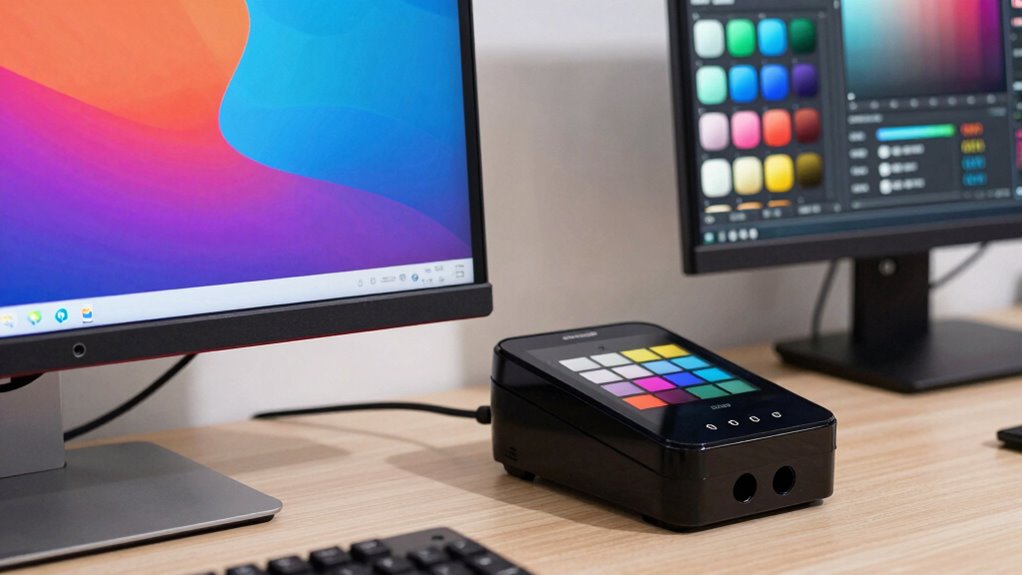
When choosing a monitor color calibrator, I look at several key factors to ensure it meets my needs. Compatibility with my display, calibration speed, and software features are essential, along with the tool’s accuracy and environmental light adjustments. Considering these points helps me select the best calibrator for consistent, professional results.
Compatibility With Displays
Choosing a monitor color calibrator that’s compatible with your display is vital for achieving accurate color reproduction. First, verify the calibrator supports your display type, whether it’s OLED, mini-LED, or traditional LCD, to avoid compatibility issues. Check if it works with your monitor’s resolution and size, especially if you have ultra-high-definition or large screens. If you use multiple monitors, verify that the device can calibrate several displays simultaneously. Compatibility with your operating system—Windows or macOS—is essential for smooth software integration. Additionally, consider whether the calibrator supports advanced features like high brightness levels or HDR, so you can properly calibrate those specific display capabilities. Ensuring compatibility guarantees precise, consistent results tailored to your display’s specifications.
Calibration Speed And Ease
Calibration speed and ease are essential factors because they directly impact how efficiently you can maintain accurate color across your displays. Some tools calibrate in under two minutes, while others take around five minutes or more. Quick calibration processes make it easier to perform frequent recalibrations, which helps keep colors consistent in dynamic workflows. User-friendly interfaces and guided procedures are vital, especially if you’re not a technical expert, as they simplify the process. Features like automated ambient light adjustment and one-click calibration can considerably cut down setup time. Additionally, tools that allow you to calibrate multiple monitors simultaneously or with minimal steps boost productivity. Overall, choosing a tool with fast, straightforward calibration ensures you spend less time on setup and more on creating.
Software Features And Upgrades
Software features and upgrades play a crucial role in maximizing your color calibration efforts. Advanced options like ambient light adjustment and multi-display profiling can boost calibration accuracy and streamline workflows. Upgradable software often includes tools such as device previews, custom profiles, and automation, helping you adapt to evolving professional needs. Compatibility with both Mac and Windows ensures seamless integration into your existing setup, while regular updates improve calibration algorithms, user interfaces, and add new features without hardware changes. Some software also allows you to create, manage, and switch between multiple profiles easily, which is essential for different projects or environments. Choosing a calibrator with these flexible, forward-looking features ensures your calibration process remains reliable, efficient, and capable of meeting future demands.
Accuracy And Precision Levels
When selecting a monitor color calibrator, understanding its accuracy and precision levels is essential to guarantee reliable color reproduction. High-accuracy calibrators use advanced sensor technology, like lens-based color engines or full-spectrum sensors, to assure precise matching. Precision is often measured in delta E (ΔE) values, with professional tools targeting scores below 2 for ideal accuracy. Consistency over time is critical; a good calibrator maintains stability, minimizing drift and preserving accuracy long-term. Additionally, the ability to account for ambient lighting and automatically adjust profiles improves results. Devices supporting 3D LUT exports and multi-point profiling are especially valuable for complex workflows, offering higher accuracy needed by professionals. These factors help guarantee your colors remain true across different projects and lighting conditions.
Environmental Light Adjustment
Since ambient lighting can vary throughout the day and between workspaces, choosing a monitor color calibrator with environmental light adjustment features is essential. These tools automatically adjust brightness and contrast based on ambient light, helping maintain consistent color accuracy. Monitoring room light allows calibration tools to optimize settings regardless of changing lighting conditions, ensuring reliable results. Ambient light sensors can alert you or trigger automatic recalibration when light shifts occur, keeping colors consistent throughout the day. Proper environmental light management also reduces glare and reflections, which can distort perceived colors. Incorporating these features helps achieve uniform color output across multiple displays and various viewing environments, making your calibration more precise and dependable regardless of lighting fluctuations.
Price And Value
Choosing the right monitor color calibrator involves balancing cost with features to guarantee you get the best value for your money. Higher-priced models typically offer advanced features, greater accuracy, and longer-term stability, making them ideal for professional workflows. Comparing the cost against calibration precision and software capabilities helps ascertain the tool meets your specific needs. Budget-friendly options might suit casual users but often lack the precise measurements or multi-display support found in pricier models. The overall value depends on factors like calibration speed, ease of use, display compatibility, and software updates. Investing in a calibrator with a good balance of price and features provides reliable performance, reduces the need for frequent recalibration, and minimizes hardware replacements, ultimately delivering the best long-term value.
Frequently Asked Questions
How Often Should I Calibrate My Monitor for Optimal Color Accuracy?
I recommend calibrating your monitor at least once a month for precise color accuracy. If you work in color-critical fields like photography or design, consider calibrating even more frequently, such as every two weeks. Regular calibration ensures your colors stay consistent and true to life, preventing shifts over time. Keep in mind, ambient lighting can also affect perceived colors, so calibrate in your typical workspace lighting for the best results.
Can Calibration Tools Improve Color Consistency Across Multiple Displays?
Ever wonder if calibration tools can make your displays match perfectly? They definitely can! I’ve seen significant improvements in color consistency across multiple screens after using a quality calibrator. It’s like having a synchronized color palette for all your monitors. Regular calibration guarantees your colors stay uniform, especially when working on projects that demand precision. Trust me, investing in good calibration tools is worth it for consistent, accurate visuals.
Do Calibration Tools Work Effectively on OLED and High-Refresh-Rate Monitors?
Yes, calibration tools work effectively on OLED and high-refresh-rate monitors. I’ve used them to fine-tune color accuracy and guarantee smooth performance. While OLEDs can be sensitive to calibration settings, quality tools adapt well and maintain consistent colors. High-refresh-rate monitors benefit too, as calibration ensures that fast refreshes don’t distort color accuracy. Overall, these tools help me get the best visual experience, regardless of my monitor type.
Are Calibration Tools Compatible With All Major Operating Systems?
Absolutely, calibration tools are like magic wands that work across all major operating systems—Windows, macOS, and Linux. I’ve found that most reputable calibrators seamlessly integrate with different platforms, making color accuracy a breeze regardless of your setup. So, whether you’re a designer or a gamer, these tools are versatile enough to guarantee your monitor displays true-to-life colors without any hassle. Trust me, they’re worth every penny!
What Is the Typical Lifespan of a Colorimeter Before Replacement Is Needed?
A typical colorimeter lasts about 2 to 3 years before needing replacement, depending on usage and care. I recommend monitoring its performance regularly; if colors start to seem off or calibration becomes inconsistent, it’s probably time for a new one. Proper storage and gentle handling can extend its lifespan, but ultimately, regular calibration checks will help you determine when it’s time for an upgrade.
Conclusion
As I explored these calibration tools, it struck me how often our perceptions align unexpectedly — a perfect color match here, a subtle hue correction there. It’s almost as if these tools shape our visual reality, reminding me that sometimes, the right calibration isn’t just technical; it’s a coincidence of precision and intuition. No matter which you choose, I believe you’ll find that small adjustment can transform your entire viewing experience, revealing colors you’d never noticed before.