
Choosing the right capture card for streaming in 4K can be challenging, especially with so many options that vary in features, performance, and price. If you want smooth 4K streaming at high frame rates, the Elgato 4K X Capture Card stands out for ultra-low latency and impressive resolution, making it ideal for serious gamers and broadcasters. For those seeking excellent performance at a more accessible price, the XIIXMASK USB 3.0 HDMI Capture Card offers 4K60FPS with pass-through and broad device compatibility. Meanwhile, the BlueAVS 4K HDMI Capture Card balances high-quality capture with advanced features like HDR and VRR, perfect for content creators who need tear-free visuals. Each of these picks targets different priorities, but all excel at delivering 4K streaming quality, with tradeoffs in price, complexity, or compatibility depending on your specific needs.

Turn the school run and nap time into listening time
- Thousands of audiobooks, podcasts and originals
- Listen on your phone, tablet or Echo — also offline
- Cancel anytime
Complete the kit


Key Takeaways
- The Elgato 4K X supports the highest frame rates up to 144 fps at 4K, ideal for competitive gamers.
- The XIIXMASK offers broad device compatibility and easy setup, suited for casual streamers and multi-platform use.
- BlueAVS provides advanced passthrough features like HDR and VRR, perfect for immersive gameplay without tearing.
- Lower-cost options like the 4K capture card with USB 3.1 are great for 1080p streaming but fall short in true 4K performance.
- All choices require specific hardware considerations, especially for ultra-high frame rate and low latency streaming.
| XIIXMASK USB 3.0 HDMI Capture Card, 4K60FPS with Pass-Through |  | Best Budget-Friendly 4K Capture with Broad Compatibility | Hardware Interface: USB 3.0 | Video Capture Resolution: 1080p120, 4K60 | Operating System: Windows 7/8/8.1/10, MacOS, Linux, Android 5.0+, iPadOS 17+ | VIEW ON AMAZON | See Our Full Breakdown |
| Elgato 4K X Capture Card, HDMI 2.1, 4K144 Ultra-Low Latency |  | Best for High-Frame-Rate 4K Gaming and Streaming | Resolution: 4K at 144 fps | HDMI version: HDMI 2.1 | Frame Rate: up to 240 fps in 1080p | VIEW ON AMAZON | See Our Full Breakdown |
| BlueAVS 4K HDMI Video Capture Card for Streaming, 4K 60Hz, 1440P 144Hz, 1080P 240Hz with HDR VRR ALLM Passthrough |  | Best for Advanced Gamers and Content Creators Seeking Tear-Free Visuals | Hardware Interface: 3.5mm Audio, HDMI, Headphone, USB 3.2 Gen 1 | Video Capture Resolution: 4K@60Hz, 1440P@144Hz, 1080P@240Hz | Operating System: Linux, Mac OS, Windows 10/11 | VIEW ON AMAZON | See Our Full Breakdown |
| 4K Capture Card for Streaming, USB 3.1 Video Capture Device for Recording and Gaming |  | Best for High-Resolution 4K with Easy Setup | Interface: USB 3.1 Type-C | Input/Output: HDMI 2.0 | Maximum Pass-through Resolution: 4K60 HDR | VIEW ON AMAZON | See Our Full Breakdown |
| 4K HDMI Video Capture Card, 1080P 60FPS Game Capture Device for Streaming |  | Best for 1080p at 60FPS with 4K Support in Input | Capture Resolution: 1080p at 60FPS | Input Support: 4K30/60Hz | Output Support: up to 2K30Hz | VIEW ON AMAZON | See Our Full Breakdown |
More Details on Our Top Picks
XIIXMASK USB 3.0 HDMI Capture Card, 4K60FPS with Pass-Through
This capture card excels in delivering 4K60FPS capture and pass-through, making it a versatile choice for streamers who want quality without breaking the bank. Its broad OS support—Windows, Mac, Linux, Android, and even iPadOS—means it can be used with most setups, especially for casual and semi-professional content creators. The inclusion of integrated audio input/output simplifies commentary, and plug-and-play setup ensures quick deployment. The main tradeoff is that it requires a USB 3.0 port and doesn’t specify minimum system requirements, which could be a concern for some users looking for guaranteed performance. Overall, this pick offers excellent value for those who want reliable 4K capture with minimal fuss.
Pros:- Supports 4K60FPS capture and pass-through for high-quality streaming
- Broad OS compatibility including Linux and Android
- Includes audio input/output for professional setups
Cons:- No minimum system requirements listed
- Requires USB 3.0 for optimal performance
Best for: Casual streamers and content creators on a budget who want broad device compatibility.
Not ideal for: Professional broadcasters or users needing ultra-low latency or 4K120Hz support.
- Hardware Interface:USB 3.0
- Video Capture Resolution:1080p120, 4K60
- Operating System:Windows 7/8/8.1/10, MacOS, Linux, Android 5.0+, iPadOS 17+
- Video Input:HDMI
- Audio Input:3.5mm microphone and audio in/out
- Compatible Devices:Switch, PS5/4, Xbox Series X/S, DSLR, webcams, TV boxes, DVDs
Our verdict“A solid, affordable option that balances performance and compatibility for most streaming needs.”
Elgato 4K X Capture Card, HDMI 2.1, 4K144 Ultra-Low Latency
The Elgato 4K X Capture Card stands out for its support of 4K at 144 fps, making it a top choice for gamers and streamers who need ultra-smooth visuals. Its HDMI 2.1 interface ensures the highest bandwidth for high frame rates, and its ultra-low latency guarantees real-time responsiveness—crucial in competitive gaming. However, such high performance comes with a higher price tag and the need for compatible hardware, including a capable GPU and sufficient system resources. Its compatibility across streaming platforms is extensive, but setup can be complex for beginners. This pick makes the most sense for professional or enthusiast streamers aiming for the best visual fluidity.
Pros:- Supports 4K at 144 fps for ultra-smooth gameplay
- HDMI 2.1 for maximum bandwidth and future-proofing
- Ultra-low latency for real-time streaming
Cons:- Requires compatible high-end hardware and software setup
- Relatively expensive compared to other options
Best for: Professional gamers and high-end streamers needing ultra-low latency and 4K at high frame rates.
Not ideal for: Casual users or those with limited hardware resources, due to higher cost and setup complexity.
- Resolution:4K at 144 fps
- HDMI version:HDMI 2.1
- Frame Rate:up to 240 fps in 1080p
- Latency:Ultra-low
- Connectivity:USB 3.2 Gen 2
Our verdict“Best suited for demanding users who want the highest frame rate and lowest latency at 4K resolution.”
BlueAVS 4K HDMI Video Capture Card for Streaming, 4K 60Hz, 1440P 144Hz, 1080P 240Hz with HDR VRR ALLM Passthrough
The BlueAVS 4K HDMI Capture Card offers a compelling mix of high-resolution support and advanced passthrough features like HDR, VRR, and ALLM, making it suitable for gamers and streamers who demand tear-free, responsive visuals. It supports 4K at 60Hz and ultra-smooth 1080P at 240Hz, providing flexibility across different use cases. Its plug-and-play design and compatibility with multiple platforms, including consoles and PCs, appeal to those who want a reliable, high-quality capture solution. The main limitation is that it relies on third-party software like OBS, and requires a USB 3.0 port for optimal performance. This card suits users who want advanced features without the high cost of top-tier pro models.
Pros:- Supports 4K@60Hz and 1080P@240Hz for versatile use
- HDR, VRR, and ALLM for tear-free, responsive gameplay
- Plug & Play with no drivers required
Cons:- Requires USB 3.0 for best performance
- Limited to specific resolutions and refresh rates
Best for: Serious gamers and content creators focused on tear-free, high-quality visuals with HDR support.
Not ideal for: Beginners or users needing simple, no-fuss solutions without advanced passthrough features.
- Hardware Interface:3.5mm Audio, HDMI, Headphone, USB 3.2 Gen 1
- Video Capture Resolution:4K@60Hz, 1440P@144Hz, 1080P@240Hz
- Operating System:Linux, Mac OS, Windows 10/11
- Antenna Location:Game Streaming, Live Streaming, Video Recording
- Minimum System Requirements:USB 5Gbps Port
- Item Weight:126 g
Our verdict“Ideal for gamers and streamers who want advanced features like HDR and tear-free visuals without the cost of professional-grade cards.”
4K Capture Card for Streaming, USB 3.1 Video Capture Device for Recording and Gaming
The 4K Capture Card (USB 3.1) offers a straightforward approach to high-resolution streaming, supporting 4K60 HDR pass-through and 1080p240 recording. Its USB 3.1 Type-C connection ensures fast data transfer, making it suitable for gamers and streamers who prioritize simple, reliable setup. While it supports 4K at 60Hz, it cannot handle higher frame rates like 144Hz or 240Hz at 4K, limiting its professional appeal. Its compatibility spans Windows and Mac, and it supports HDR passthrough, but users should note it cannot record protected content without disabling HDCP. Overall, this device is a good balance for those seeking high-quality 4K streaming with minimal complexity.
Pros:- Supports 4K60 HDR passthrough for high-quality gameplay
- Low latency, plug-and-play USB 3.1 interface
- Compatible with major streaming software
Cons:- Cannot record HDCP-protected content without disabling HDCP
- Limited to HDMI 2.0 input/output
Best for: Streamers and gamers who want reliable 4K60 HDR passthrough with easy setup.
Not ideal for: Professional broadcasters requiring ultra-high frame rates or advanced features like VRR.
- Interface:USB 3.1 Type-C
- Input/Output:HDMI 2.0
- Maximum Pass-through Resolution:4K60 HDR
- Recording Resolutions:4K60, 1440p144, 1080p240
- Audio Support:3.5mm microphone and line-in
Our verdict“A reliable choice for users who want simple, high-quality 4K streaming with minimal fuss and setup time.”
4K HDMI Video Capture Card, 1080P 60FPS Game Capture Device for Streaming
This device primarily offers 1080p60 capture, but supports input resolutions up to 4K at 30/60Hz, making it suitable for streamers who mainly target 1080p quality but want some 4K flexibility. Its simple setup and low latency make it a good choice for beginners or those not requiring true 4K recording. However, it falls short for users needing native 4K at high frame rates or professional-grade features. The device’s limited output resolution (max 2K30Hz) can be a drawback for high-end streaming, but for casual or entry-level streamers, it provides dependable performance.
Pros:- Supports 1080p60 video with some 4K input support
- Plug-and-play, easy to use
- Low latency transmission suitable for live streaming
Cons:- Limited to 2K output, not ideal for true 4K streaming
- Does not support 4K120Hz or higher
Best for: Beginners or casual streamers focusing on 1080p60 content with occasional 4K input support.
Not ideal for: Pros or streamers needing true 4K recording at high frame rates or advanced features.
- Capture Resolution:1080p at 60FPS
- Input Support:4K30/60Hz
- Output Support:up to 2K30Hz
- Connection:USB 3.0
- Compatibility:Windows, Mac OS
Our verdict“A practical choice for beginners seeking reliable 1080p streaming with occasional 4K input capability.”
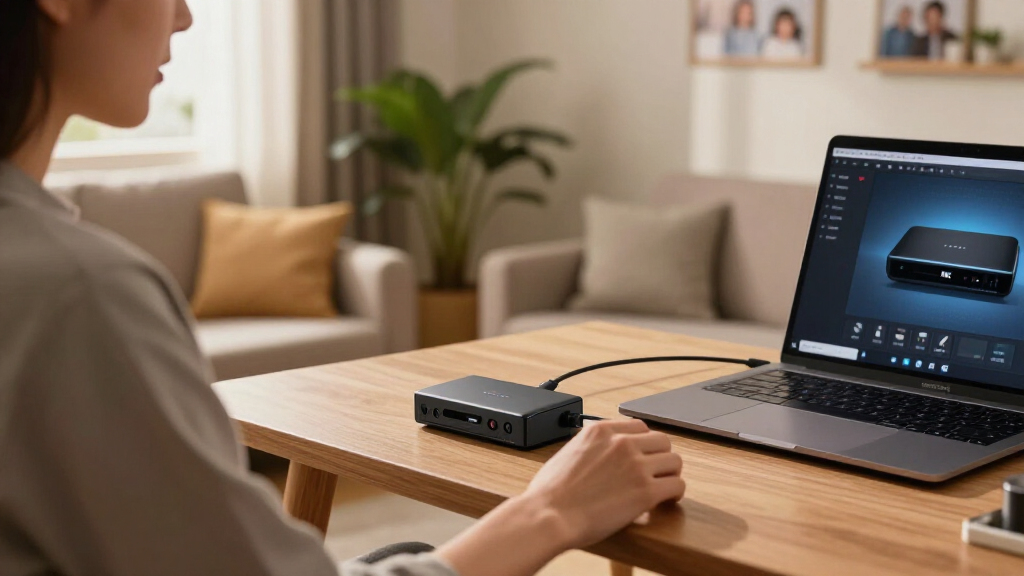
How We Picked
To select these capture cards, I focused on models that support true 4K resolution at high frame rates suitable for streaming in 2026. I prioritized devices with broad compatibility across operating systems, support for high frame rates like 60Hz or above at 4K, and features that minimize latency—crucial for real-time broadcasting. Price and ease of use also influenced the ranking, ensuring options ranged from beginner-friendly to professional-grade. I compared specs, user feedback, and the presence of advanced features like HDR, VRR, and passthrough capabilities to identify products that truly stand out for streaming 4K content.
Factors to Consider When Choosing Capture Card For Streaming 4k
Selecting the right 4K capture card depends on your specific streaming goals, hardware compatibility, and budget. High frame rates at 4K, ultra-low latency, and advanced passthrough features are key considerations. Compatibility with your existing setup and ease of use also play significant roles, especially for beginners. This guide outlines the main points to consider when choosing a capture card for streaming in 2026, helping you match your needs with the right model.Performance and Frame Rate
When streaming in 4K, the most critical factor is whether the capture card can handle high frame rates without introducing lag or tearing. Professional-grade cards like the Elgato 4K X support up to 144 fps at 4K, perfect for high-end gaming. Cheaper models may only support 60 fps or lower, which is sufficient for casual use but less ideal for fast-paced, competitive gameplay. Always check the maximum supported frame rate at 4K to match your content style.
Compatibility and Connectivity
Your existing hardware and software environment significantly impact your choice. USB 3.0 and above are standard for 4K capture, with USB 3.1 and 3.2 offering faster data transfer. Ensure your PC, console, or streaming setup supports the required interfaces and that the capture card is compatible with your operating system and streaming software like OBS or Streamlabs. Compatibility with HDMI 2.1 is essential for future-proofing high frame rate 4K streaming.
Advanced Features
Features like HDR, VRR, ALLM, and passthrough capabilities enhance visual quality and gameplay responsiveness. If you stream fast-paced games or content with high dynamic range, these features help prevent tearing and ensure smooth visuals. However, they often come at a higher price and may require more complex setup. Decide whether these features are necessary based on your streaming content and technical comfort.
Ease of Use and Setup
For newcomers, straightforward plug-and-play devices with minimal driver installation are best. Models like the BlueAVS or the 4K capture device with USB 3.1 focus on simplicity. More advanced options may require dedicated drivers, calibration, or software configuration. Consider your comfort level with technology when choosing a device to avoid frustration during setup.
Frequently Asked Questions
Can I stream in 4K with these capture cards?
Yes, all of the selected capture cards support 4K input or pass-through, though actual streaming resolution depends on your streaming platform and hardware capabilities. Many are optimized for 4K60, with some offering higher frame rates like 144 fps at 4K, which is suitable for high-end gaming and professional broadcasts.What is the importance of latency in a capture card?
Latency determines how quickly your captured video is transmitted to your streaming software. Lower latency ensures real-time gameplay without noticeable delay, which is critical for competitive gaming. High latency can cause delays or lag, affecting viewer experience and gameplay responsiveness. Ultra-low latency models like the Elgato 4K X are designed for this purpose.Are these capture cards compatible with consoles like PS5 and Xbox Series X?
Most of these capture cards are compatible with major gaming consoles such as PS5, Xbox Series X/S, and Nintendo Switch, provided they support HDMI output. However, some may require disabling HDCP to record gameplay, which is an important consideration for consoles. Always check compatibility and HDCP restrictions before purchase.Do I need a high-end PC to use these capture cards effectively?
While most capture cards are designed to work with standard gaming PCs, high-performance streaming in 4K at high frame rates benefits from a powerful CPU, GPU, and sufficient RAM. Cards supporting 144 fps at 4K like the Elgato 4K X will demand more from your hardware to avoid bottlenecks and ensure smooth streaming.What should I consider regarding HDR and passthrough features?
HDR and passthrough features improve visual quality by supporting high dynamic range and tear-free gameplay. If your content or game supports HDR, choosing a capture card with these features ensures your viewers see the best possible image. Keep in mind that enabling these features may require compatible hardware and software, and can add complexity to your setup.Conclusion
If you’re a casual streamer or content creator on a budget, the XIIXMASK USB 3.0 HDMI Capture Card offers great value with broad compatibility and solid 4K60FPS support. Serious gamers and professional streamers seeking ultra-low latency and high frame rates should consider the Elgato 4K X Capture Card, especially if their setup supports HDMI 2.1. For those who want advanced passthrough features like HDR and tear-free visuals without the high cost, the BlueAVS 4K HDMI Capture Card is a compelling choice. Meanwhile, beginners or those needing reliable 1080p streaming with some 4K support might opt for the simple and effective 4K Capture Card USB 3.1. Your choice ultimately depends on your streaming goals, hardware, and budget, but all these options deliver quality 4K streaming experiences in 2026.