TL;DR
Family-friendly smart home devices can make everyday routines easier when they solve a specific problem, such as lighting a dark hallway or spotting a leak. Start with one compatible device, check its age-appropriate settings and CPSC recall status, secure its account, and keep manual controls for important tasks. A useful setup should work for children, guests, and older relatives without asking everyone to become a tech expert.
A hallway light that turns on before your child steps out of bed can prevent a midnight stumble. A smart home can also create new chores: one more app, another password, and a speaker that answers when you did not expect it to.

Turn the school run and nap time into listening time
- Thousands of audiobooks, podcasts and originals
- Listen on your phone, tablet or Echo — also offline
- Cancel anytime
Family-friendly smart home devices work best when they solve a clear problem and everyone in the home can use them. You’ll see how to choose useful starter devices, check compatibility and total cost, and set boundaries around cameras, microphones, and children’s access.
You don’t need a screen in every room. Start small, test the setup with the people who will use it, and keep familiar switches and manual controls available. The goal is a calmer routine, not a home that needs a help desk.
Start with one concrete household problem, such as a dark hallway, missed doorbell, or possible leak.
Check exact model compatibility, hub requirements, offline behavior, and subscription fees before buying.
Keep physical controls and manual fallbacks for important tasks, including door access.
Set child controls, secure accounts, and agree on camera and microphone placement with the household.
Check age guidance and CPSC recall notices for children’s products; follow pediatric advice for infant sleep, feeding, and health.
Start with one device that fixes a daily household hassle
Family-friendly smart home devices are connected products that help with a household task, such as lighting, climate control, alerts, or access. The most useful first purchase solves a problem you already notice; it doesn’t create a new routine just to show off an app. For example, a motion sensor that turns on a dim hallway light can help a child find the bathroom at night without waking the whole house.
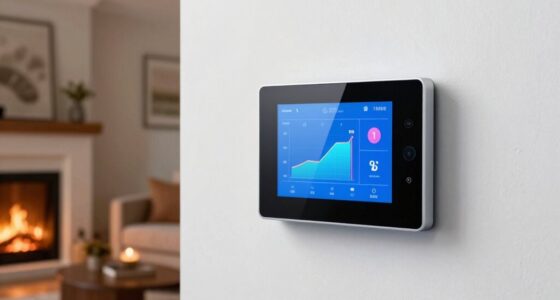
Before browsing, name the hassle and who experiences it. Maybe you forget to turn off the living-room lamp, struggle to hear the doorbell while cooking, or want an alert if the basement gets wet. Match the device to that job. A leak detector under the washing machine can send an early warning, while a smart thermostat may make shared temperature adjustments easier.
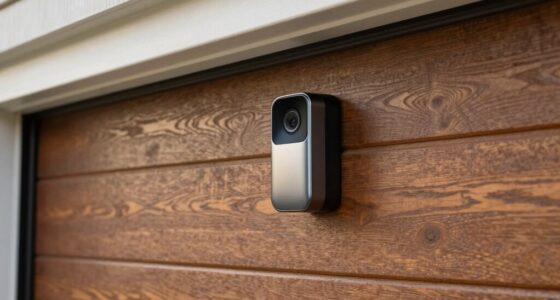
Products tend to sound more useful in ads than they feel at home. A video doorbell may help when you’re upstairs with a sleeping baby, but it also brings camera placement and account privacy into the mix. A smart speaker may make timers easy for a child, but only if its content and purchase settings fit your household.
Try one device for a week before adding another. Notice whether everyone can use it, whether alerts arrive at the right time, and what happens when Wi-Fi drops. That small trial tells you more than a shelf full of boxes ever will.
Products Worth Considering

LEGO Technic McLaren P1 Hypercar Building Set (42172)

LEGO Elf Club House (10275) Holiday Building Kit, 1,197 Pieces

LEGO Ideas Home Alone McCallisters' House Building Set (21330)
As an affiliate, we earn on qualifying purchases.
Choose starter devices that make everyday routines easier
Smart lights, thermostats, door or window sensors, leak detectors, video doorbells, and smart speakers are common family starting points. Each can help with a different routine, so choose according to the problem you want to solve and the people who need to use it. For instance, a parent carrying laundry may appreciate voice control, while a grandparent visiting for the weekend may prefer an ordinary wall switch.
A smart light can follow a bedtime schedule or brighten a stair landing. A thermostat can make it easier to adjust a chilly morning room, though you should check whether the device works with your heating system. A door sensor can alert you when a garden gate opens, but it shouldn’t replace adult supervision. For baby sleep, feeding, or health decisions, follow your pediatrician’s guidance; a connected gadget cannot make those decisions for you.
Use this quick comparison to connect a device with its tradeoff:
| Device | Useful for | Check before buying |
|---|---|---|
| Smart light | Night paths and scheduled lighting | Physical switch behavior and bulb fit |
| Leak detector | Alerts near a washer or sink | Battery life and alert range |
| Video doorbell | Seeing who is at the door | Recording rules, subscription, and placement |
| Smart speaker | Timers, music, and voice commands | Child controls and microphone settings |
In a real home, the best pick may be the least flashy one. If you keep missing the doorbell over the blender, a chime you can hear in another room may help more than a camera with extra features.
Make the setup easy for kids, guests, and older relatives
A family-friendly setup lets people operate basic functions without a phone, technical know-how, or a long explanation. Physical buttons, familiar wall switches, and short voice commands help visitors and children use devices with less friction. Imagine a babysitter arriving while you’re out: they should be able to turn on the porch light without learning your entire smart home system.
Keep manual controls in place wherever you can. A smart bulb may stop responding if someone turns its wall switch off, so leave a clear note or choose a control style your household understands. For someone with limited mobility or dexterity, voice control and motion sensors can help, while an accessible physical switch remains a dependable backup.
Age-appropriate controls matter with speakers and screens. Check parental controls, content filters, supervised accounts, and purchase restrictions before giving a child access. These tools reduce accidental purchases or exposure to unsuitable material, but they don’t replace adult supervision. Use the child product’s model and age guidance, and check the U.S. Consumer Product Safety Commission’s recall notices before buying or passing down children’s products.
For example, you might allow a school-age child to ask a kitchen speaker for a timer while disabling shopping and limiting content. Tell them which devices have microphones and what a mute button does. A two-minute family walkthrough can prevent a week of confusion.
Set privacy rules before adding cameras or microphones
Cameras, microphones, and location features can collect details about when your family is home, what people say, and who visits. Set clear rules before placing these devices in shared spaces. For example, a camera aimed at the front step may help you check a delivery, while a camera in a child’s bedroom can feel intrusive and reveal private routines.
Check whether the product offers multifactor authentication or passkeys, recording schedules, microphone controls, privacy shutters, and limits on data collection. Turn on account protections and use a unique password. Your home’s security also depends on the phone and account connected to the device; a camera with strong settings can still expose alerts if someone gains access to that account.
Talk through the setup with everyone who lives in or regularly works in the home, including older children, caregivers, and frequent visitors. Explain where recording happens and when. A simple household rule—such as disabling indoor cameras when everyone is home—can make expectations clear.
A camera or speaker affects everyone nearby. Choose its location and recording schedule with the people who share that space, not just the person who owns the app.
AI camera alerts may describe activity in more detail, which can be convenient when your hands are full. Those features may involve cloud processing, subscriptions, and more data collection. Check what the specific model does before you enable them.
Check compatibility, outage behavior, and the full price
A smart home device only helps when it works with your existing platform and keeps doing its job in the conditions your home actually faces. Before buying, check the exact model, your preferred ecosystem, and whether it needs a hub, bridge, phone, or subscription. Matter is designed to improve compatibility across brands, and Thread is a low-power networking technology used by some devices, but support varies by product and feature.
Ask what happens if the internet or power goes out. Some devices keep local controls or automations working, while remote access, cloud features, and voice services may stop. A smart lock needs a reliable manual entry method, and a connected detector should not replace certified safety equipment designed for its purpose. Keep the ordinary key, switch, or alarm available.
Price the whole setup, not just the box. Add any hub, batteries, installation, replacement parts, and subscription charges. A doorbell that costs less upfront may become more expensive if saved video requires a monthly plan. Software features can also change, and cloud-dependent products may lose functions if a company ends a service.
Before you buy, follow these steps:
- Name the task you want the device to handle.
- Check model compatibility, hub needs, and any paid features.
- Review offline behavior and identify the manual fallback.
- Secure the account and set privacy and child controls.
- Test it with the household before expanding the setup.
This takes a few minutes at the product page, and it can save you from an expensive device that only works the way you want when every service is online.
Build simple routines that don’t overwhelm your household
Smart routines work best when they remove a repeated task without creating confusing alerts or unexpected actions. Motion, contact, temperature, and occupancy sensors can trigger lights, climate changes, or notifications. Placement matters: a sensor pointed at a busy hallway may switch a light on every few minutes, while one tucked behind a coat may miss the person it should detect.
Start with one routine and make it easy to understand. For example, set a hallway light to glow softly when motion is detected after bedtime, then walk through the space with your child and adjust the brightness. Before that change, someone might reach for a dark switch; afterward, a warm pool of light appears automatically. Like a quiet nightlight, a well-tuned routine fades into the background.
Local processing can help some commands and automations work without relying on a cloud connection, but features differ by device. Test your routine with the internet disconnected if the manufacturer says local operation is supported. Also decide who receives alerts. A leak notification sent to one parent’s old phone is not much help if that person is on a flight.
Review routines when your household changes: a new baby, a different school schedule, or an older relative moving in can make old settings unhelpful. Keep only the automations that people understand and appreciate. If a routine surprises someone, simplify it or turn it off.
Frequently Asked Questions
Which smart home devices are most useful for families?
Smart lights, thermostats, door or window sensors, video doorbells, speakers, and leak detectors are common starting points. Choose according to the hassle you want to solve; a leak detector may matter more than a voice assistant in a home with a washer near a finished basement.
Are smart home devices safe for children?
They can be part of a family setup when you use age-appropriate settings, supervised accounts, content limits, and purchase restrictions. Keep adult supervision in place, explain microphones and cameras, and check CPSC recall notices for children’s products.
Do devices from different brands work together?
Sometimes. Check the exact model’s compatibility with your home platform and whether it needs a hub or bridge. Matter can help products from different brands work together, but it doesn’t guarantee that every feature works across every platform.
Will smart devices work without Wi-Fi or internet?
It depends on the device. Local controls and some automations may continue, while remote access, cloud features, or voice services may stop. Check offline behavior before relying on a device for access or safety, and keep a manual fallback.
Do smart home devices require subscriptions?
Some products include basic functions but charge for video history, advanced alerts, or AI features. Check the recurring price before buying; a low purchase price can add up if an essential feature requires a monthly plan.
Where should a family start?
Pick one everyday problem, such as a dark hallway or concern about a leak, and choose a device that addresses it. Set privacy and security controls, test it with everyone who will use it, and expand only if the first device proves helpful.
Conclusion
Choose the device that removes one recurring hassle, then test it with the people who share your home. Check its age guidance and CPSC recall status when it’s a child product, secure its account, and keep a manual way to handle important tasks.
A friendly smart home feels less like a control room and more like a light quietly waiting at the end of a dark hallway.