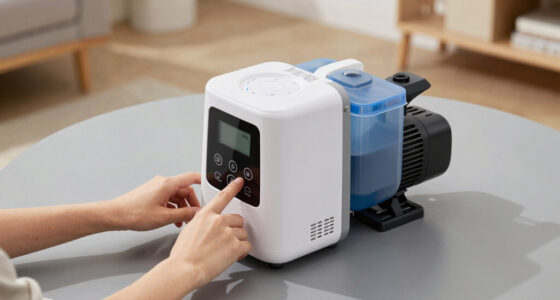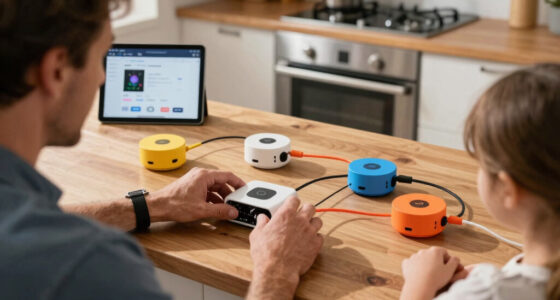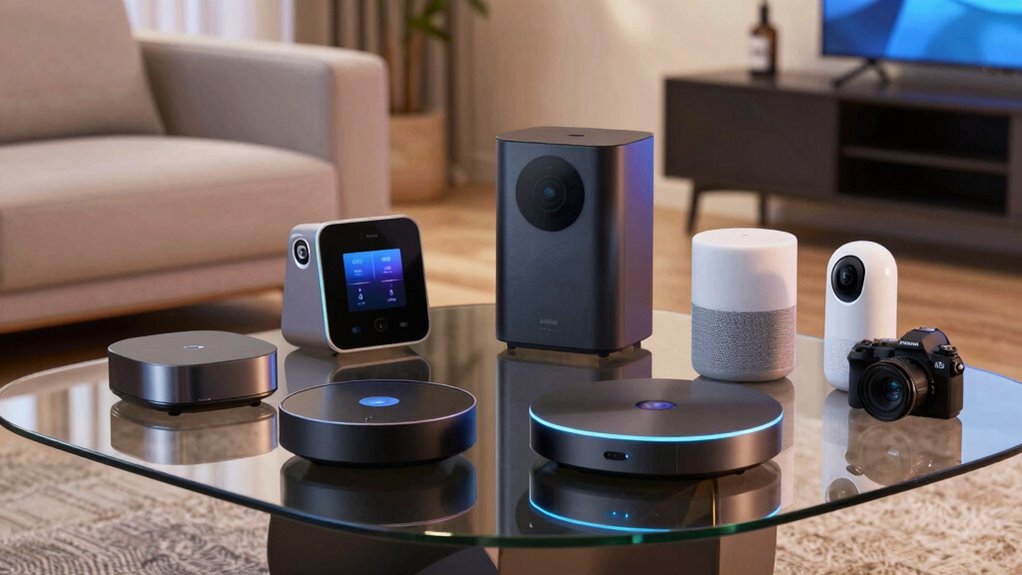

Choosing the right home automation hub can transform your living space into a seamlessly connected smart home. The Amazon Echo Hub 8” stands out for its intuitive voice control and broad device compatibility, making it ideal for users wanting a simple yet powerful control point. For those seeking advanced automation, the Home Assistant Green offers extensive customization and integrations, though it requires more setup effort. The main tradeoffs revolve around ease of use versus flexibility—some hubs excel at plug-and-play operation, while others demand technical know-how. Continue reading for a detailed breakdown of these options and find the best fit for your smart home needs.

Turn the school run and nap time into listening time
- Thousands of audiobooks, podcasts and originals
- Listen on your phone, tablet or Echo — also offline
- Cancel anytime
Complete the kit


Key Takeaways
- Top hubs vary significantly in ease of setup; the Echo Hub is best for beginners, while amazon.com/dp/B0CXVKSG19?tag=geistforlife-20&ascsubtag=dc-921667″ target=”_blank” rel=”nofollow sponsored noopener”>Home Assistant Green suits tech-savvy users.
- Device compatibility is a key factor; hubs like Hubitat Elevation C-8 Pro support Z-Wave, Zigbee, and Matter, offering broad integration.
- Built-in displays and voice assistants enhance usability, but may increase cost and complexity.
- Some hubs emphasize local processing for privacy, while others rely on cloud services, affecting speed and data security.
- Price points range from budget-friendly to premium, with more advanced hubs offering greater customization and automation features.
| SONOFF Zigbee Bridge Pro Hub, ZigBee 3.0 Smart Gateway, APP Control and Multi-Device Management |  | Best for Large Zigbee Device Networks | Supports adding sub-devices: up to 128 | Smart home security modes: home, away, sleep | Connectivity: Wi-Fi & Zigbee dual-protocol | VIEW ON AMAZON | See Our Full Breakdown |
| Philips Hue Bridge Pro Smart Lighting Hub |  | Best for High-Performance Lighting Automation | Processor: Quad-core Cortex-A35 CPU at 1.7 GHz | Memory: 4 GB DDR4 SDRAM | Supported Lights: 150+ | VIEW ON AMAZON | See Our Full Breakdown |
| Home Assistant Green – Smart Home Hub with Advanced Automation |  | Best for Local, Customizable Automation | Processor: Quad-core | Storage: 32GB | RAM: 4GB | VIEW ON AMAZON | See Our Full Breakdown |
| Aqara Smart Hub M100 for Home Automation, Matter Controller, Wi-Fi |  | Best for Protocol Versatility and Local Automation | Protocols Supported: Zigbee, Thread | Device Capacity: 20 Zigbee, 20 Thread | Connectivity: Wi-Fi 6, USB-A | VIEW ON AMAZON | See Our Full Breakdown |
| SwitchBot Hub 3 (3rd Gen) Smart Home Hub with 2.4″ IPS Screen & Knob Control |  | Best for Infrared Device Control and User-Friendly Interface | Display: 2.4-inch IPS screen | Connectivity: WiFi (2.4GHz), Bluetooth, Matter | Sensor: High-precision temperature & humidity | VIEW ON AMAZON | See Our Full Breakdown |
| Amazon Echo Hub 8” Smart Home Control Panel with Alexa |  | Best Overall Home Automation Hub | Display Size: 8 inches | Connectivity: WiFi, Bluetooth, Zigbee, Matter, Sidewalk, Thread | Compatibility: Alexa-compatible devices, smart locks, thermostats, cameras, sensors | VIEW ON AMAZON | See Our Full Breakdown |
| Aqara Smart Hub M200, Matter Controller with Zigbee, Wi-Fi, IR, PoE |  | Best Versatile Protocol Support | Protocols Supported: Matter, Zigbee, Thread, IR | Device Capacity: Up to 40 Zigbee, 40 Thread devices | Connectivity: Wi-Fi 2.4/5 GHz, PoE, USB-C | VIEW ON AMAZON | See Our Full Breakdown |
| Aeotec Smart Home Hub 2 – V4, Zigbee & Matter Gateway, Compatible with Alexa & Google Assistant |  | Best for Ecosystem Compatibility | Compatibility: Zigbee, Matter, Alexa, Google Assistant | Supported protocols: Zigbee, Matter | Connectivity: Wi-Fi, Ethernet | VIEW ON AMAZON | See Our Full Breakdown |
| Aqara Smart Home Hub M3 with Matter Support, Zigbee, Thread, IR Blaster, and PoE |  | Best for Advanced Automation & Privacy | Protocols Supported: Zigbee, Thread, Matter | IR Blaster: Yes, 360° with feedback and learning | Connectivity: Wi-Fi 2.4/5 GHz, PoE, USB-C | VIEW ON AMAZON | See Our Full Breakdown |
| Aqara Hub M1S Gen 2 Smart Home Bridge for Alarm System and Home Automation |  | Best for Security & Multi-ecosystem Integration | Power Source: Corded Electric | Compatible Devices: Aqara, Apple HomeKit, Google Assistant, Alexa, IFTTT | Connectivity Technology: Wireless | VIEW ON AMAZON | See Our Full Breakdown |
| Hubitat Elevation C-8 Pro Smart Home Hub – Z-Wave, Zigbee, Matter |  | Best for Privacy-Focused, Local Processing Smart Home Enthusiasts | Protocols Supported: Matter 1.5, Z-Wave 800 Series with Long Range, Zigbee 3.0, Bluetooth | Dimensions: 3.23 x 2.95 x 0.67 inches | Weight: 0.16 lbs | VIEW ON AMAZON | See Our Full Breakdown |
| home automation hub | Connectivity |
|---|---|
| SONOFF Zigbee Bridge Pro Hub | Wi-Fi & Zigbee dual-protocol |
| Philips Hue Bridge Pro Smart L | — |
| Home Assistant Green | USB expandability for Z-Wave, Zigbee, Thread |
| Aqara Smart Hub M100 for Home | Wi-Fi 6, USB-A |
| SwitchBot Hub 3 | WiFi (2.4GHz), Bluetooth, Matter |
| Amazon Echo Hub 8” Smart Home | WiFi, Bluetooth, Zigbee, Matter, Sidewalk, Thread |
| Aqara Smart Hub M200 | Wi-Fi 2.4/5 GHz, PoE, USB-C |
| Aeotec Smart Home Hub 2 | Wi-Fi, Ethernet |
| Aqara Smart Home Hub M3 with M | Wi-Fi 2.4/5 GHz, PoE, USB-C |
| Aqara Hub M1S Gen 2 Smart Home | — |
| Hubitat Elevation C-8 Pro Smar | No built-in Wi-Fi, relies on external network |
More Details on Our Top Picks
SONOFF Zigbee Bridge Pro Hub, ZigBee 3.0 Smart Gateway, APP Control and Multi-Device Management
This option stands out for its capacity to support up to 128 Zigbee devices, making it ideal for those who want to expand their smart home without multiple hubs. Compared with the Aqara Hub M100, it offers broader device support but may lack some advanced automation features. Its dual Wi-Fi & Zigbee connectivity ensures versatile integration, especially for users who need local scene control even when offline. However, its moderate customer rating suggests some users find setup or stability issues, and it requires compatible Zigbee devices for full functionality. This hub is best suited for tech-savvy homeowners with extensive Zigbee ecosystems who prioritize local control and device capacity over polish or advanced features.
Pros:- Supports a large number of Zigbee devices (up to 128)
- Enables local scene and timing automation even without network connection
- Dual Wi-Fi & Zigbee support for versatile connectivity
Cons:- Requires a compatible Zigbee device for full functionality
Best for: Homeowners with large Zigbee device collections seeking local control and broad compatibility
Not ideal for: Casual users or those new to smart home tech who prefer simple, plug-and-play solutions
- Supports adding sub-devices:up to 128
- Smart home security modes:home, away, sleep
- Connectivity:Wi-Fi & Zigbee dual-protocol
- Item Weight:1.2 ounces
- Dimensions:2.44 x 0.79 x 2.44 inches
- Voltage:5 volts
Our verdict“This hub suits advanced users managing extensive Zigbee setups who value local control, despite some stability concerns.”
Philips Hue Bridge Pro Smart Lighting Hub
This pick makes the most sense for users deeply invested in Philips Hue or those who need a fast, reliable hub to support extensive lighting scenes. Its quad-core processor and 4 GB of DDR4 RAM promise quick response times and support for over 150 lights and 50 accessories, surpassing many basic hubs. Unlike the Home Assistant Green, it offers a more polished user experience with advanced security features like Zigbee Trust Center. However, it doesn’t include any lights or accessories, raising the overall cost for a complete setup, and it requires compatible Hue devices for features like motion sensing. This hub is best for serious Hue enthusiasts or households with complex lighting needs who prioritize speed and security over device flexibility outside the Hue ecosystem.
Pros:- Fast processing speeds for quick response
- Supports a large number of lights and accessories
- Enhanced security features and advanced automation storage
Cons:- Requires compatible Hue devices for motion sensing
- No included lights or accessories, increasing overall cost
Best for: Smart lighting enthusiasts and households with extensive Hue systems
Not ideal for: Users seeking a multi-protocol hub or with a broader array of smart device brands
- Processor:Quad-core Cortex-A35 CPU at 1.7 GHz
- Memory:4 GB DDR4 SDRAM
- Supported Lights:150+
- Supported Accessories:50+
- Automation Storage:Up to 500 scenes
- Motion Sensing:Hue MotionAware
Our verdict“Best suited for dedicated Philips Hue users needing high-speed, reliable automation for extensive lighting setups.”
Home Assistant Green – Smart Home Hub with Advanced Automation
This model is better suited to users who want a powerful, flexible hub with local control and protocol support, like Z-Wave, Zigbee, and Thread. Its fanless design and pre-installed Home Assistant make setup straightforward for tech-savvy homeowners who prefer data privacy and automation customization. Compared to the Aqara M100, it offers broader protocol support and a more open ecosystem, though it requires Ethernet for initial setup and has limited internal storage for large networks. The Home Assistant Green excels for those willing to handle some setup complexity in exchange for extensive control and local operation, but it may feel limited for users looking for a plug-and-play experience.
Pros:- Easy to set up with pre-installed Home Assistant
- Supports multiple protocols via USB expandability
- Fanless and silent operation
Cons:- Requires Ethernet connection for initial setup
- Limited internal storage for large device networks
Best for: DIY enthusiasts and tech-savvy homeowners seeking a customizable, local automation hub
Not ideal for: Less experienced users or those requiring wireless, plug-and-play solutions with minimal setup
- Processor:Quad-core
- Storage:32GB
- RAM:4GB
- Power Consumption:A few watts
- Connectivity:USB expandability for Z-Wave, Zigbee, Thread
Our verdict“Ideal for experienced users wanting a flexible, private automation hub with broad protocol support and customization options.”
Aqara Smart Hub M100 for Home Automation, Matter Controller, Wi-Fi
This pick makes the most sense for users who want a compact, versatile hub supporting Zigbee and Thread, with Matter compatibility for broader device integration. Compared with the SwitchBot Hub 3, it offers support for multiple protocols but is more limited in device capacity, supporting only 20 Zigbee and 20 Thread devices. Its Wi-Fi 6 capability ensures fast, secure connections, and local automation maintains reliability even when internet access is inconsistent. However, it’s less suitable for those with a large or mixed ecosystem outside Aqara’s own lineup, and the need for a 5V power adapter adds a minor inconvenience. This hub is best for users seeking a small, secure, multi-protocol device that bridges Aqara products with other ecosystems, especially in smaller setups.
Pros:- Supports multiple protocols and device types
- Enables local automation for reliable performance
- Compact and flexible placement with adjustable shaft
Cons:- Limited to Aqara Zigbee devices (not third-party Zigbee devices)
- Placement distance from router should be between 6 to 19 feet for optimal Wi-Fi
Best for: Homeowners wanting a compact, multi-protocol hub for Aqara and Matter devices with local automation
Not ideal for: Larger smart homes with diverse third-party device ecosystems or needing extensive device capacity
- Protocols Supported:Zigbee, Thread
- Device Capacity:20 Zigbee, 20 Thread
- Connectivity:Wi-Fi 6, USB-A
- Power:5V⎓0.5A (not included)
- Range:210-degree adjustable shaft
- Security:WPA3
Our verdict“Best for users focused on Aqara’s ecosystem and Matter support in a small, secure, multi-protocol hub.”
SwitchBot Hub 3 (3rd Gen) Smart Home Hub with 2.4″ IPS Screen & Knob Control
This pick makes the most sense for users who need to control a wide range of infrared appliances and appreciate tactile controls, like the rotary knob. Its support for over 100,000 infrared devices and Matter-compatible products makes it highly versatile, especially compared to hubs limited to Zigbee or Z-Wave. The 2.4-inch IPS screen provides real-time data, weather info, and easy status checks, while the physical controls add convenience. However, it does not support RF devices like ceiling fans or garage doors, limiting its scope. Also, its reliance on a 2.4GHz Wi-Fi network can pose challenges in dual-band setups. This hub is ideal for those with many IR devices or who value a tactile, visual interface for daily control, despite some setup complexity.
Pros:- Supports control of over 100,000 infrared devices
- Vivid IPS screen displays real-time data and weather
- Physical rotary knob and customizable scene buttons
Cons:- Only supports infrared devices, not RF devices like ceiling fans
- Requires 2.4GHz Wi-Fi, which may need router adjustments
Best for: Homeowners with extensive IR appliances and a preference for tactile, visual control
Not ideal for: Homes with RF devices or users seeking a multi-protocol, all-in-one hub
- Display:2.4-inch IPS screen
- Connectivity:WiFi (2.4GHz), Bluetooth, Matter
- Sensor:High-precision temperature & humidity
- Compatibility:Infrared appliances, SwitchBot devices
- Control:Alexa, Google Assistant, Apple Home
- Physical controls:Rotary knob, customizable scene buttons
Our verdict“Well-suited for IR-heavy households that want a tactile, visual control interface with scene customization.”
Amazon Echo Hub 8” Smart Home Control Panel with Alexa
This Amazon Echo Hub stands out for its seamless integration with Alexa and its versatile smart home protocols, including Zigbee, Thread, and Matter. Its 8-inch display offers a user-friendly control interface, and the ability to wall-mount or use a stand adds flexibility. Compared with the Aeotec Smart Home Hub 2, it supports a broader range of protocols and has a more polished ecosystem, though it requires additional accessories like a stand or mount. Its privacy features and eco-friendly materials make it appealing for environmentally conscious users. The main tradeoff is that it’s refurbished, which may concern some buyers, and some features need extra purchases.
Pros:- Supports a wide range of protocols including Zigbee, Thread, and Matter
- Easy to install and customize with widgets and controls
- Privacy-focused design with multiple layers of privacy controls
- Made from sustainable materials
Cons:- Requires separate purchase of wall mount or stand
- Refurbished device may come in generic packaging
- Some features may need additional accessories
Best for: Homeowners seeking a reliable, all-in-one control panel with voice and touch controls, especially those already invested in Alexa.
Not ideal for: Power users who prefer local automation without Alexa or who want to avoid refurbished devices.
- Display Size:8 inches
- Connectivity:WiFi, Bluetooth, Zigbee, Matter, Sidewalk, Thread
- Compatibility:Alexa-compatible devices, smart locks, thermostats, cameras, sensors
- Materials:27% recycled materials
- Warranty:Limited warranty (refurbished)
Our verdict“This hub is well-suited for users wanting a straightforward, integrated Alexa experience with broad protocol support.”
Aqara Smart Hub M200, Matter Controller with Zigbee, Wi-Fi, IR, PoE
The Aqara Smart Hub M200 excels in supporting multiple protocols like Zigbee, Thread, and Matter, making it ideal for integrating various third-party devices. Its local automation capabilities provide reliable performance even without internet, contrasting with the Aeotec Hub, which lacks Z-Wave support. The inclusion of PoE and USB-C for flexible power options enhances setup versatility. However, its IR functionality is limited to one AC device, and it requires additional purchases for the power adapter. Its local storage and encryption boost privacy, but some automation features still rely on cloud access, which could be a concern for security-focused users.
Pros:- Supports multiple protocols including Zigbee, Thread, and Matter
- Provides local automation for reliable performance
- Includes PoE and USB-C power options for flexible installation
- Built-in IR blaster with feedback and learning
Cons:- IR functionality limited to one AC device
- Power adapter not included, requiring additional purchase
- Some automation features depend on internet connectivity
Best for: Tech-savvy homeowners looking for a flexible, multi-protocol hub with strong local automation capabilities.
Not ideal for: Beginners or users who prefer plug-and-play solutions without extra purchases or complex setup.
- Protocols Supported:Matter, Zigbee, Thread, IR
- Device Capacity:Up to 40 Zigbee, 40 Thread devices
- Connectivity:Wi-Fi 2.4/5 GHz, PoE, USB-C
- IR Blaster:360° with feedback and learning
- Power:PoE support, USB-C (adapter not included)
Our verdict“Ideal for users who prioritize protocol versatility and local control over simplicity or out-of-the-box setup.”
Aeotec Smart Home Hub 2 – V4, Zigbee & Matter Gateway, Compatible with Alexa & Google Assistant
The Aeotec Smart Home Hub 2 V4 is tailored for users who want broad device support, especially via Zigbee and Matter, with easy setup through Wi-Fi or Ethernet. Its focus on local automations ensures consistent operation regardless of internet status, setting it apart from hubs that rely heavily on cloud services. Compared to the Aqara M200, it excludes Z-Wave, limiting compatibility with some ecosystems but simplifying network management. Its compatibility with both Alexa and Google Assistant broadens voice control options. The main limitation is that it may require additional hubs for certain ecosystems and does not support Z-Wave, which could be a barrier for some users.
Pros:- Supports the latest Matter and Zigbee standards
- Easy setup via Wi-Fi or Ethernet
- Enables local automations for reliability during internet outages
- Compatible with both Alexa and Google Assistant
Cons:- Does not support Z-Wave devices
- Limited to compatible devices, may need additional hubs
- Some ecosystems may require extra setup
Best for: Home automation enthusiasts aiming for broad ecosystem compatibility and reliable local automation.
Not ideal for: Users needing Z-Wave support or a ready-to-go system without additional hubs.
- Compatibility:Zigbee, Matter, Alexa, Google Assistant
- Supported protocols:Zigbee, Matter
- Connectivity:Wi-Fi, Ethernet
- Supports Z-Wave:No
- Automation:Local and cloud-based
Our verdict“Best suited for users who prioritize broad protocol support and ecosystem flexibility without Z-Wave reliance.”
Aqara Smart Home Hub M3 with Matter Support, Zigbee, Thread, IR Blaster, and PoE
The Aqara M3 offers a comprehensive suite of protocols, including Zigbee, Thread, and Matter, making it ideal for advanced home automation setups. Its IR blaster with feedback and learning enhances device control, while PoE and dual-band Wi-Fi provide stable connectivity. Its local encrypted storage ensures privacy, appealing to security-conscious users. However, the placement requirement between 6 and 19 feet from the router can complicate installation, and some cloud features still need internet. Because it supports many ecosystems like Apple HomeKit, Alexa, and SmartThings, it excels for those wanting a versatile, privacy-focused hub but requires additional investments for full functionality.
Pros:- Supports Zigbee, Thread, and Matter for versatile automation
- Features a smart IR blaster with feedback and learning
- Wired (PoE) and wireless options for stable operation
- Encrypted local storage enhances security
Cons:- Placement must be within 6 to 19 feet from the router
- Some cloud features depend on internet connectivity
- Power adapter not included, additional purchase needed
Best for: Tech-savvy users who want a highly capable, privacy-focused hub with multiple protocols and integrated IR control.
Not ideal for: Casual users seeking a simple plug-and-play setup or those unable to meet placement requirements.
- Protocols Supported:Zigbee, Thread, Matter
- IR Blaster:Yes, 360° with feedback and learning
- Connectivity:Wi-Fi 2.4/5 GHz, PoE, USB-C
- Device Capacity:127 Zigbee, 127 Thread devices
- Storage:8GB encrypted local storage
Our verdict“Ideal for tech enthusiasts seeking a secure, multi-protocol hub with advanced IR and local automation capabilities.”
Aqara Hub M1S Gen 2 Smart Home Bridge for Alarm System and Home Automation
The Aqara Hub M1S Gen 2 specializes in combining home automation with security features. Its built-in RGB light, illumination sensor, and speaker for alarms or doorbells make it a versatile choice for security-focused setups. Supporting Apple HomeKit, Google Assistant, Alexa, and IFTTT, it offers broad ecosystem compatibility, though it’s limited to Aqara devices, unlike hubs supporting third-party Zigbee devices. Its 33-foot range is adequate for most homes, and WPA3 security adds peace of mind. However, it doesn’t support Z-Wave, and full automation potential depends on additional Aqara accessories. This hub makes sense for users who prioritize security and seamless ecosystem integration over device diversity.
Pros:- Supports multiple ecosystems including Apple, Google, Alexa, IFTTT
- Built-in RGB light, illumination sensor, and alarm speaker
- Supports secure Wi-Fi with WPA3
- Affordable and compact design
Cons:- Limited to Aqara devices; no third-party Zigbee support
- Requires 2.4 GHz Wi-Fi, not compatible with Wi-Fi 6 or 5 GHz networks
- Full functionality may need additional Aqara accessories
Best for: Homeowners wanting integrated security and automation within a trusted ecosystem like Apple HomeKit or Alexa.
Not ideal for: Users needing Z-Wave support or wanting to connect third-party Zigbee devices outside Aqara’s ecosystem.
- Power Source:Corded Electric
- Compatible Devices:Aqara, Apple HomeKit, Google Assistant, Alexa, IFTTT
- Connectivity Technology:Wireless
- Alert Type:Motion, alarms, doorbell
- Range:33 feet
- Sensor Technology:Zigbee
Our verdict“Best suited for users seeking integrated security and automation within a secure, ecosystem-centric hub, primarily for Aqara devices.”
Hubitat Elevation C-8 Pro Smart Home Hub – Z-Wave, Zigbee, Matter
The Hubitat Elevation C-8 Pro stands out for its emphasis on local processing, ensuring quick automation responses even when internet connectivity falters—something the Home Assistant Green also offers, but with a more user-friendly setup. Its support for Z-Wave, Zigbee, and Matter broadens device compatibility, yet compared to the Aqara Hub M200, which also supports Matter but through Wi-Fi, the C-8 Pro’s reliance on external antennas enhances range but can complicate placement. Unlike the Amazon Echo Hub 8”, which integrates voice control directly into the device, the C-8 Pro focuses solely on automation without a built-in screen. Its lack of Wi-Fi might be a drawback for those seeking a more integrated network setup, but for DIYers prioritizing privacy and responsiveness, this is a major plus. The tradeoff is that setup can be complex for newcomers unfamiliar with smart home protocols.
Pros:- Supports multiple protocols including Z-Wave, Zigbee, and Matter, ensuring broad device compatibility
- Local processing guarantees instant automation responses and enhances privacy
- Compatible with Alexa, Google Home, and Apple HomeKit for flexible voice control
- No subscription fees, with continuous free updates
Cons:- Setup can be complex for users unfamiliar with smart home protocols
- Limited to supported device types within protocols, restricting some device integration
- No built-in Wi-Fi, relying on external network connections can limit placement options
Best for: DIY smart home enthusiasts who prioritize local control and privacy over ease of setup.
Not ideal for: Beginners or users seeking an all-in-one device with easy, plug-and-play installation and built-in Wi-Fi.
- Protocols Supported:Matter 1.5, Z-Wave 800 Series with Long Range, Zigbee 3.0, Bluetooth
- Dimensions:3.23 x 2.95 x 0.67 inches
- Weight:0.16 lbs
- External Antennas:Z-Wave, Zigbee
- Power:Local processing, no subscription required
- Connectivity:No built-in Wi-Fi, relies on external network
Our verdict“This hub suits advanced DIY users needing reliable, privacy-centric automation with broad protocol support, but it’s less ideal for beginners seeking simplicity.”
How We Picked
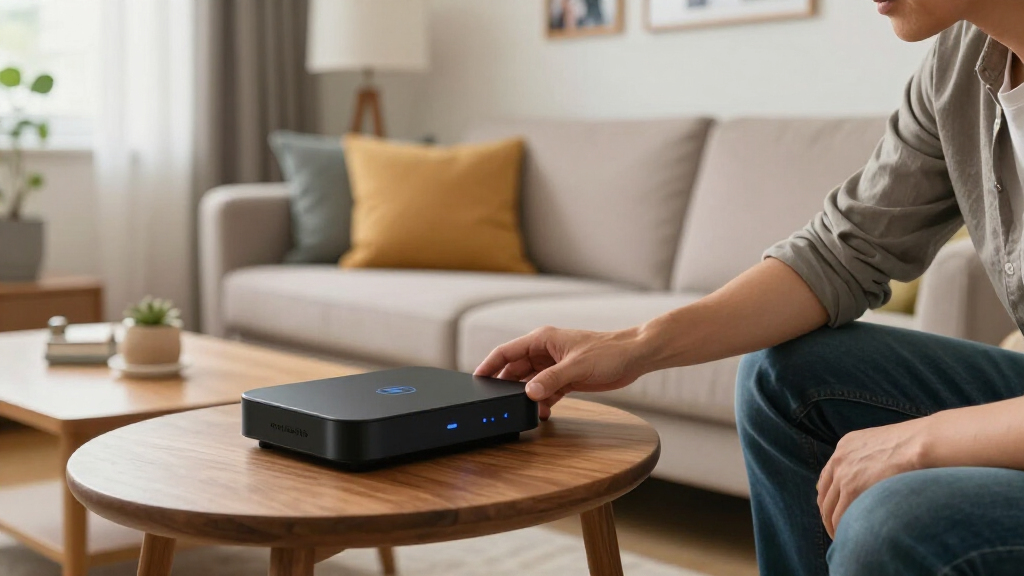
In evaluating these home automation hubs, I focused on performance, versatility, ease of setup, and integration capabilities. The ability to support multiple protocols like Zigbee, Z-Wave, and Matter was critical, as it determines compatibility with a wide array of devices. Build quality, user interface, and ongoing software updates also played a role, ensuring the hubs are reliable and future-proof. Lastly, I considered overall value—balancing features against price—to recommend options suitable for different types of users, from beginners to automation enthusiasts. The ranking reflects a combination of these factors, prioritizing hubs that deliver a seamless, flexible experience.Factors to Consider When Choosing Home Automation Hub
Selecting the right home automation hub involves understanding your specific needs and the ecosystem you want to build. Key factors include protocol support, ease of use, expandability, and privacy. Considering these aspects helps prevent investing in a hub that doesn’t quite fit your existing devices or comfort level. Here are the main considerations to keep in mind before making your choice.Protocol Compatibility and Device Support
Ensure the hub supports the communication protocols your existing or planned devices use, such as Zigbee, Z-Wave, or Matter. Broad compatibility reduces the risk of needing multiple hubs or facing device lock-in. For example, hubs like Hubitat Elevation C-8 Pro support multiple protocols, making them versatile for complex setups. Missing support for key protocols can limit your device options, leading to frustration or additional purchases.
Ease of Setup and User Interface
If you prefer a plug-and-play experience, look for hubs with intuitive apps and minimal setup steps, such as Amazon’s Echo Hub. Conversely, advanced users may value hubs that require manual configuration but offer deeper customization, like Home Assistant Green. Consider your comfort level with technology and choose accordingly to avoid a steep learning curve that might turn automation into a chore.
Automation Flexibility and Customization
The capability to create complex automations varies across hubs. Some, like Home Assistant Green, excel at custom scripting and integrations, suitable for automation enthusiasts. Simpler hubs focus on basic scheduling and device control, ideal for casual users. Think about whether you want straightforward control or deep customization, as this influences your choice and the investment needed.
Privacy and Local Processing
Hubs that process data locally, such as Hubitat Elevation, offer greater privacy and often faster response times, which is important if you prioritize security. Cloud-dependent hubs might provide more seamless updates and integrations but can raise concerns about data privacy and reliance on internet connectivity. Balance your privacy preferences with convenience when choosing your hub.
Price and Long-Term Value
Budget options can work well for simple setups, but investing in a more capable hub may pay off over time through expanded compatibility and automation features. Consider future-proofing your setup—if you plan to add many devices or advanced automation, a higher-priced, feature-rich hub could be more cost-effective long-term. Avoid overspending on features you won’t use, but recognize that quality and expandability often come at a higher price.
Frequently Asked Questions
Can I use multiple hubs in my smart home system?
Yes, many smart homes employ multiple hubs to cover different protocols or zones. For example, a Zigbee hub for lighting and a Z-Wave hub for security devices can coexist, but managing them may require more effort. Some hubs, like Hubitat Elevation, support multiple protocols within a single device, simplifying management and reducing clutter. The key is ensuring these hubs can communicate or integrate seamlessly through common platforms or apps.
Is a more expensive home automation hub worth the extra cost?
Higher-priced hubs often offer broader protocol support, more automation options, and better build quality, which can justify the investment if you plan a complex smart home system. They tend to be more reliable and future-proof, supporting new standards and devices over time. However, if your needs are simple—like controlling a few smart bulbs and outlets—a budget-friendly hub might suffice and provide better value.
How important is protocol support when choosing a hub?
Protocol support directly impacts device compatibility and expandability. A hub that supports Zigbee, Z-Wave, and Matter offers the most flexibility, allowing you to integrate a wide variety of smart devices. Limiting your hub to a single protocol may restrict your options and force additional purchases later. Choosing a multi-protocol hub can save money and effort in the long run, especially for larger or evolving smart homes.
Are hubs with displays or voice assistants easier to use?
Hubs with built-in displays or integrated voice assistants provide immediate, hands-free control and visual feedback, enhancing user experience. They are especially helpful for quick access or for users less comfortable with apps or manual setup. However, they can add to the cost and complexity of the device. Consider your comfort with voice commands or visual interfaces to determine if these features are worth the extra investment.
What should I consider if I want a future-proof home automation hub?
Look for hubs supporting the latest standards like Matter, which aim to unify device compatibility. Modular or expandable hubs that support multiple protocols also help ensure your system can grow with new devices. Additionally, check for regular software updates and a strong developer or manufacturer support community. These factors help maintain your system’s relevance and reduce the need for frequent replacements.
Conclusion
For general users seeking a straightforward setup, the Amazon Echo Hub 8” offers an excellent balance of ease, voice control, and device support. Those wanting maximum flexibility and customization should consider the Home Assistant Green, despite its steeper learning curve. The Hubitat Elevation C-8 Pro makes the best choice for privacy-conscious users needing broad protocol compatibility. If budget is a concern, affordable options like the SONOFF Zigbee Bridge Pro deliver reliable basic control. For advanced automators, the Aeotec Smart Home Hub 2 combines multiple protocols and future-proof features, making it the best premium pick.