For a small business that needs dependable color documents, my best overall pick is the Canon Color imageCLASS MF753Cdw II, which combines printing, scanning, copying, and duplexing in one office-ready machine. The Brother MFC-L8930CDW stands out for businesses that need broader workflow and security features, while the Brother HL-L8430CDWT suits teams that benefit from two paper trays. The main choice is between a simpler, lower-footprint print-only printer and a more capable all-in-one, along with balancing paper handling and business features against space and setup demands. Read on for the full comparison, buying advice, and recommendations by business type.

Turn the school run and nap time into listening time
- Thousands of audiobooks, podcasts and originals
- Listen on your phone, tablet or Echo — also offline
- Cancel anytime
Complete the kit


Key Takeaways
- The Canon MF753Cdw II is my best overall fit for businesses that want print, scan, copy, and duplex functions together rather than a print-only machine.
- Brother’s HL-L8430CDWT stands apart for paper flexibility: its dual trays can reduce interruptions for offices that regularly switch between paper types or sizes.
- The Brother MFC-L8930CDW is the workflow-focused choice, with advanced security features and broader office functions than the lineup’s basic print-only models.
- Print-only models make sense when scanning and copying already happen elsewhere; options such as the Xerox C240 and Canon LBP646Cdw avoid paying for functions a business will not use.
- Similar model names do not mean identical business fit: the HP 3301fdw and 3301sdw and the Brother HL-L8430CDW and HL-L8430CDWT should be compared by their specific features and paper setup.
| Canon Color imageCLASS MF753Cdw II – All-in-One Color Duplex Laser Printer |  | Best Overall for Busy Small Offices | Printer type: Color laser all-in-one | Functions: Print, scan, copy, fax | Print speed: Up to 35 pages per minute | VIEW ON AMAZON | See Our Full Breakdown |
| HP Color LaserJet Pro MFP 3301fdw Wireless All-in-One Color Laser Printer |  | Best for Security-Minded Teams | Printer type: Color laser all-in-one | Functions: Print, scan, copy, fax | Print speed: 26 pages per minute, color and black-and-white | VIEW ON AMAZON | See Our Full Breakdown |
| Xerox C240 Wireless Color Laser Printer – Print Only |  | Best Compact Print-Only Pick | Printer type: Color laser, print only | Print speed: Up to 26 pages per minute | Maximum print resolution: 2400 x 600 dpi | VIEW ON AMAZON | See Our Full Breakdown |
| HP Color LaserJet Pro MFP 3301sdw Wireless All-in-One Color Laser Printer |  | Best for Straightforward Office Scanning | Printer type: Color laser all-in-one | Functions: Print, scan, copy | Print speed: Up to 30 pages per minute color; 26 pages per minute black-and-white | VIEW ON AMAZON | See Our Full Breakdown |
| Brother HL-L3280CDW Wireless Color Laser Printer, Duplex, Mobile Printing, Ethernet, Includes 2-Month Trial | 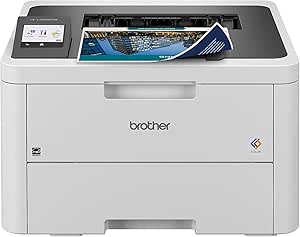 | Best for Compact Team Printing | Printer type: Color laser, print only | Print speed: Up to 27 pages per minute | Duplex printing: Automatic | VIEW ON AMAZON | See Our Full Breakdown |
| Brother MFC-L8930CDW Business Color Laser All-in-One Printer with Duplex Print, Scan, Copy, Low-Cost Printing, and Advanced Security Features |  | Best for Secure, Shared Workgroups | Functions: Print, scan, copy | Print speed: Up to 33 pages per minute | Maximum resolution: 2400 x 600 dpi | VIEW ON AMAZON | See Our Full Breakdown |
| Brother HL-L8430CDW Business Color Laser Printer with Wireless Networking | 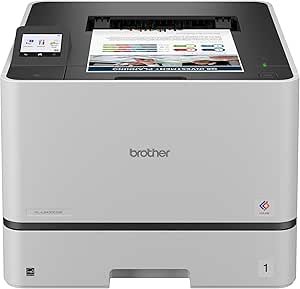 | Best for High-Volume Print-Only Offices | Functions: Print | Print speed: Up to 33 pages per minute | Maximum print resolution: 2400 x 600 dpi | VIEW ON AMAZON | See Our Full Breakdown |
| Brother HL-L3220CDW Color Laser Printer with Wireless Printing, Duplex, 250-Sheet Tray |  | Best Compact Entry Point | Functions: Print only | Print speed: Up to 19 pages per minute | Resolution: 2400 x 600 dpi | VIEW ON AMAZON | See Our Full Breakdown |
| Brother HL-L8430CDWT Business Color Laser Printer with Low-Cost Printing, Wireless Networking, and Dual Paper Trays |  | Best for Multiple Paper Types | Functions: Print | Print speed: Up to 33 pages per minute | Maximum sheet capacity: 1,340 sheets | VIEW ON AMAZON | See Our Full Breakdown |
| Canon Color imageCLASS MF665Cdw – Wireless All-in-One Duplex Laser Printer |  | Best All-in-One for Small Offices | Functions: Print, scan, copy, fax | Print speed: Up to 26 pages per minute | Print resolution: 600 x 600 dpi | VIEW ON AMAZON | See Our Full Breakdown |
| Brother MFC-L3720CDW Wireless Color Laser Printer, Scanner, Copier, Fax, Auto Duplex, 250-Sheet Capacity |  | Best All-in-One for Small Offices | Print speed: Up to 19 ppm | Scan speed: Up to 29 ipm black / 22 ipm color | Paper capacity: 250 sheets | VIEW ON AMAZON | See Our Full Breakdown |
| HP Color LaserJet Pro 3201dw Wireless Color Laser Printer, Office Printer, Duplex, Best for Office |  | Best for Fast Team Printing | Printer type: Color laser | Print speed: Up to 26 pages per minute | Resolution: 600 x 600 dpi | VIEW ON AMAZON | See Our Full Breakdown |
| Canon Color imageCLASS MF662Cdw Wireless Duplex Laser Printer with Copier and Scanner |  | Best Touchscreen All-in-One | Printer type: Color laser all-in-one | Print speed: Up to 26 pages per minute | Print resolution: 600 x 600 dpi | VIEW ON AMAZON | See Our Full Breakdown |
| Canon Color imageCLASS LBP646Cdw Wireless Laser Printer, Duplex, 26 PPM, Print Only, White |  | Best Compact Print-Only Choice | Printer type: Color laser, print only | Print speed: Up to 26 pages per minute | Paper capacity: 250 sheets | VIEW ON AMAZON | See Our Full Breakdown |
| color laser printer for small business | Print speed | Weight | Connectivity | Functions |
|---|---|---|---|---|
| Canon Color imageCLASS MF753Cd | Up to 35 pages per minute | 50 pounds | — | Print, scan, copy, fax |
| HP Color LaserJet Pro MFP 3301 | 26 pages per minute, color and black-and-white | 41.4 pounds | Ethernet, USB, Wi-Fi | Print, scan, copy, fax |
| Xerox C240 Wireless Color Lase | Up to 26 pages per minute | 35.9 pounds | — | — |
| HP Color LaserJet Pro MFP 3301 | Up to 30 pages per minute color; 26 pages per minute black-and-white | 37.7 pounds | Wireless, Ethernet | Print, scan, copy |
| Brother HL-L3280CDW Wireless C | Up to 27 pages per minute | 33.9 pounds | Wireless, Ethernet, mobile printing | — |
| Brother MFC-L8930CDW Business | Up to 33 pages per minute | 71.2 lb | Dual-band wireless, Gigabit Ethernet | Print, scan, copy |
| Brother HL-L8430CDW Business C | Up to 33 pages per minute | 46.3 lb | Ethernet, USB, Wi-Fi | |
| Brother HL-L3220CDW Color Lase | Up to 19 pages per minute | 24.7 lb | Wireless, app, touch, voice | Print only |
| Brother HL-L8430CDWT Business | Up to 33 pages per minute | 65 lb | Ethernet, NFC, USB, Wi-Fi | |
| Canon Color imageCLASS MF665Cd | Up to 26 pages per minute | — | Wireless, USB | Print, scan, copy, fax |
| Brother MFC-L3720CDW Wireless | Up to 19 ppm | — | Wi-Fi (2.4GHz/5GHz), Wi-Fi Direct, USB 2.0 | Print, scan, copy, fax |
| HP Color LaserJet Pro 3201dw W | Up to 26 pages per minute | 33 pounds | Ethernet, USB, Wi-Fi | — |
| Canon Color imageCLASS MF662Cd | Up to 26 pages per minute | 55.1 pounds | — | — |
| Canon Color imageCLASS LBP646C | Up to 26 pages per minute | 27.6 pounds | USB, Wi-Fi, Ethernet | — |
More Details on Our Top Picks
Canon Color imageCLASS MF753Cdw II – All-in-One Color Duplex Laser Printer
The Canon imageCLASS MF753Cdw II is the most capable all-rounder here for a small office that needs printing and document handling from one machine. Its 35-page-per-minute speed leads this group, while duplex scanning, copying, and faxing help teams process more than print jobs. The 5-inch touchscreen is roomier than the Brother HL-L3280CDW’s 2.7-inch panel, and the standard 250-sheet capacity can grow to 850 sheets as workloads expand. That flexibility makes it a stronger fit for a growing office than the print-only Xerox C240. The tradeoff is its 50-pound weight and larger footprint; it is better placed on a sturdy, permanent surface than moved between work areas. Choose it for versatility and capacity, not a lightweight or minimal-cost setup.
Pros:- Fast listed print speed of up to 35 pages per minute
- Prints, scans, copies, and faxes, with duplex scanning
- Paper capacity expands from 250 to 850 sheets
- Large 5-inch touchscreen and wireless connectivity
Cons:- At 50 pounds, it is difficult to reposition
- Its multifunction design takes more room than print-only options such as the Xerox C240
- Uses Canon Genuine Toner 069 cartridges
Best for: Small offices that regularly print, scan, copy, and fax, and may need more paper capacity as workloads grow.
Not ideal for: Solo operators with limited desk space or buyers who only need occasional printing; its weight and multifunction features may be more than they need.
- Printer type:Color laser all-in-one
- Functions:Print, scan, copy, fax
- Print speed:Up to 35 pages per minute
- Maximum print resolution:1200 x 1200 dpi
- Paper capacity:250 sheets standard; expandable to 850 sheets
- Maximum paper size:Legal (8.5 x 14 inches)
- Connectivity and controls:Wireless; 5-inch touchscreen
- Weight:50 pounds
- Warranty:3-year limited
Our verdict“Choose the MF753Cdw II if your small office needs fast, expandable all-in-one document handling and has space for a substantial printer.”
HP Color LaserJet Pro MFP 3301fdw Wireless All-in-One Color Laser Printer
The HP Color LaserJet Pro MFP 3301fdw suits small businesses that want print, scan, copy, and fax functions alongside a stated security feature: HP Wolf Pro Security. Its 250-sheet tray and automatic duplex printing support routine office batches without asking staff to feed each side manually. At up to 26 pages per minute, it is slower than the Canon MF753Cdw II’s listed 35 ppm, but its Ethernet, USB, and Wi-Fi connections give a team several ways to add it to an office setup. Compared with the HP 3301sdw, this model adds fax capability, making it a better match for offices that still handle fax workflows. The tradeoffs are a single input tray and HP’s cartridge-chip restrictions, which can limit toner choices. Its 41.4-pound body also calls for a fixed home.
Pros:- Combines printing, scanning, copying, and faxing
- HP Wolf Pro Security is listed as an additional feature
- Ethernet, USB, and Wi-Fi connectivity
- Automatic duplex printing and a 250-sheet input tray
Cons:- One input tray offers less paper flexibility than models with multiple trays
- Cartridge-chip requirements may restrict non-HP toner options
- At 41.4 pounds, it is not convenient to move
Best for: Small teams that need fax, wired and wireless connections, and a stated security feature for shared office printing.
Not ideal for: Businesses that want multiple paper sources, lighter equipment, or broad freedom to choose third-party toner.
- Printer type:Color laser all-in-one
- Functions:Print, scan, copy, fax
- Print speed:26 pages per minute, color and black-and-white
- Resolution:600 x 600 dpi
- Input capacity:250 sheets
- Connectivity:Ethernet, USB, Wi-Fi
- Additional features:Automatic document feeder, duplex printing, HP Wolf Pro Security
- Weight:41.4 pounds
Our verdict“Pick the 3301fdw if your team needs fax and multiple connection options, and accepts a single tray and HP cartridge restrictions.”
Xerox C240 Wireless Color Laser Printer – Print Only
The Xerox C240 is the clearest choice here for a business that needs color output but already has separate scanning and copying equipment. Its print-only design avoids paying for functions the office does not use, while automatic duplexing and AirPrint and Mopria support cover common paper-saving and mobile-printing needs. It runs at up to 26 pages per minute, matching the HP 3301fdw’s listed speed, though that HP also scans, copies, and faxes. At 9.6 inches high, the C240 is notably lower than the multifunction machines in this group, which can make placement easier on a crowded desk or shelf. Its 35.9-pound weight still makes it a substantial device, and it handles media only up to A4 or letter—not legal. Skip it if one machine must manage the full document workflow.
Pros:- Print-only design keeps the feature set focused
- Automatic duplex printing
- Supports Apple AirPrint and Mopria
- Relatively low 9.6-inch height among these office printers
Cons:- No scanning, copying, or fax functions
- Maximum listed media size is A4 or letter
- Weighs 35.9 pounds despite its lower profile
Best for: Small businesses with existing scanners or multifunction equipment that want a lower-profile color printer with duplex and mobile printing.
Not ideal for: Offices that need scanning, copying, faxing, or legal-size printing from the same device.
- Printer type:Color laser, print only
- Print speed:Up to 26 pages per minute
- Maximum print resolution:2400 x 600 dpi
- Automatic duplex:Yes
- Maximum media size:A4 and letter (8.5 x 11 inches)
- Supported mobile printing:Apple AirPrint, Mopria
- Supported media:Card stock, envelopes, glossy photo paper, labels, plain paper
- Dimensions:15.7 x 16.2 x 9.6 inches
- Weight:35.9 pounds
Our verdict“Choose the C240 if you already have document-scanning equipment and want a lower-profile duplex color printer for letter-size office work.”
HP Color LaserJet Pro MFP 3301sdw Wireless All-in-One Color Laser Printer
The HP Color LaserJet Pro MFP 3301sdw is a sensible fit for a small office that needs printing, scanning, and copying but has no stated need for fax. Its flatbed scanner and automatic duplex printing cover everyday document tasks, while wireless and Ethernet connections let the office choose between flexible placement and a wired network. The listed color speed of 30 pages per minute is faster than the 3301fdw’s stated 26 ppm, but the fdw adds fax and lists an automatic document feeder—an advantage for batches of multipage originals. Compared with the Canon MF753Cdw II, the 3301sdw offers fewer stated functions and less expandable paper capacity, so it is the simpler choice rather than the more adaptable one. HP cartridge restrictions and a 37.7-pound weight remain practical drawbacks.
Pros:- Prints, scans, and copies in one machine
- Listed color print speed of up to 30 pages per minute
- Automatic duplex printing
- Wireless and Ethernet connectivity
Cons:- No fax function is listed
- Flatbed scanning may be less convenient for multipage originals than an automatic document feeder
- HP cartridge restrictions may limit toner choices
Best for: Small offices that need color printing, flatbed scanning, and copying over Wi-Fi or Ethernet, but do not require fax.
Not ideal for: Teams that fax documents, scan multipage batches frequently, or need expandable paper capacity.
- Printer type:Color laser all-in-one
- Functions:Print, scan, copy
- Print speed:Up to 30 pages per minute color; 26 pages per minute black-and-white
- Maximum print resolution:600 x 600 dpi
- Scanner type:Flatbed
- Input tray capacity:250 sheets
- Connectivity:Wireless, Ethernet
- Dimensions:16.46 x 13.44 x 16.5 inches
- Weight:37.7 pounds
Our verdict“Choose the 3301sdw for routine color printing and flatbed scanning without fax, but select the 3301fdw if fax or an automatic document feeder matters more.”
Brother HL-L3280CDW Wireless Color Laser Printer, Duplex, Mobile Printing, Ethernet, Includes 2-Month Trial
The Brother HL-L3280CDW makes the most sense for a small team that prints documents regularly but does not need an all-in-one machine. It combines up to 27 pages per minute, automatic duplexing, wireless and Ethernet connections, and mobile printing in a 15.7-inch-deep body. That gives it a speed advantage over the Xerox C240’s 26 ppm, while the C240 lists a higher maximum print resolution and broader named media support. The Brother’s 2.7-inch touchscreen provides basic on-device control, but the Canon MF753Cdw II’s 5-inch panel is more spacious and that Canon also scans, copies, and faxes. The Brother is lighter than the multifunction choices at 33.9 pounds, though still not effortless to move. Factor in setup complexity and ongoing toner costs, and skip it if your office needs document capture.
Pros:- Prints at up to 27 pages per minute
- Automatic duplex printing
- Wireless, Ethernet, and mobile printing support
- Smaller listed depth than the multifunction models in this group
Cons:- Print-only design means separate equipment is needed for scanning and copying
- Initial setup may be complex for some users
- Toner and other consumables add ongoing operating costs
Best for: Small teams that want a relatively compact, network-connected color printer for duplex business documents and mobile jobs.
Not ideal for: Businesses that need scanning, copying, faxing, a larger control screen, or a lightweight printer they can move often.
- Printer type:Color laser, print only
- Print speed:Up to 27 pages per minute
- Duplex printing:Automatic
- Connectivity:Wireless, Ethernet, mobile printing
- Touchscreen:2.7 inches
- Dimensions:15.7 x 10.8 x 15.7 inches
- Weight:33.9 pounds
- Supported media:Card stock, envelopes, glossy photo paper, labels, plain paper
- Warranty:1-year limited
Our verdict“Choose the HL-L3280CDW for compact, connected duplex printing; choose the Canon MF753Cdw II instead if your office needs scanning, copying, or faxing.”
Brother MFC-L8930CDW Business Color Laser All-in-One Printer with Duplex Print, Scan, Copy, Low-Cost Printing, and Advanced Security Features
For a small business that needs a shared color printer and a capable document hub, I’d put the Brother MFC-L8930CDW ahead of the print-only Brother HL-L8430CDW. It combines printing, copying, and scanning with 33-page-per-minute output, a sheetfed and flatbed scanner, and a document feeder—useful when several employees handle paperwork throughout the day. Its dual-band Wi-Fi, Gigabit Ethernet, and NFC card reader also give offices more ways to connect and control access than a basic desktop model.
The tradeoff is its size and setup burden: at 71.2 pounds, it needs a sturdy, planned location, and configuration may take more work than a compact print-only option. It has one tray, so it is less suited to offices that want multiple paper stocks ready at once. I’d choose it for secure shared workflows, not for a space-constrained desk or a team that only prints.
Pros:- Prints at up to 33 pages per minute for busy shared workflows.
- Flatbed and sheetfed scanning, copying, and an automatic document feeder support varied paperwork.
- NFC card reader and triple-layer security features suit offices handling sensitive documents.
- Dual-band wireless and Gigabit Ethernet offer flexible network placement.
Cons:- At 71.2 pounds, it is difficult to move and needs sturdy placement.
- One paper tray limits how many paper types can stay loaded.
- Initial setup may be more involved than on a basic print-only machine.
Best for: Small offices that share scanning and copying duties and need network connections plus badge-based access control.
Not ideal for: Solo operators with limited desk or floor space, or teams that only need color printing and would not use the all-in-one features.
- Functions:Print, scan, copy
- Print speed:Up to 33 pages per minute
- Maximum resolution:2400 x 600 dpi
- Scanner:Flatbed and sheetfed
- Automatic document feeder:Yes
- Duplex printing:Yes
- Connectivity:Dual-band wireless, Gigabit Ethernet
- Weight:71.2 lb
Our verdict“Choose the MFC-L8930CDW when secure scanning and copying matter as much as fast color printing, and skip it if you only need a compact printer.”
Brother HL-L8430CDW Business Color Laser Printer with Wireless Networking
The Brother HL-L8430CDW is the print-focused choice for a business that values speed and paper flexibility over built-in scanning or copying. Its 33-page-per-minute output matches the Brother MFC-L8930CDW, while a maximum capacity of 1,340 sheets can reduce refill interruptions when configured with added capacity. It also supports legal-size media, which helps when contracts or forms exceed letter size.
Compared with the MFC-L8930CDW, this model gives up all-in-one convenience, but it weighs less and takes up less vertical space. It still weighs 46.3 pounds, so it is not a casual desk-side pick, and its maximum paper capacity should not be confused with the supplied tray setup. Wireless, USB, and Ethernet options suit a shared office, though configuring network and security settings may take patience. I’d pick it for steady print queues, not for a team that regularly digitizes documents.
Pros:- Up to 33 pages per minute supports busy office print queues.
- Expandable capacity up to 1,340 sheets can cut down on paper refills.
- Legal-size media support handles longer business forms.
- Ethernet, USB, and Wi-Fi accommodate shared and direct connections.
Cons:- Print-only design lacks the scanning and copying features of the MFC-L8930CDW.
- The 46.3-pound body is heavy for frequent moves or a lightweight desk.
- Reaching maximum sheet capacity may require additional tray configuration.
Best for: Small businesses with frequent color print jobs, legal-size documents, and staff who already have a separate scanner or copier.
Not ideal for: Teams that need one machine for scanning and copying, or very small offices without room for a substantial printer.
- Functions:Print
- Print speed:Up to 33 pages per minute
- Maximum print resolution:2400 x 600 dpi
- Maximum media size:Legal (8.5 x 14 in.)
- Maximum sheet capacity:1,340 sheets
- Number of trays:2
- Connectivity:Ethernet, USB, Wi-Fi
- Weight:46.3 lb
Our verdict“Choose this model for fast, high-volume color printing with room to expand paper capacity, but pick an all-in-one if your staff scans or copies regularly.”
Brother HL-L3220CDW Color Laser Printer with Wireless Printing, Duplex, 250-Sheet Tray
Among these five, the Brother HL-L3220CDW is the clearest fit for a small office that wants color laser printing without paying for office features it will not use. Its 250-sheet tray and automatic duplex printing support routine invoices, handouts, and double-sided documents, while its 15.7-inch square footprint is less imposing than the Brother HL-L8430CDW. Wireless, app, touch, and voice controls offer several ways to send jobs without relying on a wired workstation.
The compromise is function and pace: this is a print-only model, and its 19-page-per-minute speed trails the 33-page-per-minute business machines. The Canon imageCLASS MF665Cdw is a stronger fit if your team needs scanning, copying, and faxing, though it is heavier and more involved. I’d choose the HL-L3220CDW for modest shared print workloads; businesses with growing queues or regular document capture should step up.
Pros:- 250-sheet tray helps reduce reloads for routine office printing.
- Automatic duplex printing saves paper on longer documents.
- Wireless and app-based controls make it easy to share print jobs.
- Smaller footprint than the Brother HL-L8430CDW.
Cons:- Print-only functionality means scanning and copying require separate equipment.
- At 19 pages per minute, it is slower than the 33-ppm business models in this group.
- A single tray offers limited flexibility for keeping different paper types loaded.
Best for: Small teams and home-based businesses that print color documents regularly but handle scanning and copying elsewhere.
Not ideal for: Growing offices with heavy daily print queues or staff who need scanning, copying, or faxing from the same device.
- Functions:Print only
- Print speed:Up to 19 pages per minute
- Resolution:2400 x 600 dpi
- Paper capacity:250 sheets
- Maximum media size:8.5 x 14 in.
- Connectivity:Wireless, app, touch, voice
- Dimensions:15.7 x 15.7 x 9.4 in.
- Weight:24.7 lb
Our verdict“Choose the HL-L3220CDW for straightforward, space-conscious color printing, but move to an all-in-one or faster business model if the workload demands more.”
Brother HL-L8430CDWT Business Color Laser Printer with Low-Cost Printing, Wireless Networking, and Dual Paper Trays
The Brother HL-L8430CDWT is the better match for an office that switches between everyday paper and other stock without wanting to reload the printer each time. Its two trays and maximum capacity of 1,340 sheets make it more flexible for mixed document work than the single-tray Brother MFC-L8930CDW. At up to 33 pages per minute, it is also built for faster shared print queues, with automatic duplexing to keep routine documents compact.
This is still a print-focused purchase: unlike the MFC-L8930CDW and Canon imageCLASS MF665Cdw, it does not list scan, copy, or fax functions. It is also the heaviest option here at 65 pounds, and the larger body needs a dedicated spot. Wireless, USB, Ethernet, and NFC give teams useful connection choices, but setup and optional high-yield toner choices can add decisions before the printer is ready for daily work. I’d select it for tray flexibility, not for a small desk or a complete document center.
Pros:- Two trays make it easier to keep different paper types ready.
- Maximum capacity of 1,340 sheets supports longer print runs between refills.
- Up to 33 pages per minute and automatic duplexing suit busy document workflows.
- Wireless, Ethernet, USB, and NFC provide several connection options.
Cons:- Print-only functionality lacks the document handling of the MFC-L8930CDW.
- At 65 pounds, it is difficult to place or relocate without help.
- High-yield toner options are optional, which may affect ongoing supply planning.
Best for: Small businesses that regularly alternate between paper types or sizes and need a fast shared color printer.
Not ideal for: Businesses that need built-in scanning and copying, or offices without room for a heavy, larger printer.
- Functions:Print
- Print speed:Up to 33 pages per minute
- Maximum sheet capacity:1,340 sheets
- Maximum media size:Legal (8.5 x 14 in.)
- Number of trays:2
- Duplex printing:Automatic
- Connectivity:Ethernet, NFC, USB, Wi-Fi
- Weight:65 lb
Our verdict“Choose the HL-L8430CDWT when keeping multiple paper types loaded matters more than having scanning and copying built in.”
Canon Color imageCLASS MF665Cdw – Wireless All-in-One Duplex Laser Printer
The Canon imageCLASS MF665Cdw is the most complete choice here for a small office that wants print, scan, copy, and fax in one device. Its 50-sheet duplex automatic document feeder can handle double-sided pages without manually turning each sheet, while the 5-inch touchscreen offers a more direct control panel than the Brother HL-L3220CDW’s basic display. At 26 pages per minute, it is faster than that compact Brother, though it does not match the 33-ppm Brother business models.
The Canon’s 250-sheet capacity is practical for a small team but less suited to long, uninterrupted print runs than the Brother HL-L8430CDWT’s expandable capacity. It weighs 50 pounds, so this is not a lightweight desktop device, and its listed connectivity is wireless and USB rather than the broader wired network options found on the MFC-L8930CDW. I’d choose it for varied document tasks and approachable controls, not for maximum paper capacity or the fastest queues.
Pros:- Print, scan, copy, and fax functions reduce the need for separate equipment.
- 50-sheet duplex feeder handles two-sided originals with less manual handling.
- 26-page-per-minute output is faster than the Brother HL-L3220CDW.
- 5-inch touchscreen provides a larger control surface than the compact Brother’s LCD.
Cons:- 250-sheet paper capacity is modest beside the expandable Brother HL-L8430CDWT.
- At 50 pounds, it is difficult to move between work areas.
- Listed connectivity includes wireless and USB, but not Ethernet.
Best for: Small offices that need color printing, scanning, copying, and faxing, plus duplex document feeding for routine paperwork.
Not ideal for: High-volume teams that need expandable paper capacity or businesses that require Gigabit Ethernet for network deployment.
- Functions:Print, scan, copy, fax
- Print speed:Up to 26 pages per minute
- Print resolution:600 x 600 dpi
- Paper capacity:250 sheets
- Automatic document feeder:50-sheet duplex ADF
- Maximum media size:Legal (8.5 x 14 in.)
- Connectivity:Wireless, USB
- Warranty:3-year limited
Our verdict“Choose the MF665Cdw for an approachable all-in-one with duplex scanning and fax, but look to a higher-capacity Brother for heavier print volumes.”
Brother MFC-L3720CDW Wireless Color Laser Printer, Scanner, Copier, Fax, Auto Duplex, 250-Sheet Capacity
The Brother MFC-L3720CDW suits a small office that needs printing plus scanning, copying, and faxing without adding separate devices. Its 50-sheet automatic document feeder and scan speeds of up to 29 ipm in black make multipage paperwork more manageable than on the print-only Canon imageCLASS LBP646Cdw. A 250-sheet tray and automatic duplex printing also help reduce routine interruptions and paper use. The tradeoff is speed: at up to 19 ppm, it trails the 26 ppm HP Color LaserJet Pro 3201dw and Canon Color imageCLASS MF662Cdw, which are better fits for heavier print queues. Its touchscreen and wireless options add flexibility, but setup may take more effort, and the listed subscription requirement for optimal use is worth checking before purchase.
Pros:- Combines color printing, scanning, copying, and faxing in one device
- 50-sheet automatic document feeder supports multipage scanning
- Wi-Fi, Wi-Fi Direct, and USB provide flexible connection choices
- Automatic duplex printing and a 250-sheet tray reduce routine handling
Cons:- Print speed of up to 19 ppm is slower than the 26 ppm models in this batch
- Setup can be complex for buyers who only need basic printing
- Product information notes a subscription service is required for optimal use
Best for: Small offices that regularly print, scan, copy, and fax multipage documents and want those jobs handled by one machine.
Not ideal for: Teams with high-volume print queues or buyers who want a straightforward printer without a subscription-related requirement or feature-heavy setup.
- Print speed:Up to 19 ppm
- Scan speed:Up to 29 ipm black / 22 ipm color
- Paper capacity:250 sheets
- Automatic document feeder:50 sheets
- Connectivity:Wi-Fi (2.4GHz/5GHz), Wi-Fi Direct, USB 2.0
- Display:3.5-inch color touchscreen
- Duplex printing:Automatic
- Functions:Print, scan, copy, fax
Our verdict“Choose the MFC-L3720CDW when your small office needs a capable document all-in-one more than the fastest print speed.”
HP Color LaserJet Pro 3201dw Wireless Color Laser Printer, Office Printer, Duplex, Best for Office
For a small team that mainly needs dependable color output, the HP Color LaserJet Pro 3201dw puts speed ahead of all-in-one features. Its 26 ppm print rate is well above the Brother MFC-L3720CDW’s 19 ppm, making it a stronger match for shared queues of reports, forms, and client documents. The 250-sheet tray, automatic duplexing, and Ethernet, USB, and Wi-Fi connections suit a printer that multiple staff members may use. Unlike the Canon imageCLASS MF662Cdw, however, this is a print-focused machine: it does not provide the scanning, copying, and touchscreen controls listed for that Canon. HP’s original-chip cartridge restriction also narrows toner choices, while the 33-pound body is less convenient to relocate. Pick it for print throughput, not desk-side mobility or flexible consumables.
Pros:- Prints up to 26 pages per minute for faster shared-office queues
- Automatic duplex printing helps reduce paper use
- Ethernet, USB, and Wi-Fi support different office network setups
- 250-sheet input tray limits frequent paper refills
Cons:- Print-only design lacks the scanning and copying offered by the Canon MF662Cdw
- Cartridge compatibility is limited to cartridges with original HP chips
- At 33 pounds, it is cumbersome to move
Best for: Small teams that share a printer for frequent color reports and business documents, and already have separate scanning or copying equipment.
Not ideal for: Businesses that need built-in scanning and copying, prefer third-party toner options, or frequently move their printer between work areas.
- Printer type:Color laser
- Print speed:Up to 26 pages per minute
- Resolution:600 x 600 dpi
- Input tray capacity:250 sheets
- Connectivity:Ethernet, USB, Wi-Fi
- Maximum media size:8.5 x 14 inches
- Dimensions:15.35 x 20.08 x 10.47 inches
- Weight:33 pounds
Our verdict“Choose the HP 3201dw if a small team values fast, networked printing and does not need an all-in-one.”
Canon Color imageCLASS MF662Cdw Wireless Duplex Laser Printer with Copier and Scanner
The Canon imageCLASS MF662Cdw is a strong fit for a small office that wants print, scan, and copy functions with simple on-device controls. Its 5-inch color touchscreen gives it a more direct control surface than the HP Color LaserJet Pro 3201dw, which relies on app or computer control and focuses on printing. At up to 26 ppm, the Canon also matches that HP’s stated print speed while adding a 250-sheet tray and automatic duplexing. The cost of this broader feature set is a substantial 55.1-pound weight, making it a poor choice for a cramped desk or a printer that needs frequent repositioning. It also uses Canon Genuine Toner 075 or 075 H, so buyers should factor in that cartridge requirement. Compared with the Brother MFC-L3720CDW, it offers a larger touchscreen and higher listed print speed, but remains a heavy office machine.
Pros:- Combines printing, scanning, and copying in one device
- 5-inch touchscreen makes walk-up operation more accessible
- Print speed reaches 26 pages per minute
- Automatic duplex printing and wireless connectivity support everyday office work
Cons:- At 55.1 pounds, it is notably heavy and difficult to reposition
- Compatible cartridges are limited to Canon Genuine Toner 075 / 075 H
- The product data lists legal-size media as the maximum media size
Best for: Small-office teams that want a fast color all-in-one with a large touchscreen for walk-up scanning, copying, and print jobs.
Not ideal for: Home offices with limited space, users who need a lightweight printer, or buyers seeking broad toner-brand flexibility.
- Printer type:Color laser all-in-one
- Print speed:Up to 26 pages per minute
- Print resolution:600 x 600 dpi
- Paper capacity:250 sheets
- Maximum media size:Legal, 8.5 x 14 inches
- Wireless:Yes
- Display:5-inch color touchscreen
- Weight:55.1 pounds
- Warranty:3-year limited
Our verdict“Choose the MF662Cdw if your office wants an easy-to-operate 26 ppm all-in-one and has room for a heavy machine.”
Canon Color imageCLASS LBP646Cdw Wireless Laser Printer, Duplex, 26 PPM, Print Only, White
The Canon imageCLASS LBP646Cdw is the clearest choice here for a business that needs color printing but already handles scanning and copying elsewhere. It delivers 26 ppm like the Canon MF662Cdw, yet weighs 27.6 pounds rather than 55.1, making it easier to place in a small office. USB, Wi-Fi, and Ethernet provide useful connection options, and automatic duplexing helps conserve paper on routine documents. The key compromise is firm: this is a print-only model, so it cannot replace the Brother MFC-L3720CDW or MF662Cdw for document capture and copying. Its 250-sheet tray and legal-size media support suit standard office work, but its footprint is still substantial for a very tight desk. The one-year limited warranty is shorter than the MF662Cdw’s listed three-year coverage.
Pros:- Print speed of up to 26 pages per minute
- Lighter than the Canon MF662Cdw while retaining the same stated print speed
- USB, Wi-Fi, and Ethernet support flexible placement and network use
- Automatic duplex printing and a 250-sheet tray suit routine office jobs
Cons:- Print-only design has no scanner or copier
- Still occupies a sizable footprint at 16.5 x 16.8 inches
- One-year limited warranty is shorter than the MF662Cdw’s listed warranty
Best for: Small businesses with separate scanners or multifunction equipment that want a fast color laser printer with wired and wireless networking.
Not ideal for: New or growing offices that need one device for printing, scanning, and copying, or buyers seeking a particularly small desktop footprint.
- Printer type:Color laser, print only
- Print speed:Up to 26 pages per minute
- Paper capacity:250 sheets
- Maximum media size:Legal, 8.5 x 14 inches
- Connectivity:USB, Wi-Fi, Ethernet
- Display:5-inch LCD
- Dimensions:16.5 x 16.8 x 10.5 inches
- Weight:27.6 pounds
- Warranty:1-year limited
Our verdict“Choose the LBP646Cdw when you need fast networked color printing without paying for all-in-one functions you already have.”
How We Picked
I ranked these printers around the needs that most affect a small office: whether the machine can handle the required print and document workflows, how useful its paper capacity and duplex features are, and how well its connectivity and security features suit shared use. I gave all-in-ones an advantage when their added scanning, copying, or fax functions can replace separate equipment, but I did not treat extra features as a win for a business that only prints.
The ranking favors capable, versatile office machines first, then distinguishes more specialized picks by their strengths. The Canon MF753Cdw II leads as a balanced all-in-one, while the Brother MFC-L8930CDW earns a place for advanced business workflows and the HL-L8430CDWT for dual-tray flexibility. Compact or print-only models rank lower for broad business use, not because they cannot be useful, but because they suit a narrower set of needs. I also considered the tradeoffs of added footprint, feature complexity, and the risk of buying functions or capacity a small team will not use.
| color laser printer for small business | Printer type | Functions |
|---|---|---|
| Canon Color imageCLASS MF753Cd | Color laser all-in-one | Print, scan, copy, fax |
| HP Color LaserJet Pro MFP 3301 | Color laser all-in-one | Print, scan, copy, fax |
| Xerox C240 Wireless Color Lase | Color laser, print only | — |
| HP Color LaserJet Pro MFP 3301 | Color laser all-in-one | Print, scan, copy |
| Brother HL-L3280CDW Wireless C | Color laser, print only | — |
| Brother MFC-L8930CDW Business | — | Print, scan, copy |
| Brother HL-L8430CDW Business C | — | |
| Brother HL-L3220CDW Color Lase | — | Print only |
| Brother HL-L8430CDWT Business | — | |
| Canon Color imageCLASS MF665Cd | — | Print, scan, copy, fax |
| Brother MFC-L3720CDW Wireless | — | Print, scan, copy, fax |
| HP Color LaserJet Pro 3201dw W | Color laser | — |
| Canon Color imageCLASS MF662Cd | Color laser all-in-one | — |
| Canon Color imageCLASS LBP646C | Color laser, print only | — |
Factors to Consider When Choosing Color Laser Printer For Small Business
Choosing a small-business color laser printer is less about collecting the longest feature list and more about matching the machine to the work that actually passes through the office. These broader checks can help prevent paying for unused functions or choosing a printer that becomes a bottleneck as staff share it.
Choose All-In-One Functions Based on Your Workflow
A printer with scanning, copying, or fax functions can reduce dependence on separate devices, but those functions only add value if staff use them regularly. Before choosing, list which tasks happen at the printer and which already have a reliable digital or office workflow. A print-only model can be the better business decision when documents are scanned elsewhere or rarely copied. Avoid buying an all-in-one solely because it seems more future-proof; extra controls and setup can add complexity for a team that only prints. On the other hand, a shared all-in-one can simplify daily work when several employees need to digitize and reproduce documents. Match the device to the workflow you have, not every workflow you might someday adopt.
Estimate Paper Demand Before Choosing Tray Capacity
Think about the number of people sharing the printer, how often it runs, and whether jobs use more than one paper type. A larger or second tray can reduce refill interruptions and make switching between letterhead and everyday paper easier. It is less useful when print volume is modest and one paper type covers nearly every job. Businesses often focus on the headline sheet capacity but forget the space needed to access trays and keep supplies nearby. Check how frequently staff can tolerate refilling, then decide whether added capacity is worth the machine’s larger footprint. A printer that fits the office layout and refill routine is more useful than one with capacity the business never needs.
Separate Occasional Color Use From Frequent Color Production
Color laser printers are suited to business documents such as presentations, charts, and branded handouts, but the business case depends on how often those jobs occur. If most pages are black-and-white, compare the printer’s consumable options and operating requirements before assuming color capability will be inexpensive to maintain. If color is central to customer-facing materials, consider how the printer handles the paper and document types your team uses. Do not judge ongoing ownership only by the purchase decision: toner replacement and maintenance remain part of the workload. A rarely used color function may not justify a more capable model, while frequent color jobs can make a dedicated office printer more practical than relying on an outside provider.
Plan for Shared Connectivity and Access
A printer shared by several employees needs a connection plan that fits the office, not just a feature that sounds convenient. Check whether the team will use wireless networking, Ethernet, or a mix, and confirm that the intended connection works with the office network and devices. Wired networking can suit a fixed workstation or shared office setup, while wireless printing can help in spaces where cabling is inconvenient. Mobile printing matters most when employees regularly send jobs from phones or tablets; otherwise, it may be a secondary feature. Before ordering, confirm compatibility with the computers and operating systems in use. Clear access rules also help prevent confidential documents from being left at a shared output tray.
Treat Security as an Office Requirement
A printer connected to a business network is part of the office’s information environment, especially when it stores or processes sensitive documents. Consider who can print, copy, or scan, and whether the business needs controls beyond ordinary network access. Advanced security features can matter more for offices handling client records, financial documents, or internal material than for a small team printing general handouts. Ask whoever manages the network to check that the printer’s security functions fit existing policies and can be maintained after setup. A feature that is never configured will not protect the workflow. Balance the machine’s security capabilities against the time and expertise available to manage them.
Budget for Space, Supplies, and Maintenance Together
A printer’s footprint affects daily access, so measure the intended location with room for paper trays, output, ventilation, and supply changes. All-in-ones can replace other devices but may need more space and a more accessible setup than compact print-only models. Think about where replacement toner will be stored and who will manage routine upkeep. Compare the operating requirements of the models under consideration rather than treating the initial purchase as the full cost of ownership. A smaller machine can be a poor fit if staff constantly refill it, while a larger office model can be excessive for a team with light printing needs. The best fit balances room, workload, and maintenance capacity.
Frequently Asked Questions
Should my small business buy an all-in-one color laser printer or a print-only model?
Choose an all-in-one if employees regularly scan, copy, or fax documents at the same shared location and replacing separate equipment would simplify work. A print-only model is a sounder fit when those tasks already happen through another device or service. The tradeoff is not only capability: all-in-ones can take more room and require staff to learn more controls. Consider how often each function is used in a typical week, not whether it might be useful someday. If only printing is routine, direct the budget toward the print features and capacity the team will use.
When is a second paper tray worth having in a small office?
A second tray is most useful when the office regularly switches between paper types or sizes, or when frequent refills interrupt shared printing. It can keep everyday paper and letterhead ready at the same time, which helps teams with repeatable mixed-paper jobs. For a small team using one paper type and printing intermittently, the added capacity may bring little practical benefit. Check whether the extra tray fits the available space and whether staff will actually keep it stocked. The Brother HL-L8430CDWT is the lineup’s clearest dual-tray choice, but that feature is only useful when it matches the office routine.
Is a business-focused printer worth choosing if my company has only a few employees?
Employee count alone does not determine the right printer; shared workload, document sensitivity, and paper needs matter just as much. A small office handling confidential files or regular color documents may benefit from advanced security or stronger paper flexibility. A few employees printing occasional pages may be better served by a simpler model that is easier to fit and manage. Estimate how often multiple people need the printer at once and whether scanning or copying is part of their work. Buy for the actual workflow rather than choosing a larger machine based only on a business label.
How should I choose between wireless and Ethernet for an office printer?
Wireless can make placement easier and support printing from mobile devices, while Ethernet can be a good match for a stationary printer shared on a managed office network. The right connection depends on the network setup and where staff work, not on which option sounds more modern. Some offices benefit from having both choices, but the team should confirm that its computers and network policies support the intended setup. Ask the person responsible for IT to check compatibility before purchase, especially if the printer will handle sensitive work. Also plan who can access the printer and where finished documents will sit.
What should I check before replacing an older color laser printer?
Start by noting which functions staff rely on, the paper types they use, and whether the old printer’s capacity caused frequent interruptions. Confirm that the replacement supports the office’s connection methods and computer environment before retiring a working device. Review how toner and routine maintenance fit the business’s ongoing operating plan, not just the space available on the desk. If the old printer was print-only, do not assume an all-in-one is automatically an upgrade unless scanning or copying would replace a real need. The comparison here shows why matching a model’s role to the office workflow matters more than buying the most feature-rich option.
Conclusion
For most small businesses wanting one machine for everyday office documents and common document tasks, I recommend the Canon Color imageCLASS MF753Cdw II as the best overall. For a business prioritizing office workflows and advanced security, the Brother MFC-L8930CDW is my best premium fit; for teams that need two paper sources, choose the Brother HL-L8430CDWT. My best value depends on what the office already owns: a print-only model such as the Brother HL-L3220CDW makes the most sense when scanning and copying are covered elsewhere. For beginners who want familiar all-in-one functions without starting with a specialized print-only setup, compare the Canon MF665Cdw and HP 3301fdw against the space and workflow the business can support. If the specific need is simply color printing, consider the Xerox C240 or Canon LBP646Cdw; skip the added all-in-one features unless staff will use them.