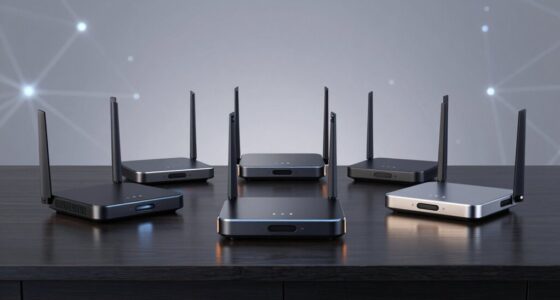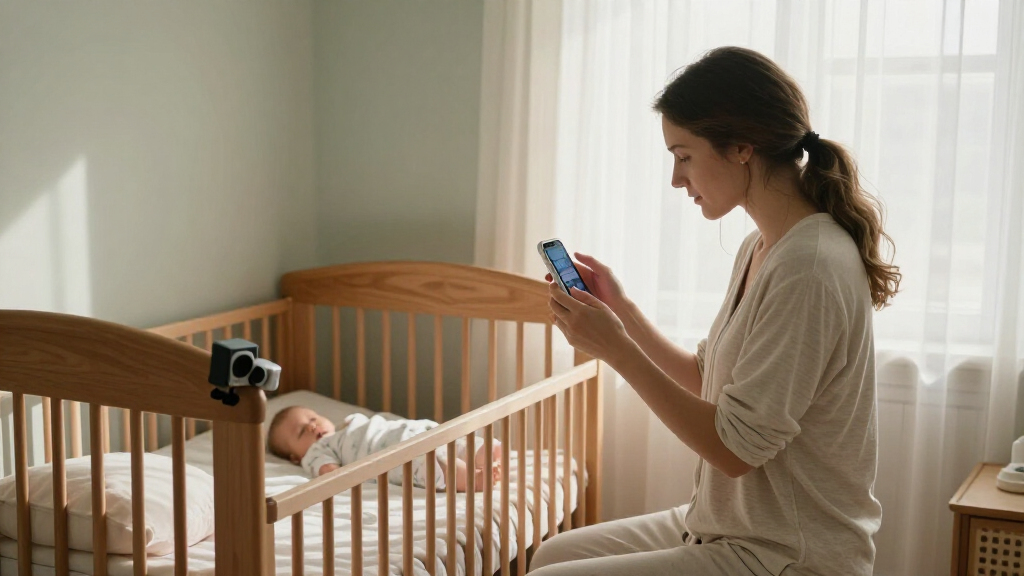

The best baby monitor with camera overall in this roundup is the HelloBaby HB6560, which pairs a larger 6-inch screen with a dedicated, no-Wi-Fi parent unit. The iFamily 5-inch split-screen monitor is a strong fit for viewing two cameras at once, while the Nanit Smart Baby Video Monitor suits parents who want app-based viewing and smart features. The main choice is between a direct, private-feeling monitor connection and Wi-Fi convenience, with screen size, extra-camera support, and battery life also shaping the decision. No single setup is best for every nursery or household. Read on for the full comparison and guidance on matching a monitor to your routine.

Get baby and family essentials delivered free — and shop member deals
- Fast, free delivery on millions of items
- Access to Prime Big Deal Days deals on October 6–7
- Prime Video, Amazon Music and more included
Complete the kit


Key Takeaways
- Dedicated-screen models lead this lineup for straightforward nursery monitoring: the HelloBaby HB6560 offers a larger 6-inch display without requiring Wi-Fi.
- Two-camera support is most useful when you need simultaneous room coverage: the iFamily split-screen model makes that use case central, while several other picks offer two-camera versions.
- Screen size and portability pull in opposite directions: the 6-inch HelloBaby models prioritize a larger viewing area, while the 4.3-inch HelloBaby and compact VTimes unit suit buyers who value a smaller parent device.
- Wi-Fi models serve a different routine, not simply a higher tier: Nanit and the Tapo and YOTON cameras rely on connected-camera features, while most of the lineup is built around a separate parent monitor.
- Product names can hide meaningful differences: the HelloBaby HB6550 appears in single-camera and two-camera configurations, so check the exact bundle and included cameras before choosing.
| iFamily 5″ Split Screen Baby Monitor with 2 Cameras and Audio and Night Vision |  | Best for Watching Two Rooms at Once | Display: 4.3-inch split-screen per description; title states 5 inches | Included cameras: 2 | Camera movement: 355° pan, 120° tilt | VIEW LATEST PRICE | See Our Full Breakdown |
| HelloBaby HB6550 No-WiFi Baby Monitor with 5-Inch Screen |  | Best for Camera Expansion | Screen: 5-inch color display | Camera movement: 355° horizontal pan, 120° vertical tilt | Zoom: 2x digital | VIEW LATEST PRICE | See Our Full Breakdown |
| HelloBaby HB6560 6-Inch Non-WiFi Video Baby Monitor | 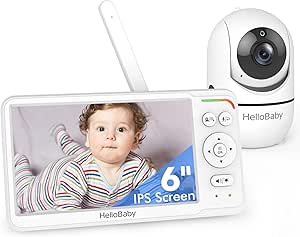 | Best for a Larger Display | Screen: 6-inch IPS | Connection: Encrypted 2.4 GHz FHSS; no Wi-Fi required | Camera movement: 355° pan, 120° tilt | VIEW LATEST PRICE | See Our Full Breakdown |
| HelloBaby HB6550-2 5-Inch Dual-Camera Baby Monitor |  | Best Ready-to-Use Two-Camera Kit | Display: 5-inch IPS | Included cameras: 2 pre-paired | Camera capacity: Up to 4 cameras | VIEW LATEST PRICE | See Our Full Breakdown |
| Tapo SolarCam C402 Kit – 1080p Indoor/Outdoor Security Camera with Solar Power |  | Best for Outdoor Monitoring | Resolution: 1080p | Power: Solar panel and battery; up to 180 days on a charge in cloudy conditions | Solar charging claim: 45 minutes of sunlight provides up to a day of use | VIEW LATEST PRICE | See Our Full Breakdown |
| AnKeKe ABM570 Baby Monitor with Camera and Audio |  | Best for Long Standby | Display: 5-inch 720p IPS | Connection: 2.4GHz FHSS; no Wi-Fi | Claimed range: Up to 1,000 feet | VIEW LATEST PRICE | See Our Full Breakdown |
| HelloBaby HB6550 No-WiFi Baby Monitor with 2 Cameras and 5-Inch Screen |  | Best for Two Rooms | Screen: 5-inch IPS | Cameras: 2 included; supports up to 4 | Connection: 2.4GHz FHSS; no Wi-Fi | VIEW LATEST PRICE | See Our Full Breakdown |
| HelloBaby 4.3-Inch Video Baby Monitor with 30-Hour Battery |  | Best Compact Screen | Screen: 4.3-inch IPS | Connection: 2.4GHz FHSS; no Wi-Fi | Approximate range: 1,000 feet | VIEW LATEST PRICE | See Our Full Breakdown |
| HelloBaby HB6550Plus 6-Inch Non-WiFi Video Baby Monitor |  | Best Large-Screen Pick | Screen: Listed as 6-inch IPS; listing also states 5.5 inches | Connection: 2.4GHz FHSS; no Wi-Fi | Camera movement: 355° pan; 120° tilt | VIEW LATEST PRICE | See Our Full Breakdown |
| VTech VM819 Baby Monitor (No WiFi) – 19-Hour Video Battery, 1000 ft Range, Night Vision, Two-Way Talk, Temperature Sensor, Sound-Activated Screen, Lullabies |  | Best for Battery-Saving Simplicity | Screen: 2.8 inches | Video resolution: 480p | Connection: Encrypted 2.4GHz FHSS; no Wi-Fi | VIEW LATEST PRICE | See Our Full Breakdown |
| VTimes Baby Monitor with Camera and Audio, No WiFi, 2.4″ LCD Screen, Two-Way Talk, Portable, Night Vision, 1000ft Range, Temperature Sensor, Alarm and Lullaby | 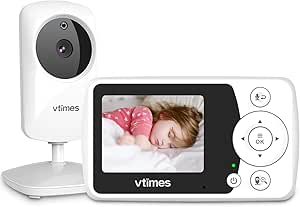 | Best Compact No-Wi-Fi Pick | Screen: 2.4-inch LCD | Video resolution: 480p | Connection: 2.4 GHz FHSS; no Wi-Fi | VIEW LATEST PRICE | See Our Full Breakdown |
| YOTON 2K Indoor Camera – 5G Wi-Fi Baby & Pet Monitor with Motion Tracking |  | Best for Wide-Area Smart Monitoring | Resolution: 2K (3 MP) | Viewing coverage: 360-degree view | Frame rate: 15 fps | VIEW LATEST PRICE | See Our Full Breakdown |
| GoodBaby 5-Inch Baby Monitor with Camera and Audio, No Wi-Fi |  | Best No-Wi-Fi All-Rounder | Display: 5-inch IPS screen | Video resolution: 480p | Camera movement: 355-degree pan and 120-degree tilt | VIEW LATEST PRICE | See Our Full Breakdown |
| GoodBaby 5-Inch Split-Screen Baby Monitor with 2 Cameras |  | Best for Two Rooms | Display: 5-inch LCD split-screen | Included cameras: 2 | Maximum cameras: 4 | VIEW LATEST PRICE | See Our Full Breakdown |
| Nanit Smart Baby Video Monitor – Camera & Floor Stand – 1080p Wi-Fi Camera |  | Best Premium Smart Monitor | Camera resolution: 1080p HD | Connectivity: Wi-Fi | Night vision: Infrared | VIEW LATEST PRICE | See Our Full Breakdown |
| baby monitors with camera | Connection | Camera movement | Audio | Night vision |
|---|---|---|---|---|
| iFamily 5" Split Screen Baby M | 2.4 GHz FHSS; no Wi-Fi required | 355° pan, 120° tilt | Two-way audio | — |
| HelloBaby HB6550 No-WiFi Baby | 2.4 GHz FHSS; no Wi-Fi | 355° horizontal pan, 120° vertical tilt | Two-way audio | Infrared |
| HelloBaby HB6560 6-Inch Non-Wi | Encrypted 2.4 GHz FHSS; no Wi-Fi required | 355° pan, 120° tilt | Two-way audio | Infrared |
| HelloBaby HB6550-2 5-Inch Dual | 2.4 GHz FHSS; no Wi-Fi or internet required | 355° pan, 120° tilt | — | — |
| Tapo SolarCam C402 Kit | — | — | Two-way audio | Full color, up to 30 ft |
| AnKeKe ABM570 Baby Monitor wit | 2.4GHz FHSS; no Wi-Fi | 355° pan; 95° tilt | — | Infrared with 9 IR LEDs |
| HelloBaby HB6550 No-WiFi Baby | 2.4GHz FHSS; no Wi-Fi | 355° pan; 120° tilt; zoom | Two-way talk | — |
| HelloBaby 4.3-Inch Video Baby | 2.4GHz FHSS; no Wi-Fi | 350° pan; 120° tilt | Two-way audio | Automatic |
| HelloBaby HB6550Plus 6-Inch No | 2.4GHz FHSS; no Wi-Fi | 355° pan; 120° tilt | Two-way audio | Invisible infrared |
| VTech VM819 Baby Monitor | Encrypted 2.4GHz FHSS; no Wi-Fi | — | — | Infrared |
| VTimes Baby Monitor with Camer | 2.4 GHz FHSS; no Wi-Fi | — | Two-way talk | Infrared |
| YOTON 2K Indoor Camera | — | — | Two-way audio | Up to 33 ft |
| GoodBaby 5-Inch Baby Monitor w | Encrypted 2.4 GHz FHSS; no Wi-Fi | 355-degree pan and 120-degree tilt | — | — |
| GoodBaby 5-Inch Split-Screen B | No Wi-Fi | 355-degree pan and 120-degree tilt | — | — |
| Nanit Smart Baby Video Monitor | — | — | Two-way audio | Infrared |
More Details on Our Top Picks
iFamily 5″ Split Screen Baby Monitor with 2 Cameras and Audio and Night Vision
The iFamily’s main advantage over the HelloBaby HB6550 is its split-screen view: two camera feeds stay visible together, so I can check two sleeping spaces without switching between them. Both cameras can pan and tilt remotely, which helps when a child moves around the room or the camera needs repositioning. Its 2.4 GHz FHSS connection works without Wi-Fi, keeping monitoring separate from a phone or home network. Two-way talk, temperature alerts, feeding reminders, and lullabies add practical nursery controls. The tradeoff is that the supplied description lists a 4.3-inch screen despite the 5-inch title, so buyers should verify the display size; it also lacks the HB6550’s stated support for expansion to four cameras. This is a better fit for two-camera simultaneous viewing than for families planning a larger camera setup.
Pros:- Split-screen displays two camera feeds simultaneously.
- Remote pan and tilt help adjust each camera view.
- FHSS connection works without Wi-Fi or a phone app.
- Includes two-way audio, temperature monitoring, feeding reminders, and lullabies.
Cons:- Listed screen size is inconsistent: the title says 5 inches while the description specifies 4.3 inches.
- Camera capacity beyond the two included cameras is not stated.
- The supplied information does not specify parent-unit battery life.
Best for: Parents monitoring two children or rooms who want both camera feeds visible at the same time on a dedicated, no-Wi-Fi monitor.
Not ideal for: Families who need more than two cameras or want a clearly specified larger display; the product information conflicts on screen size and does not state a higher camera capacity.
- Display:4.3-inch split-screen per description; title states 5 inches
- Included cameras:2
- Camera movement:355° pan, 120° tilt
- Connection:2.4 GHz FHSS; no Wi-Fi required
- Stated range:Up to 1,000 ft outdoors and 150 ft indoors
- Audio:Two-way audio
- Additional features:Temperature sensor, feeding alarm, lullabies, infrared night vision
- Mounting:Tabletop or wall mounting
Our verdict“Choose the iFamily when seeing two camera feeds together matters more than a confirmed larger screen or broader camera expansion.”
HelloBaby HB6550 No-WiFi Baby Monitor with 5-Inch Screen
For parents who may add cameras over time, the HelloBaby HB6550 is a flexible pick: it supports up to four cameras, compared with the two-camera limit listed for the HB6560. Its 5-inch screen and remote pan, tilt, and 2x zoom make it easier to scan a room from the parent unit, while infrared night vision keeps the view useful in a dark nursery. The no-Wi-Fi FHSS connection also means the monitor does not rely on an app or home internet. The listed battery life reaches up to 30 hours, though actual use will depend on settings. Unlike the iFamily, this model’s product details do not promise split-screen viewing, and additional cameras may need to be bought separately. It suits households prioritizing room coverage and future expansion over simultaneous views.
Pros:- Supports expansion to as many as four cameras.
- Remote 355° pan, 120° tilt, and 2x digital zoom help adjust the view.
- No-Wi-Fi 2.4 GHz FHSS connection.
- Includes infrared night vision, two-way audio, and room-temperature alerts.
Cons:- Extra cameras may need to be purchased separately.
- Split-screen viewing is not specified in the supplied product details.
- Not water resistant.
Best for: Families who want a dedicated no-Wi-Fi monitor now and may add cameras to cover more rooms or children later.
Not ideal for: Parents who need two camera feeds visible at once or want all cameras included; split-screen is not specified, and extra cameras may be separate purchases.
- Screen:5-inch color display
- Camera movement:355° horizontal pan, 120° vertical tilt
- Zoom:2x digital
- Connection:2.4 GHz FHSS; no Wi-Fi
- Battery life:Up to 30 hours
- Camera capacity:Up to 4 cameras
- Audio:Two-way audio
- Night vision:Infrared
Our verdict“Pick the HB6550 if future camera expansion matters more than a guaranteed split-screen view or two cameras included from the start.”
HelloBaby HB6560 6-Inch Non-WiFi Video Baby Monitor
The HB6560 gives the parent unit more screen space than the 5-inch HelloBaby HB6550, making it a stronger choice for anyone who wants to inspect a camera view without squinting at a smaller display. Its 6-inch IPS screen pairs with remote pan and tilt, while split-screen support lets parents view up to two cameras together. The monitor runs without Wi-Fi or an app, and its VOX/ECO mode can keep the screen off until sound is detected, helping conserve power when continuous viewing is unnecessary. Compared with the iFamily, it offers a clearly specified larger display but supports only two cameras. Battery life is listed as a broad 16–30-hour range, so runtime is less predictable than a single fixed figure. This is the display-first pick, not the choice for a growing multi-room system.
Pros:- Large 6-inch IPS display.
- Split-screen supports viewing up to two cameras simultaneously.
- Encrypted 2.4 GHz FHSS connection needs no Wi-Fi or app.
- VOX/ECO mode, temperature alerts, feeding timer, and sound-level indicators add useful monitoring controls.
Cons:- Camera capacity is limited to two.
- Battery life is given as a 16–30-hour range.
- The larger display may be less convenient for buyers prioritizing a compact parent unit.
Best for: Parents who want a large dedicated screen, simultaneous viewing of up to two cameras, and monitoring that does not depend on Wi-Fi.
Not ideal for: Households expecting to monitor three or more camera locations, or buyers who need a more precise battery-life expectation.
- Screen:6-inch IPS
- Connection:Encrypted 2.4 GHz FHSS; no Wi-Fi required
- Camera movement:355° pan, 120° tilt
- Battery life:16–30 hours
- Camera capacity:Up to 2 cameras with split-screen viewing
- Audio:Two-way audio
- Night vision:Infrared
- Additional features:Room-temperature alerts, 8 lullabies, feeding timer, VOX/ECO mode, sound-level LED indicators
- Mounting:Tabletop or wall mount
Our verdict“Choose the HB6560 for a larger screen and two-camera split view, but choose the HB6550 if expanding to more cameras matters more.”
HelloBaby HB6550-2 5-Inch Dual-Camera Baby Monitor
The HB6550-2 includes two pre-paired cameras, so parents covering two rooms can get started without first sourcing or pairing an additional unit. Its 5-inch IPS display provides one camera view at a time, with one-tap switching and auto scan; unlike the iFamily, it does not show both feeds simultaneously. Remote pan, tilt, and zoom let parents adjust the active view from the parent unit, and the FHSS connection operates without Wi-Fi or internet. ECO mode is listed for up to 30 hours of battery life, useful for reducing frequent charging when the screen can remain off until sound is detected. It can expand to four cameras, like the HB6550, but the pre-paired pair gives it a more complete starting setup. The main compromise is sequential rather than split-screen viewing.
Pros:- Two pre-paired cameras are included.
- Expandable to four cameras.
- Remote pan, tilt, and zoom with one-tap switching and auto scan.
- No-Wi-Fi FHSS connection with two-way talk and sound detection.
Cons:- Displays one camera view at a time rather than split-screen.
- The stated 1,000 ft range applies outdoors and requires extending the antenna.
- Up to 30-hour battery life is specified for ECO mode.
Best for: Parents who need two cameras included for separate rooms and prefer switching between views on a dedicated no-Wi-Fi monitor.
Not ideal for: Caregivers who need both camera feeds visible at once; this model switches views rather than offering split-screen monitoring.
- Display:5-inch IPS
- Included cameras:2 pre-paired
- Camera capacity:Up to 4 cameras
- Connection:2.4 GHz FHSS; no Wi-Fi or internet required
- Camera movement:355° pan, 120° tilt
- Battery life:Up to 30 hours in ECO mode
- Stated range:Up to 1,000 ft outdoors with antenna extended
- Additional features:Night vision, two-way talk, sound detection, 8 lullabies, room-temperature monitoring
- Mounting:Tabletop or wall
Our verdict“Choose the HB6550-2 for two included cameras and room-to-room switching, but choose the iFamily if simultaneous split-screen viewing is the priority.”
Tapo SolarCam C402 Kit – 1080p Indoor/Outdoor Security Camera with Solar Power
The Tapo SolarCam C402 differs from the dedicated nursery monitors here: it is a security camera kit, not a parent-screen baby monitor. Its 1080p image, full-color night vision, two-way audio, and solar charging may suit parents who want to check an outdoor play area or another space from a phone, but the supplied information does not list a dedicated handheld display, baby-specific alerts, or a multi-camera split-screen system. Compared with the HelloBaby HB6550, it offers weather-resistant placement and local microSD storage, while the HelloBaby is better suited to overnight nursery monitoring without Wi-Fi. Solar power can reduce charging chores, but performance depends on sunlight and the stated minimum operating temperature is 32°F. I would treat this as a secondary outdoor camera, not a direct substitute for a dedicated baby monitor.
Pros:- 1080p video with full-color night vision up to 30 ft.
- Solar panel and battery power can reduce routine recharging.
- IP65 weather resistance supports indoor and outdoor placement.
- Supports local microSD storage up to 512 GB and optional cloud backup.
Cons:- Product details do not specify a dedicated parent screen or baby-monitor-specific alerts.
- Connected-camera setup is not equivalent to the no-Wi-Fi HelloBaby monitors.
- Solar charging is temperature-limited, with a stated minimum operating temperature of 32°F.
Best for: Parents seeking a weather-resistant camera for an outdoor play space or yard who are comfortable monitoring through a connected-camera setup.
Not ideal for: Families looking for a dedicated nursery monitor with a parent display, no-Wi-Fi operation, or baby-specific monitoring features.
- Resolution:1080p
- Power:Solar panel and battery; up to 180 days on a charge in cloudy conditions
- Solar charging claim:45 minutes of sunlight provides up to a day of use
- Night vision:Full color, up to 30 ft
- Weather resistance:IP65
- Storage:Local microSD up to 512 GB; optional cloud backup
- Audio:Two-way audio
- Operating temperature minimum:32°F
- Included cable:13 ft
Our verdict“Consider the C402 for an outdoor camera feed, but choose a dedicated no-Wi-Fi monitor like the HB6550 for routine nursery viewing.”
AnKeKe ABM570 Baby Monitor with Camera and Audio
The AnKeKe ABM570 suits parents who want a dedicated monitor without Wi-Fi or an app, plus a 5-inch 720p display for checking the nursery. Its camera pans 355 degrees and tilts 95 degrees, giving it broad horizontal coverage, though the HelloBaby HB6550’s tilt reaches 120 degrees and that model includes two cameras. AnKeKe instead emphasizes extras for one-room monitoring: feeding reminders, temperature alerts, and eight lullabies. The claimed 100 hours refers to standby, not continuous video, so I would not treat it as a full-day viewing estimate. Its stated range of up to 1,000 feet is also dependent on surroundings. Choose it for a single-camera setup with useful reminders; skip it if you need a second camera or the widest vertical adjustment.
Pros:- Direct 2.4GHz FHSS connection works without Wi-Fi, an app, or cloud access.
- 5-inch 720p IPS display provides more detail than the VTech VM819’s 2.8-inch 480p screen.
- Remote pan and tilt, infrared night vision, and 2x/4x zoom help cover and check the crib.
- Includes two-way audio, temperature alerts, feeding reminders, and eight lullabies.
Cons:- The stated 100-hour battery life is standby time, not continuous video use.
- Only one camera is included, unlike the dual-camera HelloBaby HB6550.
- The 1,000-foot range is a claim that may vary with walls and other surroundings.
Best for: Parents seeking a private, Wi-Fi-free monitor for one nursery, with feeding reminders and a long claimed standby time.
Not ideal for: Families monitoring multiple rooms or needing a clear estimate of continuous video battery life; the 100-hour figure is standby time and only one camera is included.
- Display:5-inch 720p IPS
- Connection:2.4GHz FHSS; no Wi-Fi
- Claimed range:Up to 1,000 feet
- Camera movement:355° pan; 95° tilt
- Zoom:2x and 4x
- Battery:3,500mAh; up to 100 hours standby
- Night vision:Infrared with 9 IR LEDs
- Additional features:VOX, voice and motion detection, two-way audio, temperature alerts, feeding reminders, 8 lullabies
Our verdict“Choose the AnKeKe ABM570 for private single-room monitoring with reminders and a sharper screen, but not for multi-room coverage or guaranteed long video runtime.”
HelloBaby HB6550 No-WiFi Baby Monitor with 2 Cameras and 5-Inch Screen
The HelloBaby HB6550 is the clearest fit here for parents who want to monitor two sleeping spaces from one parent unit: two cameras are included, and the system can support up to four. Like the AnKeKe ABM570, it uses a private 2.4GHz FHSS connection rather than Wi-Fi, but its camera tilt reaches 120 degrees compared with AnKeKe’s 95. That wider vertical movement can help when a camera is mounted above a crib. The tradeoff is that the monitor displays one camera view at a time, not both simultaneously, so switching views is part of the routine. ECO mode is rated for up to 30 hours, though the 1,000-foot range is an outdoor claim and requires the antenna to be extended. Skip it if you need a persistent split-screen view.
Pros:- Includes two cameras and supports up to four, making room coverage more flexible than the single-camera AnKeKe ABM570.
- Remote pan, tilt, and zoom help adjust each camera from the parent unit.
- Private 2.4GHz FHSS connection works without Wi-Fi or an app.
- Offers two-way audio, night vision, sound detection, temperature monitoring, and ECO mode.
Cons:- The monitor shows one camera feed at a time rather than split-screen.
- The up-to-1,000-foot range is an outdoor claim and requires extending the antenna.
- The cameras need corded power, which can limit placement away from outlets.
Best for: Parents monitoring two rooms or children who want two cameras included and the option to add more later.
Not ideal for: Caregivers who need to see both camera feeds at once; the parent unit shows one camera view at a time.
- Screen:5-inch IPS
- Cameras:2 included; supports up to 4
- Connection:2.4GHz FHSS; no Wi-Fi
- Claimed range:Up to 1,000 feet outdoors
- Camera movement:355° pan; 120° tilt; zoom
- Battery life:Up to 30 hours in ECO mode
- Audio:Two-way talk
- Additional features:Night vision, sound detection, temperature monitoring, 8 lullabies
Our verdict“Pick the HB6550 if you want two cameras for separate rooms and can live with switching between feeds instead of viewing them together.”
HelloBaby 4.3-Inch Video Baby Monitor with 30-Hour Battery
The HelloBaby 4.3-inch monitor keeps the parent unit smaller than the 5-inch AnKeKe ABM570 while retaining remote camera movement, night vision, and two-way audio. That makes it a practical choice for parents who value a more compact screen but still want to check the nursery without using a phone. Its ECO mode is rated for up to 30 hours, while non-ECO use is listed at up to 16 hours; battery expectations depend on which mode you use. Compared with the VTech VM819, it has a larger display and remote pan, tilt, and zoom, while VTech lists up to 19 hours of video use. The HelloBaby’s approximate 1,000-foot range is not guaranteed in every home, and the smaller screen gives up some viewing area. Choose it for portability, not a large, detailed image.
Pros:- Smaller 4.3-inch screen is more compact than the 5-inch AnKeKe ABM570.
- Remote pan, tilt, and zoom let parents reposition the camera without entering the room.
- ECO mode is rated for up to 30 hours of battery life.
- Includes automatic night vision, two-way audio, temperature monitoring, feeding alarms, and lullabies.
Cons:- The 4.3-inch display offers less viewing area than the 5-inch and 6-inch options in this lineup.
- Battery life is listed as up to 16 hours outside ECO mode.
- The approximate 1,000-foot range may vary by home layout and interference.
Best for: Parents who want a compact, phone-free parent unit with remote camera adjustment and an ECO mode for longer battery use.
Not ideal for: Buyers who prioritize a large screen or expect the listed battery runtime during continuous non-ECO viewing.
- Screen:4.3-inch IPS
- Connection:2.4GHz FHSS; no Wi-Fi
- Approximate range:1,000 feet
- Battery:3,500mAh; up to 30 hours ECO or 16 hours non-ECO
- Camera movement:350° pan; 120° tilt
- Night vision:Automatic
- Audio:Two-way audio
- Additional features:8 lullabies, temperature monitoring, feeding alarms, ECO mode
Our verdict“Choose this HelloBaby model if a compact parent unit and ECO-mode runtime matter more than a larger screen.”
HelloBaby HB6550Plus 6-Inch Non-WiFi Video Baby Monitor
The HelloBaby HB6550Plus puts screen size first: its listed 6-inch IPS display gives a larger view than the 5-inch HelloBaby HB6550 and the 4.3-inch HelloBaby compact model. For parents who check the monitor often, that extra viewing area can make it easier to see the crib without reaching for glasses or a phone. The tradeoff is a product listing that describes the screen as both 6 inches and 5.5 inches, so buyers should not assume the larger figure is exact. It uses a direct 2.4GHz FHSS link, with remote pan and tilt, infrared night vision, and two-way audio. It supports up to two cameras, but the listing’s split-screen wording is not fully clear. Compared with the dual-camera HB6550, this is the screen-focused option, not the more certain choice for two-room viewing.
Pros:- Listed 6-inch IPS display is larger than the screens on the AnKeKe ABM570 and HelloBaby 4.3-inch model.
- Direct FHSS connection works without Wi-Fi or an app.
- Remote 355° pan and 120° tilt, infrared night vision, and two-way audio support everyday nursery checks.
- Offers temperature alerts, sound-level indicator, audio-only mode, and up to eight lullabies.
Cons:- The screen is described as both 6 inches and 5.5 inches in the listing.
- Supports up to two cameras, but the split-screen details are unclear.
- Stated battery life spans 18–33 hours, so runtime depends on usage conditions.
Best for: Parents who prefer a larger dedicated monitor screen for checking one nursery and may want to add a second camera.
Not ideal for: Buyers who need confirmed screen dimensions or dependable simultaneous split-screen viewing from two cameras.
- Screen:Listed as 6-inch IPS; listing also states 5.5 inches
- Connection:2.4GHz FHSS; no Wi-Fi
- Camera movement:355° pan; 120° tilt
- Battery life:18–33 hours stated
- Night vision:Invisible infrared
- Audio:Two-way audio
- Camera capacity:Up to 2 cameras
- Additional features:Temperature alerts, 8 lullabies, sound-level indicator, audio-only mode
Our verdict“Choose the HB6550Plus if a larger parent-unit display is your priority, but pick the dual-camera HB6550 when two-room coverage matters more.”
VTech VM819 Baby Monitor (No WiFi) – 19-Hour Video Battery, 1000 ft Range, Night Vision, Two-Way Talk, Temperature Sensor, Sound-Activated Screen, Lullabies
The VTech VM819 is the simplest match for parents who want a private, direct monitor connection and a screen that can stay off until it detects sound. That sound-activated display helps conserve power and avoids keeping a bright screen on through quiet stretches. VTech lists up to 19 hours of video streaming and up to 29 hours in audio-only mode, a more specific runtime breakdown than the HelloBaby 4.3-inch model’s ECO and non-ECO figures. The compromise is substantial for buyers who value the camera view: its 2.8-inch, 480p display is much smaller and lower-resolution than the 5-inch 720p AnKeKe ABM570. It also lacks remote pan and tilt in the supplied specs. Choose VTech for battery-conscious basic monitoring, not for a large, adjustable video view.
Pros:- Encrypted 2.4GHz FHSS connection works without Wi-Fi or an app.
- Sound-activated screen can conserve battery and stay dark during quiet periods.
- Lists up to 19 hours of video and 29 hours of audio-only battery life.
- Includes infrared night vision, two-way talk, a temperature sensor, lullabies, and ambient sounds.
Cons:- The 2.8-inch 480p screen is smaller and lower-resolution than the AnKeKe ABM570’s 5-inch 720p display.
- No remote pan or tilt is listed, limiting camera adjustment from the parent unit.
- The camera is designed for tabletop use and is not water-resistant.
Best for: Parents seeking a straightforward non-Wi-Fi monitor with sound-activated viewing and a stated battery runtime for video and audio-only use.
Not ideal for: Parents who want a large, high-resolution screen or remote camera pan and tilt; its 2.8-inch 480p display is modest beside the other picks.
- Screen:2.8 inches
- Video resolution:480p
- Connection:Encrypted 2.4GHz FHSS; no Wi-Fi
- Battery life:Up to 19 hours video; up to 29 hours audio-only
- Claimed range:Up to 1,000 feet
- Night vision:Infrared
- Audio features:Two-way talk; 2 lullabies; 2 ambient sounds
- Other features:Sound-activated screen; temperature sensor
Our verdict“Pick the VTech VM819 for a compact, sound-activated monitor with clear battery-use modes, but choose another model for a larger or adjustable camera view.”
VTimes Baby Monitor with Camera and Audio, No WiFi, 2.4″ LCD Screen, Two-Way Talk, Portable, Night Vision, 1000ft Range, Temperature Sensor, Alarm and Lullaby
The VTimes suits parents who want a simple, private camera monitor without connecting it to a home network. Its 2.4-inch screen keeps the parent unit compact, while the FHSS connection, night vision, and two-way talk cover the basics for checking and soothing a baby nearby. ECO mode turns off the display until sound is detected, which can help conserve battery when constant viewing is unnecessary. Compared with the larger-screen GoodBaby 5-Inch Monitor, VTimes is easier to keep compact but gives up screen size and remote camera movement. Its 480p picture is also less suited to checking fine detail, and the no-Wi-Fi design means there is no app-based viewing away from the parent unit. I’d choose it for straightforward indoor monitoring, not remote access or a larger picture.
Pros:- FHSS connection works without Wi-Fi or network setup.
- ECO mode sleeps the display until sound is detected.
- Includes infrared night vision, two-way talk, temperature sensing, and lullabies.
- Portable camera placement supports tabletop, wall, and crib mounting options.
Cons:- The 2.4-inch, 480p display offers limited viewing detail.
- No app or Wi-Fi means no remote smartphone monitoring.
- The rechargeable unit requires the original charger.
Best for: Parents who want a compact, app-free monitor for checking one nursery from a dedicated parent unit.
Not ideal for: Caregivers who need smartphone access away from home or a large, detailed screen.
- Screen:2.4-inch LCD
- Video resolution:480p
- Connection:2.4 GHz FHSS; no Wi-Fi
- Stated range:Up to 1,000 ft
- Night vision:Infrared
- Audio:Two-way talk
- Other features:Temperature sensor, alarm, lullabies, and ECO mode
- Power:Rechargeable battery; original charger required
Our verdict“Choose VTimes for compact, private nursery monitoring, but pick the GoodBaby 5-Inch Monitor if a larger screen and remote pan-and-tilt matter more.”
YOTON 2K Indoor Camera – 5G Wi-Fi Baby & Pet Monitor with Motion Tracking
YOTON takes a different approach from the dedicated-screen monitors in this roundup: it relies on Wi-Fi and a smart device rather than a separate parent unit. Its 2K picture, 360-degree coverage, and automatic motion tracking can make it easier to follow movement across a room than the fixed-view VTimes. Two-way audio, night vision, and Alexa and Google Home compatibility add flexibility for households already using connected devices. The tradeoff is that this camera needs constant power and a reliable network, while models such as the GoodBaby 5-Inch Monitor keep monitoring on a direct, no-Wi-Fi link. YOTON’s 15 fps video may look less smooth during quick movement, so the high resolution does not guarantee fluid playback. Choose it for broad, app-based room coverage rather than a portable, self-contained monitor.
Pros:- 2K video provides more image detail than the 480p no-Wi-Fi monitors listed here.
- 360-degree view and automatic tracking follow movement around the room.
- Dual-band Wi-Fi and Alexa and Google Home compatibility support connected-home use.
- Two-way audio and night vision up to 33 feet support day-and-night checking.
Cons:- Requires constant power and has no built-in battery for portable use.
- 15 fps video can look choppy when the baby moves quickly.
- Remote viewing depends on Wi-Fi and a compatible smart device.
Best for: Families who want app-based viewing, room-wide camera movement, and smart-home compatibility in a powered indoor camera.
Not ideal for: Parents who prefer a dedicated parent screen, need battery-powered portability, or want a monitor that works without Wi-Fi.
- Resolution:2K (3 MP)
- Viewing coverage:360-degree view
- Frame rate:15 fps
- Night vision:Up to 33 ft
- Audio:Two-way audio
- Connectivity:Dual-band 2.4 GHz and 5 GHz Wi-Fi
- Storage:MicroSD up to 128 GB; optional cloud storage
- Smart-home support:Alexa and Google Home
- Power:Constant power required; no built-in battery
Our verdict“Choose YOTON for connected, room-wide viewing and tracking; choose GoodBaby if you want a dedicated screen and monitoring that does not rely on Wi-Fi.”
GoodBaby 5-Inch Baby Monitor with Camera and Audio, No Wi-Fi
GoodBaby balances a large dedicated screen with features that make a no-Wi-Fi camera monitor more adaptable as a nursery setup changes. The 5-inch IPS display is a substantial step up from VTimes’ 2.4-inch screen, and remote pan, tilt, and 2× zoom let parents adjust the view without entering the room. Its encrypted FHSS connection avoids app setup, while VOX mode can stretch the parent unit’s stated battery life to 30 hours by waking the display when sound is detected. A feeding timer, temperature alerts, and lullabies add practical nursery tools. Unlike the GoodBaby split-screen model, this version includes one camera, so it is a simpler fit for a single room rather than simultaneous multi-room viewing. The 480p picture is modest, and the camera itself still needs power.
Pros:- 5-inch IPS screen is larger than the VTimes display.
- Remote 355-degree pan, 120-degree tilt, and 2× zoom adjust the view from the parent unit.
- VOX mode offers up to 30 hours of stated battery life.
- Adds two-way audio, lullabies, temperature alerts, and a feeding timer.
Cons:- 480p video offers less detail than the YOTON 2K camera.
- Camera must remain connected to power.
- Single-camera setup does not provide the simultaneous two-room view of the GoodBaby split-screen model.
Best for: Parents seeking a larger-screen, no-Wi-Fi monitor for one nursery, with remote camera adjustment and long standby use.
Not ideal for: Families who need simultaneous views of multiple rooms or a camera that runs without a power connection.
- Display:5-inch IPS screen
- Video resolution:480p
- Camera movement:355-degree pan and 120-degree tilt
- Zoom:2×
- Connection:Encrypted 2.4 GHz FHSS; no Wi-Fi
- Stated range:Up to 1,000 ft
- Parent-unit battery:3,500 mAh; up to 30 hours in VOX mode or 10 hours with screen on
- Audio and alerts:Two-way audio, 8 lullabies, temperature alerts, and feeding timer
- Camera power:Camera requires a power connection
Our verdict“Pick this GoodBaby for a larger-screen, app-free single-camera setup; choose its split-screen sibling if you need to view two cameras at once.”
GoodBaby 5-Inch Split-Screen Baby Monitor with 2 Cameras
For parents monitoring two sleep spaces, the included pair of cameras and split-screen display give this GoodBaby a clear advantage over the single-camera GoodBaby 5-Inch Monitor. Both feeds can appear on the 5-inch screen, which makes quick visual checks easier than cycling between cameras. Remote pan, tilt, and zoom help reposition each view, and the system can support up to four cameras if the household later needs more coverage. Its no-Wi-Fi connection keeps monitoring on the supplied parent unit rather than an app. The tradeoff is that the screen is divided between feeds, so each view gets less space than a single-camera display. Audio scan switches cameras every 15 seconds, but audio focus stays on one camera at a time. VOX battery life is stated at up to 30 hours; continuous screen use is listed at 10 hours.
Pros:- Includes two cameras and split-screen viewing on a 5-inch display.
- Supports up to four cameras for expanding coverage.
- Remote pan, tilt, and zoom let caregivers adjust the camera view.
- No-Wi-Fi operation and VOX mode support app-free monitoring and longer standby use.
Cons:- Split-screen gives each camera feed less display space than a single-camera monitor.
- Audio focuses on one camera at a time, even though video can show both.
- Stated battery life drops to up to 10 hours with the screen on.
Best for: Parents of twins or siblings who want two nursery feeds visible together on a dedicated, no-Wi-Fi screen.
Not ideal for: Caregivers who only need one camera, want smartphone viewing, or need simultaneous audio from both rooms.
- Display:5-inch LCD split-screen
- Included cameras:2
- Maximum cameras:4
- Camera movement:355-degree pan and 120-degree tilt
- Zoom:2×
- Stated range:Up to 1,000 ft
- Parent-unit battery:3,500 mAh; up to 30 hours in VOX mode or 10 hours with screen on
- Audio features:Two-way audio; audio scan switches cameras every 15 seconds
- Connection:No Wi-Fi
Our verdict“Choose this model for simultaneous views of two sleep spaces; the single-camera GoodBaby is a simpler choice when a full-size feed matters more.”
Nanit Smart Baby Video Monitor – Camera & Floor Stand – 1080p Wi-Fi Camera
Nanit is the most feature-rich connected camera here, aimed at caregivers who want more than a live video feed. Its 1080p streaming, infrared night vision, and two-way audio support everyday checking and soothing, while motion, sound, temperature, and humidity alerts can surface changes without constant app watching. The AI sleep insights add a layer that the YOTON camera and the no-Wi-Fi GoodBaby monitors do not offer: automated tracking of sleep duration, efficiency, and disturbances. A floor stand or wall mount gives more placement options, and multi-caregiver access can suit households sharing care. The tradeoff is reliance on Wi-Fi and power, plus sleep insights that require a paid plan after the trial. Unlike a dedicated-screen monitor, Nanit also depends on a smartphone or other supported device for viewing.
Pros:- 1080p video offers more detail than the 480p VTimes and GoodBaby monitors.
- Sleep insights track duration, efficiency, and disturbances.
- Customizable motion, sound, temperature, and humidity alerts add more than video monitoring.
- Floor stand or wall mounting and multi-caregiver access suit flexible household setups.
Cons:- Sleep insights require a paid subscription after the three-month plan trial.
- Live monitoring depends on a reliable Wi-Fi connection.
- No built-in battery backup is listed for power outages.
Best for: Caregivers who want high-definition app viewing, shared access, and sleep-tracking features from a connected camera system.
Not ideal for: Parents who need a dedicated parent screen, Wi-Fi-independent monitoring, or camera operation during a power outage.
- Camera resolution:1080p HD
- Connectivity:Wi-Fi
- Night vision:Infrared
- Audio:Two-way audio
- Alerts:Motion, sound, temperature, and humidity
- Sleep features:AI tracking of sleep duration, efficiency, and disturbances
- Mounting:Floor stand or wall mount
- Security:256-bit AES encryption and two-factor authentication
- Plan:Three-month Nanit Insights Sleep Plan trial
Our verdict“Choose Nanit if you want HD app monitoring and sleep insights; choose a GoodBaby model if you prefer a dedicated screen and no-Wi-Fi operation.”

How We Picked
I ranked these baby monitors with camera by how well their monitoring setup fits common household needs, rather than by feature count alone. The main criteria were viewing experience, connection type, ease of use, camera coverage, portability, and the practical value of features such as two-way talk, night vision, sound activation, and temperature readings. A large screen can help with quick visual checks, but it does not automatically make a monitor the best choice if a buyer needs a small parent unit or remote app access.
Dedicated no-Wi-Fi systems rank highly when they offer a simple camera-to-parent-unit setup and a useful screen; Wi-Fi cameras are placed for buyers who specifically want app-based access and connected features. Models with dual-camera support rise for families monitoring more than one sleep space, while compact units suit buyers prioritizing portability. I also account for product-name and bundle differences: similarly named HelloBaby options may vary by screen size or included camera count, so buyers should confirm the exact configuration. The ranking reflects each model’s clearest use case and its tradeoffs, not a claim that one connection style suits everyone.
| baby monitors with camera | Audio | Night vision |
|---|---|---|
| iFamily 5" Split Screen Baby M | Two-way audio | — |
| HelloBaby HB6550 No-WiFi Baby | Two-way audio | Infrared |
| HelloBaby HB6560 6-Inch Non-Wi | Two-way audio | Infrared |
| HelloBaby HB6550-2 5-Inch Dual | — | — |
| Tapo SolarCam C402 Kit | Two-way audio | Full color, up to 30 ft |
| AnKeKe ABM570 Baby Monitor wit | — | Infrared with 9 IR LEDs |
| HelloBaby HB6550 No-WiFi Baby | Two-way talk | — |
| HelloBaby 4.3-Inch Video Baby | Two-way audio | Automatic |
| HelloBaby HB6550Plus 6-Inch No | Two-way audio | Invisible infrared |
| VTech VM819 Baby Monitor | — | Infrared |
| VTimes Baby Monitor with Camer | Two-way talk | Infrared |
| YOTON 2K Indoor Camera | Two-way audio | Up to 33 ft |
| GoodBaby 5-Inch Baby Monitor w | — | — |
| GoodBaby 5-Inch Split-Screen B | — | — |
| Nanit Smart Baby Video Monitor | Two-way audio | Infrared |
Factors to Consider When Choosing Baby Monitors With Camera
Before choosing, decide how and where you want to view the camera. The largest screen or longest feature list may not help if the parent unit is awkward to carry, the connection depends on a setup you do not want, or you only need coverage of one crib. These broader checks can narrow the field before you compare individual models.
Choose Between a Dedicated Parent Unit and Wi-Fi
A dedicated parent unit keeps viewing separate from your phone and can make routine checks simpler, especially if you want a screen that is ready without opening an app. Wi-Fi cameras can be more convenient for checking in from a phone, but they add network setup and make the home connection part of the monitoring experience. Think about who needs access: a shared parent unit may be easier for caregivers, while app access may better suit parents away from the nursery. Avoid choosing Wi-Fi only because it sounds more advanced; remote viewing has little value if you will mostly watch from the next room. Conversely, a no-Wi-Fi model may feel limiting if checking from outside the home is a priority. Match the connection to your routine, not to a feature checklist.
Match Screen Size to How You Monitor
A larger display can make it easier to see movement during a quick glance, but it can also make the handheld unit less convenient to carry or store. Smaller screens may be enough when you mainly listen and check the image occasionally, rather than watch continuously. Consider where the parent unit will sit at night and whether you want to carry it between rooms. Buyers often focus on screen inches without checking how they plan to use the monitor; a screen that stays on a dresser has different priorities from one carried around the home. If you are comparing two screen sizes, weigh viewing comfort against portability and battery needs. The best fit is the screen you can use comfortably during your actual routine.
Decide Whether Two Cameras Solve a Real Coverage Problem
A second camera can help when you monitor two children, two sleep spaces, or a crib and a play area. Split-screen viewing is useful when you need both feeds visible at once, but it may make each image smaller than a full-screen view. Some products are sold in both single-camera and dual-camera bundles, so verify what is included rather than relying on a model name alone. A second camera can also mean more setup, power placement, and equipment to manage. If you only need one view, paying attention to dual-camera capability may distract from more relevant factors such as screen usability or portability. Choose multi-camera support when it reduces a genuine coverage gap.
Treat Battery and Range Claims as Setup Questions
Battery life and stated range can shape day-to-day convenience, but your home layout and usage affect how useful those figures are. Walls, floors, and the distance between camera and parent unit can change the connection experience, so a range claim should not be treated as a guarantee in every home. Think about whether the monitor will stay plugged in or travel with you, and whether a sound-activated screen or power-saving mode fits your habits. Long advertised battery life matters most when you regularly move the parent unit or need it away from an outlet. A monitor used beside a charger may benefit more from screen clarity or simpler controls. Plan around the rooms and routines you actually have.
Separate Helpful Features From Extra Setup
Features such as two-way talk, lullabies, temperature readings, and sound activation can add convenience, but they are not equally useful to every household. Decide which functions you will use repeatedly before treating them as reasons to pay more or accept a more involved setup. Two-way talk may help when you want to speak through the unit, while temperature readings are best viewed as an additional reference rather than a substitute for checking the room directly. Smart camera features can bring app controls or tracking, but they may require more configuration than a basic video monitor. A common mistake is choosing by feature count instead of ease of use at the moments you need the monitor. Prioritize a few dependable functions over extras that complicate routine checks.
Check Camera Placement and Privacy Needs
Camera placement affects what the monitor can show, so look beyond the camera itself and think about where it can sit or mount in your nursery. A wide, unobstructed view of the sleep space may be more useful than advanced features that do not fit the room layout. Dedicated no-Wi-Fi systems appeal to buyers who prefer a separate monitor connection, while app-connected cameras may suit households that accept network setup for remote access. Before settling on a model, check its power arrangement, mounting approach, and whether the viewing angle works from the intended position. Do not assume every camera style fits every crib or room. A suitable placement plan can prevent blind spots and reduce the temptation to move equipment during sleep.
Frequently Asked Questions
Should I choose a no-Wi-Fi monitor or a Wi-Fi camera?
Choose a no-Wi-Fi monitor if you want a dedicated parent screen and expect to watch from within the home. It avoids making ordinary checks depend on opening a phone app or using your home network. A Wi-Fi camera makes more sense when remote phone viewing or connected features are part of your routine. Check the setup requirements and how access is shared with other caregivers before choosing an app-based option. The right answer depends on where you need to view the camera, not on which connection type sounds more advanced.
Is a two-camera baby monitor worth choosing if I have one child?
It can be useful if you want views of two places, such as a crib and a play area, or if your child sleeps in different rooms at different times. Split-screen viewing can save switching between feeds, though each image may appear smaller than a single full-screen view. If you only need to watch one sleep space, a second camera may add setup and equipment without improving your routine. Check whether the package includes both cameras, since some product families offer separate configurations. Base the choice on a real need for another angle or room.
Does a larger parent-unit screen matter more than a longer battery life?
It depends on whether you mainly watch from a fixed spot or carry the parent unit around. A larger display can make quick visual checks easier, while longer battery life matters more when the unit regularly moves away from its charger. If the monitor stays plugged in beside your bed, screen size may have more day-to-day value. If you walk between rooms or want fewer charging interruptions, portability and battery claims deserve more weight. Consider both alongside the way you use the screen, rather than treating either specification as a universal winner.
Can an indoor security camera replace a dedicated baby monitor?
An indoor camera may suit parents who want phone-based viewing and already prefer a connected home setup. A dedicated baby monitor offers a separate parent unit, which can be simpler for quick checks and easier to share with a caregiver who does not want to use a phone app. Compare the camera’s viewing and alert features with the routines you need to support, and check how it handles network dependence. A security-camera design may include functions that are not tailored to nursery use, while a dedicated monitor may not offer remote app access. Choose based on how you plan to view and who needs access.
What should I verify before buying a specific HelloBaby monitor?
Confirm the exact model number, screen size, and number of cameras included. This roundup includes several similarly named HelloBaby options, including HB6550 variants, so the name alone may not describe the bundle you are considering. Check whether you are selecting a single-camera or dual-camera version and whether the displayed features match that configuration. Also compare the parent-unit size with your portability needs. Verifying the listing details can prevent choosing a monitor that looks similar but does not provide the screen or camera setup you expected.
Conclusion
For the best overall balance, I recommend the HelloBaby HB6560 to buyers who want a larger dedicated screen without Wi-Fi. The iFamily split-screen monitor is the clearest fit for families who need two camera views, while the HelloBaby HB6550 is a straightforward value-oriented choice for shoppers who want a simpler no-Wi-Fi setup—check the exact camera bundle before ordering. For beginners, I would start with a dedicated-screen model such as the VTech VM819 if its smaller display and feature set suit the room; it offers a familiar standalone-monitor format. For a premium, app-connected setup, consider the Nanit, while buyers focused on remote camera access may compare it with the Wi-Fi options. Pick the connection style and camera count that fit your home first, then use screen size and extras to break a tie.
Cold & flu season Picks
humidifiers
As an affiliate, we earn on qualifying purchases.