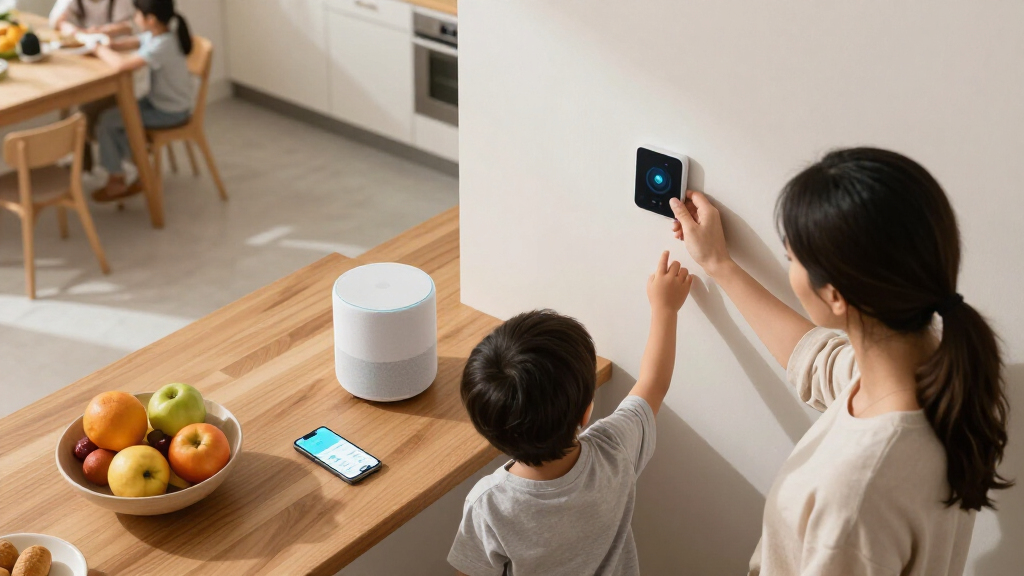

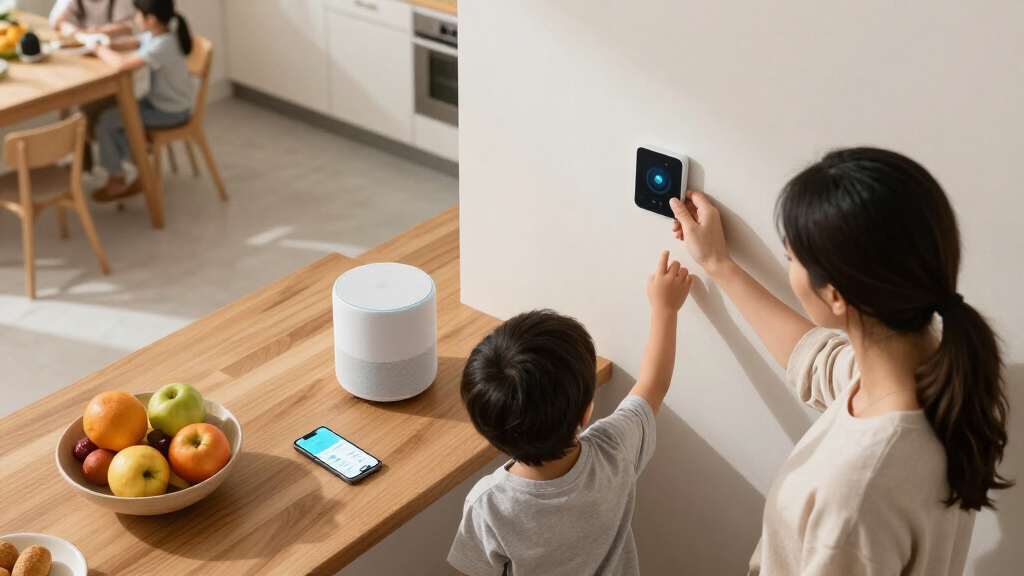
The best smart home devices for families make shared routines simpler without adding a lot of setup or upkeep. My best overall pick is the Amazon Echo Show 11, whose larger screen makes household information and controls easier to share; the Kasa Smart Plug HS103P4 stands out for straightforward control of several lamps or appliances, while the Greenlight Family Hub focuses on keeping family schedules visible. The main tradeoff is whether your household needs a central screen, simple device control, or a dedicated calendar—and how much you want to rely on Alexa. Read on for the full breakdown, ranking logic, and advice for choosing devices that fit your home and routines.

Turn the school run and nap time into listening time
- Thousands of audiobooks, podcasts and originals
- Listen on your phone, tablet or Echo — also offline
- Cancel anytime
Complete the kit


Key Takeaways
- The amazon.com/dp/B08J4C8871?tag=geistforlife-20&ascsubtag=dc-1171650″ target=”_blank” rel=”nofollow sponsored noopener”>amazon.com/dp/B0D6SX8VLQ?tag=geistforlife-20&ascsubtag=dc-1171650″ target=”_blank” rel=”nofollow sponsored noopener”>Echo Show 11 leads for shared use: its larger Full-HD screen is better suited to household information and control than the compact Echo Show 5 or Echo Spot.
- The amazon.com/dp/B07RCNB2L3?tag=geistforlife-20&ascsubtag=dc-1171650″ target=”_blank” rel=”nofollow sponsored noopener”>Kasa four-pack is the clearest value-style starting point: multiple Wi-Fi plugs can add basic voice and app control without requiring a display or smart-home hub.
- Display size should match the job: the Show 5 and Spot suit small surfaces, while the Show 15 is better suited to a prominent shared space and the Greenlight Hub is focused on calendars.
- Hub features matter when expanding: the Echo Dot Max and Echo Hub offer built-in smart-home control, while a smart plug alone is a simpler choice for controlling compatible plugged-in devices.
- Families do not all need an Alexa screen: the amazon.com/dp/B0DB3YCPH5?tag=geistforlife-20&ascsubtag=dc-1171650″ target=”_blank” rel=”nofollow sponsored noopener”>amazon.com/dp/B09B2SRGXH?tag=geistforlife-20&ascsubtag=dc-1171650″ target=”_blank” rel=”nofollow sponsored noopener”>amazon.com/dp/B09B93ZDG4?tag=geistforlife-20&ascsubtag=dc-1171650″ target=”_blank” rel=”nofollow sponsored noopener”>Amazon Smart Thermostat addresses home temperature control, while smart plugs and a family calendar target different daily needs.
| Amazon Echo Dot (5th Gen) – Vibrant Sound, Alexa, Smart Home, Mesh Wi-Fi, Deep Sea Blue |  | Best Everyday Family Speaker | Dimensions: 3.9 × 3.9 × 3.5 inches | Weight: 10.7 oz | Speaker: 1.6-inch full-range driver | VIEW LATEST PRICE | See Our Full Breakdown |
| Amazon Echo Show 5 (Newest Model) – Smart Display with Alexa, 5.5″ Screen, Better Sound, Cloud Blue |  | Best for Family Video Calls | Display: 5.5 inches | Sound: Enhanced sound with 2× bass and clearer vocals | Camera: 2 MP | VIEW LATEST PRICE | See Our Full Breakdown |
| Amazon Echo Hub Smart Home Starter Kit with Smart Plug and Four Smart Bulbs |  | Best Smart-Home Starter Kit | Included items: Echo Hub, Amazon Smart Plug, four Amazon Basics Smart Bulbs | Display: 8-inch touchscreen, 1280 × 800 resolution | Connectivity: Dual-band Wi-Fi, Ethernet, Bluetooth | VIEW LATEST PRICE | See Our Full Breakdown |
| Amazon Echo Spot (latest model), Smart Alarm Clock with Alexa, Glacier White |  | Best Nightstand Assistant | Dimensions: 4.5 × 4.1 × 4.4 inches | Weight: 14.3 oz | Display: 2.83-inch touchscreen, 240 × 320 pixels | VIEW LATEST PRICE | See Our Full Breakdown |
| Kasa Smart Plug HS103P4, 4-Pack, Wi-Fi Outlet Compatible with Alexa & Google Assistant, UL Certified |  | Best Value for Simple Automation | Pack size: 4 smart plugs | Connectivity: Wi-Fi; requires 2.4 GHz network | Voice assistants: Amazon Alexa and Google Assistant | VIEW LATEST PRICE | See Our Full Breakdown |
| Govee Smart Plug, WiFi Outlet Compatible with Alexa & Google Assistant, 4 pcs |  | Best Value for Multiple Rooms | Pack size: 4 smart plugs | Connectivity: WiFi and Bluetooth | WiFi frequency: 2.4 GHz | VIEW LATEST PRICE | See Our Full Breakdown |
| Amazon Echo Show 11 (2025 Model) – 11″ Full-HD Smart Display with Alexa+ and Spatial Audio |  | Best Family Command Center | Display: 11-inch Full-HD touchscreen, 1920 x 1200 | Dimensions: 10 x 5 x 7.2 inches | Weight: 45.92 oz | VIEW LATEST PRICE | See Our Full Breakdown |
| Echo Dot Max (newest model) with Alexa, Room-Filling Sound, and Built-in Smart Home Hub |  | Best Smart Speaker for Shared Spaces | Dimensions: 4.27 x 4.27 x 3.9 inches | Weight: 17.82 oz | Audio drivers: 1 x 0.8-inch tweeter and 1 x 2.5-inch woofer | VIEW LATEST PRICE | See Our Full Breakdown |
| Greenlight Family Hub 15.6″ Digital Calendar with Touch Screen Display |  | Best for Shared Family Scheduling | Screen size: 15.6 inches | Display: Touchscreen | Connectivity: WiFi | VIEW LATEST PRICE | See Our Full Breakdown |
| Amazon Smart Thermostat |  | Best for Alexa-Based Climate Schedules | Dimensions: 3.56 x 3.56 x 0.84 inches | Weight: 3.86 oz | HVAC compatibility: Most 24V systems | VIEW LATEST PRICE | See Our Full Breakdown |
| Amazon Echo Hub (newest model), 8″ Smart Home Control Panel with Alexa+ |  | Best for Dedicated Smart Home Control | Display size: 8 inches | Compatibility: Alexa, Ring, Zigbee, Matter, Sidewalk, and Thread | Connectivity: Wi-Fi and Bluetooth | VIEW LATEST PRICE | See Our Full Breakdown |
| Echo Show 15 (latest model), 15.6″ Full HD Smart Display with Fire TV and Alexa |  | Best for Family Organization and Entertainment | Display: 15.6-inch Full HD, 1920 × 1080 | Dimensions: 16.1 × 10.1 × 1.4 inches | Weight: 4.96 pounds | VIEW LATEST PRICE | See Our Full Breakdown |
| smart home devices for familie | Dimensions | Weight | Display | Connectivity |
|---|---|---|---|---|
| Amazon Echo Dot | 3.9 × 3.9 × 3.5 inches | 10.7 oz | — | — |
| Amazon Echo Show 5 | — | — | 5.5 inches | — |
| Amazon Echo Hub Smart Home Sta | 7.9 × 5.4 × 0.6 inches | 12.9 oz | 8-inch touchscreen, 1280 × 800 resolution | Dual-band Wi-Fi, Ethernet, Bluetooth |
| Amazon Echo Spot | 4.5 × 4.1 × 4.4 inches | 14.3 oz | 2.83-inch touchscreen, 240 × 320 pixels | — |
| Kasa Smart Plug HS103P4 | 1.57 × 1.5 × 2.62 inches | 4 oz | — | Wi-Fi; requires 2.4 GHz network |
| Govee Smart Plug | — | — | — | WiFi and Bluetooth |
| Amazon Echo Show 11 | 10 x 5 x 7.2 inches | 45.92 oz | 11-inch Full-HD touchscreen, 1920 x 1200 | — |
| Echo Dot Max | 4.27 x 4.27 x 3.9 inches | 17.82 oz | — | WiFi 6E and Bluetooth 5.3 |
| Greenlight Family Hub 15.6" Di | — | — | Touchscreen | WiFi |
| Amazon Smart Thermostat | 3.56 x 3.56 x 0.84 inches | 3.86 oz | — | — |
| Amazon Echo Hub | — | — | — | Wi-Fi and Bluetooth |
| Echo Show 15 | 16.1 × 10.1 × 1.4 inches | 4.96 pounds | 15.6-inch Full HD, 1920 × 1080 | — |
More Details on Our Top Picks
Amazon Echo Dot (5th Gen) – Vibrant Sound, Alexa, Smart Home, Mesh Wi-Fi, Deep Sea Blue
The Echo Dot (5th Gen) is the most flexible choice here for families who want Alexa in several rooms without dedicating counter space to a screen. Its 1.6-inch full-range driver handles music, timers, and voice responses, while Alexa can control compatible smart devices around the home. Compared with the Echo Show 5, it gives up video calls and visual information but is smaller and better suited to bedrooms where a screen may be distracting. The built-in eero Wi-Fi extension can also help extend coverage, though it depends on network conditions and works best in an eero setup. Families should expect some configuration effort, and Bluetooth speaker pairing can be less straightforward than the basic voice features. It makes the most sense as a room-by-room helper, not a full smart-home control panel.
Pros:- Compact footprint fits easily on a nightstand, desk, or kitchen counter.
- Alexa supports voice control, timers, information requests, and compatible smart-home devices.
- Full-range driver covers everyday listening and spoken responses.
- eero Built-in can add Wi-Fi coverage in a compatible network setup.
Cons:- eero extension performance depends on network conditions and compatible eero equipment.
- Setup and network configuration may challenge less technical users.
- Some Bluetooth speaker connections can require PIN-code steps.
Best for: Families who want compact Alexa access for music, timers, and compatible smart-home controls in bedrooms or shared living spaces.
Not ideal for: Households that want video calling, a visual control dashboard, or an uncomplicated Wi-Fi extender setup without an eero network.
- Dimensions:3.9 × 3.9 × 3.5 inches
- Weight:10.7 oz
- Speaker:1.6-inch full-range driver
- Audio bandwidth:62 Hz–19 kHz
- Wi-Fi:Dual-band 802.11a/b/g/n/ac, 2.4 and 5 GHz
- eero Built-in:Up to 1,000 sq. ft. coverage; speeds up to 100 Mbps
- Bluetooth:Low Energy Mesh; A2DP and AVRCP profiles
- Privacy:Microphone-off button and multiple privacy controls
Our verdict“Choose the Echo Dot if your family wants a compact voice assistant in multiple rooms and does not need a screen.”
Amazon Echo Show 5 (Newest Model) – Smart Display with Alexa, 5.5″ Screen, Better Sound, Cloud Blue
The Echo Show 5 brings a small visual hub to a bedside table or kitchen counter, where a family can check the weather, view photos, manage compatible devices, or make video calls. Its 5.5-inch screen is more useful for quick glances than for watching together, so it is a better fit for short interactions than the larger Echo Hub control display. The built-in camera gives it a family-calling role the camera-free Echo Spot cannot fill, and a physical shutter plus mic/camera controls offer a direct privacy safeguard. The tradeoff is limited viewing space and a 2 MP camera that may feel basic for households prioritizing call quality. Smart-home control also depends on device compatibility, so this is a convenient room display rather than a universal controller.
Pros:- 5.5-inch display makes weather, photos, and basic controls visible at a glance.
- Built-in camera supports video calls and home monitoring features.
- Camera shutter and mic/camera-off button provide physical privacy controls.
- Improved bass and clearer vocals suit casual listening in a small room.
Cons:- Screen is too small for comfortable group viewing or a broad control dashboard.
- 2 MP camera may not satisfy families who prioritize video-call image quality.
- Smart-home functions are limited to compatible devices.
Best for: Families who want a compact bedside or kitchen display for quick information, photo viewing, compatible smart-home controls, and occasional video calls.
Not ideal for: Households seeking a large shared screen for family calendars or media, or those who do not want a camera in a common room.
- Display:5.5 inches
- Sound:Enhanced sound with 2× bass and clearer vocals
- Camera:2 MP
- Color:Cloud Blue
- Privacy:Mic/camera-off button and camera shutter
- Ring video:End-to-end encrypted Ring video support
- Materials:Recycled polyester yarn and recycled aluminum
- Packaging:Recyclable
Our verdict“Pick the Echo Show 5 for a compact family calling and information screen, but choose the Echo Hub for a larger dedicated control surface.”
Amazon Echo Hub Smart Home Starter Kit with Smart Plug and Four Smart Bulbs
This bundle is the most direct route in this lineup to a shared smart-home control point: it includes the Echo Hub, one smart plug, and four smart bulbs, giving a family devices to control from the start. The 8-inch touchscreen is a more practical dashboard for household routines than the Echo Show 5’s smaller display, while support for Zigbee, Thread, and Matter controller functions broadens the range of compatible devices. That makes it better suited to families building a connected home than the Echo Dot, which is primarily a voice-first speaker. The tradeoff is that the Hub is intended to stay in one place, needs an internet connection for setup, and its stand is sold separately. Matter support is controller-only, so buyers should check device compatibility rather than assume every product will work.
Pros:- Bundle includes an Echo Hub, a smart plug, and four smart bulbs for a useful starting setup.
- 8-inch touchscreen provides a larger shared control surface than the Echo Show 5.
- Supports Wi-Fi, Zigbee, Thread, Bluetooth, and Matter controller functionality.
- Voice routines can operate multiple compatible devices together.
Cons:- Internet connection is required for setup.
- Stand is sold separately, adding a separate placement requirement.
- Not designed for handheld or portable use, and Matter support is controller-only.
Best for: Families starting a smart home who want a central touchscreen plus a plug and bulbs for basic routines and room control.
Not ideal for: Households that need a portable assistant, want video calling, or expect every smart-home device to work without checking compatibility.
- Included items:Echo Hub, Amazon Smart Plug, four Amazon Basics Smart Bulbs
- Display:8-inch touchscreen, 1280 × 800 resolution
- Connectivity:Dual-band Wi-Fi, Ethernet, Bluetooth
- Smart-home compatibility:Wi-Fi, Bluetooth Low Energy Mesh, Zigbee, Thread, Matter controller
- Dimensions:7.9 × 5.4 × 0.6 inches
- Weight:12.9 oz
- Power:12.5 W adapter included; compatible with USB-C Power Delivery accessories
- Warranty:1-year limited warranty
Our verdict“Choose this kit if your family wants to start automating lights and plug-in devices from one fixed touchscreen hub.”
Amazon Echo Spot (latest model), Smart Alarm Clock with Alexa, Glacier White
The Echo Spot is designed around a family routine that starts or ends at the bedside: alarms, voice requests, music, and a small customizable clock display. Its 2.83-inch touchscreen gives more visual feedback than the screen-free Echo Dot, but it is far less suited to showing household controls or video than the Echo Show 5. Families who prefer not to put a camera in a bedroom may value its camera-free design, while Alexa still handles compatible smart-home commands. The built-in eero feature can extend coverage only with a compatible eero router, so it should not be the main reason to buy this model unless that network is already in place. Its compact display and single full-range speaker keep the focus on personal bedside use rather than serving as a shared family hub.
Pros:- Customizable clock faces and colors make basic time and status information easy to see.
- Camera-free design suits bedrooms where families want to avoid an always-present camera.
- Alexa supports compatible smart-home control, music, and voice requests.
- Compact size and eero integration add flexibility for suitable setups.
Cons:- Small 2.83-inch display is less useful as a shared control panel than the Echo Hub.
- No camera means it cannot support video calls.
- eero Wi-Fi extension requires a compatible eero router.
Best for: Families who want an Alexa alarm clock with a small customizable display for a bedroom, office, or kitchen and prefer a camera-free device.
Not ideal for: Households that need video calls, a large screen for shared smart-home controls, or Wi-Fi extension without a compatible eero router.
- Dimensions:4.5 × 4.1 × 4.4 inches
- Weight:14.3 oz
- Display:2.83-inch touchscreen, 240 × 320 pixels
- Camera:None
- Wi-Fi:Dual-band 802.11a/b/g/n/ac, 2.4 and 5 GHz
- Bluetooth:A2DP and AVRCP support
- eero Built-in:Up to 1,000 sq. ft. coverage
- Speaker:1.73-inch full-range speaker
- Materials:36% recycled materials
Our verdict“Choose the Echo Spot for a camera-free bedside Alexa clock, not as a substitute for a larger family smart-home display.”
Kasa Smart Plug HS103P4, 4-Pack, Wi-Fi Outlet Compatible with Alexa & Google Assistant, UL Certified
The Kasa HS103P4 four-pack is a practical way to automate familiar household devices—such as lamps, fans, or humidifiers—without setting up a screen or dedicated hub. Scheduling and remote control can help families manage a light on a routine or switch off a compatible device when nobody is in the room. Unlike the Echo Hub starter kit, this pack does not include a controller, bulbs, or a central touchscreen; it focuses on adding control to existing plug-in appliances and works with Alexa and Google Assistant. The catch is that it needs 2.4 GHz Wi-Fi and supports 120 V devices, so it is not a universal solution. Families should also note that the plug has no physical switch on the unit, which can make manual operation less direct than using a standard outlet.
Pros:- Four plugs let families automate devices in multiple rooms.
- Supports remote control, schedules, and voice commands through Alexa or Google Assistant.
- UL certified.
- Compact plug-in design works with compatible 120 V household devices.
Cons:- Requires a 2.4 GHz Wi-Fi network.
- Limited to compatible 120 V devices and does not provide a central control screen.
- No physical switch on the plug itself.
Best for: Families who already have Alexa or Google Assistant and want to schedule or voice-control several lamps, fans, or other compatible 120 V devices.
Not ideal for: Households without a 2.4 GHz Wi-Fi network, those needing a smart-home display or included bulbs, or buyers seeking a physical on-device switch.
- Pack size:4 smart plugs
- Connectivity:Wi-Fi; requires 2.4 GHz network
- Voice assistants:Amazon Alexa and Google Assistant
- Control methods:Voice, remote control, scheduling
- Voltage:120 V
- Wattage:Up to 1,800 W
- Dimensions:1.57 × 1.5 × 2.62 inches
- Weight:4 oz
- Certification:UL certified
Our verdict“Pick the Kasa four-pack if you want straightforward control of existing plug-in devices, and choose the Echo Hub kit if you also need a touchscreen and starter bulbs.”
Govee Smart Plug, WiFi Outlet Compatible with Alexa & Google Assistant, 4 pcs
For families who want to automate lamps or other household appliances in several rooms, this four-plug set offers more flexibility than buying a single smart outlet. Scheduling and group control can make routines easier to manage—for example, switching off a group of connected lights at bedtime. Unlike the Kasa Smart Plug HS103P4 also in this roundup, this Govee set lists both WiFi and Bluetooth connectivity, which provides another way to connect and control the plugs. It works with Alexa and Google Assistant, but its 2.4 GHz WiFi limit means it is not a fit for homes relying on 5 GHz-only networks. The 11 A, 1200 W maximum also rules out some higher-load appliances, so I’d reserve these for compatible everyday devices rather than assuming they suit every outlet need.
Pros:- Four plugs allow automation in several rooms from one set.
- Scheduling and group control can simplify household routines.
- Works with Alexa and Google Assistant and supports WiFi and Bluetooth.
- ETL and FCC certifications are listed.
Cons:- Supports 2.4 GHz WiFi only.
- The 11 A, 1200 W maximum limits which appliances can be connected.
- Smart-plug control depends on a compatible connected appliance.
Best for: Families who want scheduled control of lamps and other compatible, lower-load appliances in multiple rooms, with Alexa or Google Assistant.
Not ideal for: Households with only 5 GHz WiFi or anyone seeking a smart plug for appliances that exceed its 11 A or 1200 W limits.
- Pack size:4 smart plugs
- Connectivity:WiFi and Bluetooth
- WiFi frequency:2.4 GHz
- Voice assistants:Alexa and Google Assistant
- Maximum current:11 A
- Maximum power:1200 W
- Plug type:Type B
- Certification:ETL
Our verdict“Choose this set for multi-room control of compatible lamps and smaller appliances, but check the load and WiFi requirements before buying.”
Amazon Echo Show 11 (2025 Model) – 11″ Full-HD Smart Display with Alexa+ and Spatial Audio
The 11-inch Full-HD screen gives shared calendars, video calls, recipes, and smart-home controls more room than the smaller Echo Show 5 in this roundup. That larger canvas is useful when family members need to read information from across a kitchen or gather around for a call. Its built-in Zigbee, Matter, and Thread hub also lets it serve as a central control point for compatible devices, rather than just a screen for Alexa. The 13 MP camera with auto-framing supports calls without requiring someone to keep adjusting the view. The tradeoff is physical: at nearly 46 ounces and over ten inches wide, it needs a proper countertop or shelf. Some smart-home features also depend on compatible devices, and WiFi 6E support may be underused on a household network without that capability.
Pros:- Large Full-HD touchscreen is easier to share and read than a compact smart display.
- Built-in Zigbee, Matter, and Thread support connects compatible smart-home devices.
- 13 MP camera with auto-framing supports family video calls.
- Microphone and camera disable button provides direct privacy control.
Cons:- Its size and weight require more space than smaller Echo displays.
- Some smart-home functions depend on compatible devices.
- WiFi 6E capability may not be useful on a network without WiFi 6E support.
Best for: Families who want a shared kitchen or living-area display for video calls, media, and compatible smart-home controls.
Not ideal for: Small homes short on counter or shelf space, or households seeking a compact display like the Echo Show 5.
- Display:11-inch Full-HD touchscreen, 1920 x 1200
- Dimensions:10 x 5 x 7.2 inches
- Weight:45.92 oz
- Camera:13 MP with auto-framing
- WiFi:WiFi 6E
- Smart-home hub:Zigbee, Matter, and Thread
- Processor:AZ3 Pro with AI Accelerator
- Privacy controls:Microphone and camera disable button
Our verdict“Pick the Echo Show 11 if your family will use a large shared screen and smart-home hub, and has room to place it.”
Echo Dot Max (newest model) with Alexa, Room-Filling Sound, and Built-in Smart Home Hub
The Echo Dot Max is the speaker pick for families who want voice control and fuller sound in a shared room without adding a display. Its built-in Zigbee, Matter, and Thread hub gives it more direct smart-home reach than a basic Alexa speaker, while eero Built-in can extend WiFi when paired with a compatible eero router. That makes it a stronger fit for a mixed-device setup than the Echo Dot (5th Gen) listed elsewhere in this roundup. The larger enclosure and dedicated woofer are intended to provide deeper, room-filling audio, which suits music and spoken content around the home. In exchange, it takes up more space than a compact Dot, and its WiFi-extender role is conditional on having the right eero setup. Families wanting visual routines or video calling should choose a display such as the Echo Show 11 instead.
Pros:- Built-in Zigbee, Matter, and Thread hub supports compatible smart-home devices.
- Dedicated woofer and tweeter are designed for fuller room audio.
- eero Built-in can extend WiFi with a compatible eero router.
- Supports WiFi 6E and Bluetooth 5.3.
Cons:- WiFi extension requires a compatible eero router.
- Larger than a compact Echo Dot and needs more shelf space.
- Some features require app setup and account linking.
Best for: Families who want a voice-first smart-home hub and stronger shared-room audio, especially those with a compatible eero router.
Not ideal for: Buyers who need a screen or video calls, or households without eero that expect the WiFi-extender feature to work.
- Dimensions:4.27 x 4.27 x 3.9 inches
- Weight:17.82 oz
- Audio drivers:1 x 0.8-inch tweeter and 1 x 2.5-inch woofer
- Audio bandwidth:53 Hz–16 kHz
- Connectivity:WiFi 6E and Bluetooth 5.3
- Smart-home hub:Zigbee, Matter, and Thread
- Additional feature:eero Built-in
- Privacy:Privacy controls
Our verdict“Choose the Echo Dot Max for shared-room audio and voice-based device control, particularly if your home already uses compatible eero equipment.”
Greenlight Family Hub 15.6″ Digital Calendar with Touch Screen Display
Where the Echo Show 11 balances calls, media, and device control, the Greenlight Family Hub is focused on keeping household plans visible. Its 15.6-inch touchscreen combines calendar syncing with chores, grocery lists, photos, and family location features, giving busy households a dedicated place to coordinate routines. Support for Google, Apple, and Outlook calendars makes it a more natural match for families whose schedules span different services. That focus also narrows its appeal: it is a large wall display, not a small voice-first speaker, and the description does not list the broad smart-home hub protocols offered by the Echo Show 11 or Echo Dot Max. Some features require an optional subscription, so I’d check which functions sit behind that tier before treating it as an all-in-one family system.
Pros:- Combines family calendars, chores, and grocery lists on one touchscreen.
- Integrates with Google, Apple, and Outlook calendars.
- Includes photos, family location tracking, and safety features.
- Hands-free AI assistant is listed as a feature.
Cons:- The 15.6-inch display needs substantial wall or placement space.
- Some features require an optional premium subscription.
- Its listed strengths center on family organization rather than broad smart-home device control.
Best for: Families coordinating multiple calendars, chores, and grocery lists who want a large shared display in a common area.
Not ideal for: Households with limited wall space, families seeking a general-purpose smart-home device hub, or buyers who want all features without an optional subscription.
- Screen size:15.6 inches
- Display:Touchscreen
- Connectivity:WiFi
- Calendar compatibility:Google, Apple, and Outlook
- Listed features:Photos, chores, lists, safety features, and AI assistant
- Family feature:Family location tracking
- Subscription:Optional premium tier
Our verdict“Choose the Greenlight Family Hub when shared scheduling and household lists matter more than a general-purpose smart-home speaker or display.”
Amazon Smart Thermostat
The Amazon Smart Thermostat is the most focused pick here: it automates heating and cooling rather than acting as a speaker, screen, or general device hub. Schedules, vacation mode, and remote control can help a family keep temperature settings consistent when routines change, while humidity sensing adds another piece of indoor-climate information. Guided setup through the Alexa app makes it approachable for DIY installation, but compatibility comes first: it supports most 24V HVAC systems and requires a C-wire or power adapter. Unlike the Echo Show 11 or Echo Dot Max, it has no listed Zigbee, Matter, or Thread hub and no built-in microphone, so voice control requires another Alexa-enabled device. The 2.4 GHz-only network requirement may also rule it out for homes without that WiFi band.
Pros:- Guided Alexa app installation supports a DIY setup.
- Schedules and vacation mode help manage heating and cooling around family routines.
- Includes indoor humidity sensing and an energy dashboard.
- ENERGY STAR and ECOLOGO Gold certifications are listed.
Cons:- Requires a C-wire or power adapter and a compatible 24V HVAC system.
- Supports 2.4 GHz WiFi only.
- Voice control requires a separate Alexa-enabled device because it has no built-in microphone.
Best for: Families with a compatible 24V HVAC system, a C-wire or power adapter, and Alexa devices who want scheduled remote temperature control.
Not ideal for: Homes without compatible HVAC wiring, households using only 5 GHz WiFi, or buyers looking for a device hub with a built-in microphone.
- Dimensions:3.56 x 3.56 x 0.84 inches
- Weight:3.86 oz
- HVAC compatibility:Most 24V systems
- Wiring:C-wire required
- WiFi:2.4 GHz, 802.11 b/g/n
- Installation:Guided through the Alexa app
- Climate features:Indoor humidity sensing, schedules, emergency heat, and vacation mode
- Certifications:ENERGY STAR and ECOLOGO Gold
Our verdict“Choose this thermostat for scheduled climate control if your HVAC wiring and WiFi meet its requirements and you already have an Alexa device for voice commands.”
Amazon Echo Hub (newest model), 8″ Smart Home Control Panel with Alexa+
The Echo Hub is the most control-focused pick in this pair: its 8-inch screen and customizable dashboard put compatible lights, cameras, routines, and security devices in one place. That can help families manage shared household tasks without relying on one person to remember every voice command. It works with Alexa, Ring, Zigbee, Matter, Sidewalk, and Thread, giving it broader smart-home reach than a screen bought mainly for entertainment, such as the Echo Show 15. The tradeoff is that this is a control panel, not a family media centerpiece; its smaller display is less suited to group viewing or video calls. Mounting accessories are sold separately, and some functions depend on compatible devices or subscriptions. I’d choose it for households that want a focused dashboard and already use Alexa-compatible gear.
Pros:- Customizable dashboard keeps compatible devices and routines accessible on one screen.
- Supports Alexa, Ring, Zigbee, Matter, Sidewalk, and Thread devices.
- Voice commands and routines can simplify repeated household tasks.
- Mic-off button and other privacy controls offer direct control over listening.
Cons:- Mounting accessories require a separate purchase.
- Some features rely on compatible devices or subscriptions.
- The 8-inch display is less suitable than the Echo Show 15 for shared viewing and video calls.
Best for: Families with several Alexa-compatible lights, cameras, or security devices who want a shared, dedicated control screen.
Not ideal for: Households seeking a large screen for streaming, shared calendars, or video calls, or buyers who want mounting hardware included.
- Display size:8 inches
- Compatibility:Alexa, Ring, Zigbee, Matter, Sidewalk, and Thread
- Connectivity:Wi-Fi and Bluetooth
- Dashboard:Customizable smart home controls
- Voice features:Alexa voice control and routines
- Privacy:Microphone-off button and multiple privacy controls
- Materials:27% recycled materials
Our verdict“Choose the Echo Hub if your family wants a dedicated, customizable Alexa control panel rather than a large entertainment display.”
Echo Show 15 (latest model), 15.6″ Full HD Smart Display with Fire TV and Alexa
The Echo Show 15 earns its place as the family-room-sized hub: its 15.6-inch Full HD display gives shared calendars, widgets, and compatible smart-home controls more room than the Echo Hub’s 8-inch screen. Built-in Fire TV also makes it better suited to a kitchen where people want to check a household schedule and stream shows from the same device. Portrait or landscape placement adds flexibility, while the 13 MP camera with shutter supports video calls with a physical privacy option. The larger format has a real space cost: at 16.1 inches wide and nearly five pounds, it can overwhelm a small kitchen or crowded counter. Compared with the Echo Hub, it gives up some of that dedicated control-panel feel in favor of organization and media. Some content also depends on compatible subscriptions.
Pros:- Large 15.6-inch Full HD screen gives family widgets and shared information room to be seen.
- Built-in Fire TV combines streaming with household organization.
- Portrait and landscape orientations suit different room layouts.
- 13 MP camera, auto-framing, and a camera shutter support video calls with added privacy control.
Cons:- Its 16.1-inch width and 4.96-pound weight can be awkward in smaller spaces.
- Some streaming content requires compatible subscriptions.
- Its large, media-oriented screen may be more than families need for basic device control.
Best for: Families who want a large shared kitchen display for household widgets, smart-home controls, streaming, and video calls.
Not ideal for: Buyers with limited wall or counter space, or households that want a compact screen dedicated mainly to smart-home control.
- Display:15.6-inch Full HD, 1920 × 1080
- Dimensions:16.1 × 10.1 × 1.4 inches
- Weight:4.96 pounds
- Camera:13 MP with shutter
- Audio:Two 2-inch woofers and two 0.6-inch tweeters
- Wi-Fi:Wi-Fi 6E, tri-band, dual-antenna MIMO
- Smart home hub:Zigbee, Matter, and Thread
- Bluetooth:A2DP and AVRCP
- Processor:Octa-core SoC with Amazon AZ2 neural engine
Our verdict“Pick the Echo Show 15 if your family wants one large display for shared organization, streaming, and smart-home access.”
How We Picked
I ranked these devices by how well they address everyday household needs: shared access, ease of setup, clarity of controls, compatibility, and usefulness beyond a single person’s routine. I also weighed what a family gains from a screen, built-in smart-home control, or a simple plug against the added setup, space, and ecosystem commitment each can bring. A device that works for several household tasks ranks ahead of one that serves a narrower role, unless that focused job is a clear fit for a specific family.
The order separates broad-use control from specialized picks rather than treating every device as interchangeable. The Echo Show 11 ranks first for its balance of a larger shared interface and Alexa features; the Kasa plug four-pack follows as a low-complexity way to control compatible devices. Smaller Echo displays, hub-focused models, a calendar, and a thermostat rank according to their distinct roles. Product names and listed features are the basis of this comparison; household Wi-Fi, compatible devices, app requirements, and feature availability can affect the experience.
| smart home devices for familie | Connectivity |
|---|---|
| Amazon Echo Dot | — |
| Amazon Echo Show 5 | — |
| Amazon Echo Hub Smart Home Sta | Dual-band Wi-Fi, Ethernet, Bluetooth |
| Amazon Echo Spot | — |
| Kasa Smart Plug HS103P4 | Wi-Fi; requires 2.4 GHz network |
| Govee Smart Plug | WiFi and Bluetooth |
| Amazon Echo Show 11 | — |
| Echo Dot Max | WiFi 6E and Bluetooth 5.3 |
| Greenlight Family Hub 15.6" Di | WiFi |
| Amazon Smart Thermostat | — |
| Amazon Echo Hub | Wi-Fi and Bluetooth |
| Echo Show 15 | — |
Factors to Consider When Choosing Best Smart Home Devices For Families
Before choosing a device, decide which recurring household task you want to make easier. A shared control point, a visible calendar, remote control for plugged-in devices, and automatic temperature scheduling solve different problems; buying a screen does not automatically improve all of them.
Start With a Household Problem, Not a Device Type
Write down the small task that causes repeated friction: switching off lamps, checking the family schedule, adjusting the thermostat, or controlling smart-home devices from one place. Then choose a product category that directly addresses that task. A voice assistant can help with quick commands, but it will not replace a calendar system that family members actually check. A digital calendar can make plans visible without becoming the main control interface for lights or plugs. Avoid buying several overlapping devices before you know which routine your household wants to change.
Choose a Shared Interface That Fits the Room
A display is most useful when people can see and reach it where household decisions happen. Measure the surface and viewing distance before choosing a compact screen, a larger display, or a wall-oriented control panel. Larger screens can make information easier to share, but they take more space and may become a distraction if placed in a bedroom or a busy walkway. A speaker or plug may be a better fit where voice commands or simple control matter more than visible information. Think about who will use the device and whether everyone can access its controls comfortably.
Check Ecosystem Fit Before Expanding
Smart-home compatibility can shape what you can control from a single app or voice assistant. Check the devices you already own, the assistant they support, and whether a product depends on a particular account or app. A built-in hub may help organize compatible devices, but it does not mean every smart product will work with it. If you are starting with only a lamp or two, a plug can be a simpler first purchase than a control panel. Make a short list of devices you may add later so the first choice does not create avoidable fragmentation.
Plan for Accounts, Permissions, and Household Privacy
Shared devices often involve voice history, calendars, household profiles, or access to connected equipment. Decide which family members need control and whether children should be able to make purchases, change settings, or use particular features. Review microphone and camera controls on devices that include them, and choose a location that suits your household’s privacy expectations. A screen in a shared room has a different role from one placed beside a bed. Set aside time to configure permissions and household accounts rather than assuming every member will have the same access by default.
Count the Ongoing Setup and Maintenance
Every connected device adds another app, software update, Wi-Fi connection, or setting that someone may need to manage. A multi-device starter kit can simplify buying compatible parts together, but it also means setting up several components at once. Smart plugs are relatively focused, yet each appliance still needs to be suitable for plug-based control and used according to its instructions. Thermostats may affect household comfort, so check system compatibility and installation needs before choosing one. Favor the setup your family will keep working with, not the most elaborate arrangement on paper.
Spend More Only for a Clear Shared Benefit
A larger display or dedicated family hub makes sense when several people will use its extra screen space or calendar view regularly. For one user who mainly wants voice control, that added surface may not improve daily life. A smart-home hub can be useful when you plan to connect compatible devices beyond a few plugs, but a household with one simple automation may not need it. Compare the role each device fills, not just the number of features listed. Buying one well-matched device and adding more after a routine sticks can limit clutter and setup work.
Frequently Asked Questions
Should I choose a smart display or a digital family calendar?
Choose a smart display if your household wants a general-purpose screen for Alexa interaction, smart-home controls, and other compatible features. Choose a dedicated family calendar if the main problem is making schedules visible and easy to check. A calendar-focused device may be a better match for coordinating plans, while a display can take on more tasks but may require more configuration. Check how the calendar connects to the services your family already uses before buying. If schedules are rarely checked on a shared screen, a new display may not change that habit.
Can I use smart plugs for every appliance in the house?
No. A smart plug is meant for compatible devices that can safely be controlled by switching their power on and off, and it is not a fit for every appliance or use case. Check the plug and appliance instructions, including electrical requirements, before connecting them. A plug also does not add smart features to every device; it only provides a way to control power for suitable equipment. For anything with heating, cooling, or other safety-sensitive behavior, follow the manufacturer’s guidance rather than relying on a voice command. Start with a low-risk lamp to learn how your household uses plug control.
Do I need a smart-home hub if I only want voice control of a few lights?
Probably not if the lights or plugs you choose can connect directly to your Wi-Fi and work with your preferred assistant. A hub becomes more relevant when you plan to connect a broader set of compatible devices or want one control point for them. Check the compatibility details of each product before assuming a hub will support it. Starting without a hub can keep the setup simpler, though it may mean managing more than one app. If you expect to expand, compare the hub’s supported devices with the products you are likely to add.
What should I check before buying a smart thermostat for a family home?
Check that the thermostat is compatible with your heating and cooling system and review the installation requirements before purchase. Also think about who should be allowed to change schedules and whether every household member understands the controls. A thermostat can help manage temperature routines, but it does not solve comfort issues caused by room layout or uneven heating. Confirm which features depend on an account, app, or other connected equipment. If you are unsure about wiring or system compatibility, get qualified help before installation.
Is one large smart display a better choice than several smaller Echo devices?
One large display can offer a central place for shared information and controls, while smaller devices can put voice access in more rooms. A central screen is easier to find and manage, but it may not serve family members who need access elsewhere in the house. Multiple devices add coverage but also bring more setup, power needs, and household settings to manage. Decide whether your main need is a shared visual hub or convenient access around the home. Start with the device placement that matches your daily routines, then expand only if a real gap remains.
Conclusion
For the best overall fit, I recommend the Amazon Echo Show 11 for families wanting a larger shared Alexa display. The Kasa Smart Plug HS103P4 four-pack is my pick for best value-style entry into basic connected-device control, while the Echo Show 15 is the best premium choice for households that want a larger screen with Fire TV. For beginners, the Echo Dot (5th Gen) offers a more compact starting point without making a display the center of the setup. Choose the Greenlight Family Hub for a schedule-first household, the Amazon Smart Thermostat for temperature routines, or an Echo Hub if centralized smart-home control is the priority. My recommendation is to start with the task your family repeats most, then add devices only when they solve a separate need.
Halloween Picks
halloween
As an affiliate, we earn on qualifying purchases.