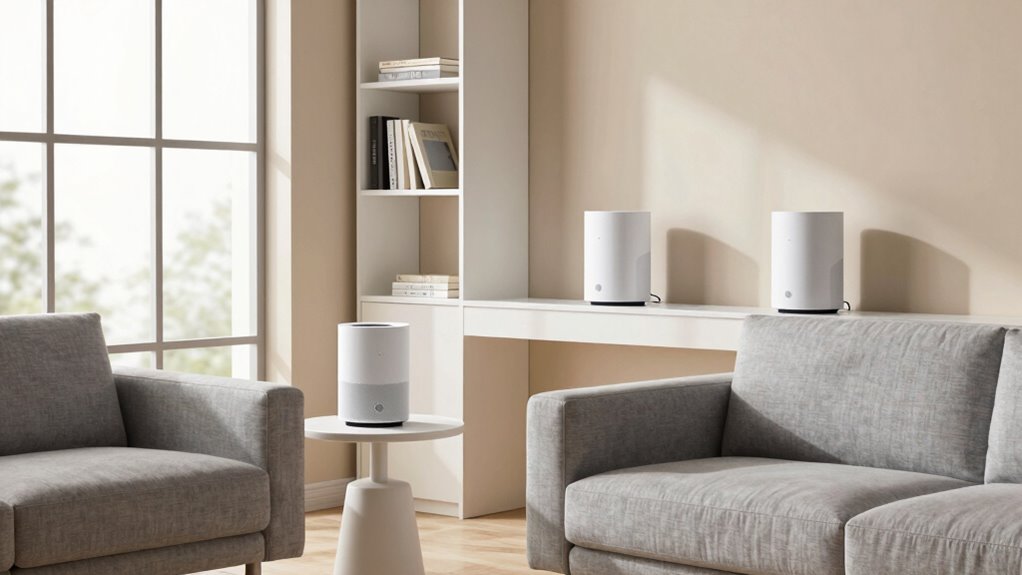

For maximum speed, place your mesh Wi-Fi nodes centrally in your home, avoiding thick walls, large furniture, and interference sources like microwaves or cordless phones. Elevate the nodes on shelves or high spots, keeping them 1-2 rooms apart for seamless connectivity. Test signal strength in different spots and adjust locations until you find the best coverage. Continuing will help you master the art of ideal placement for flawless performance.

Turn the school run and nap time into listening time
- Thousands of audiobooks, podcasts and originals
- Listen on your phone, tablet or Echo — also offline
- Cancel anytime
Key Takeaways
- Place nodes centrally in the home, avoiding thick walls and interference sources to ensure optimal coverage.
- Elevate nodes on shelves or furniture to reduce obstructions and improve signal propagation.
- Keep nodes within 1-2 rooms’ distance to maintain seamless, high-speed connections.
- Avoid placing nodes near metal objects, electronics, or appliances that can cause signal interference.
- Regularly test Wi-Fi strength and adjust node placement to eliminate dead zones and maximize network performance.
As an affiliate, we earn on qualifying purchases.
What Is Mesh Wi-Fi and How Is It Different From Traditional Routers?

Mesh Wi-Fi systems are designed to provide seamless internet coverage across your entire home by using multiple interconnected nodes. Unlike traditional routers that rely on a single device, mesh systems create a network of units working together, reducing dead spots. This setup allows you to manage router settings more easily through a unified app, giving you control over network security and device access. Mesh networks automatically optimize connections between nodes, ensuring consistent speed and reliability. They also enhance internet security by offering features like guest networks and automatic firmware updates. With a mesh system, you avoid the hassle of repositioning a single router or dealing with weak signals, making your home Wi-Fi more reliable and easier to manage. Additionally, mesh Wi-Fi systems are often compatible with European cloud innovation, supporting sustainable and secure connectivity solutions. The intelligent management of connections within mesh networks contributes to faster internet speeds, providing a better experience for connected devices. Furthermore, the adaptive routing feature dynamically adjusts connections to maintain optimal performance even as network demands change, and some systems incorporate advanced band steering to further improve network efficiency. These intelligent features are part of what makes mesh Wi-Fi a smart choice for modern connected homes.
As an affiliate, we earn on qualifying purchases.
How Do You Find Dead Spots and Assess Your Space?

To optimize your mesh Wi-Fi system, it’s important to identify where your signals are weak or dropping altogether. Start by reviewing your home’s floor plan to spot areas with thick walls or large rooms that may cause signal dead zones. Use a Wi-Fi analyzer app or simply walk around with a device to test signal strength in different spots. Mark areas with poor connectivity so you can target them for better coverage. Here’s a quick guide:
| Area | Signal Quality |
|---|---|
| Basement | Weak/Dead Zone |
| Far end of the house | Moderate/Weak |
| Main living area | Strong/Ideal |
Additionally, understanding signal propagation can help you better interpret how obstacles affect your Wi-Fi. This understanding allows you to strategically place your nodes for optimal coverage, minimizing dead spots and maximizing speed across your space.
mesh Wi-Fi extender for large homes
As an affiliate, we earn on qualifying purchases.
As an affiliate, we earn on qualifying purchases.
How to Choose the Best Mesh Wi-Fi System for Your Home
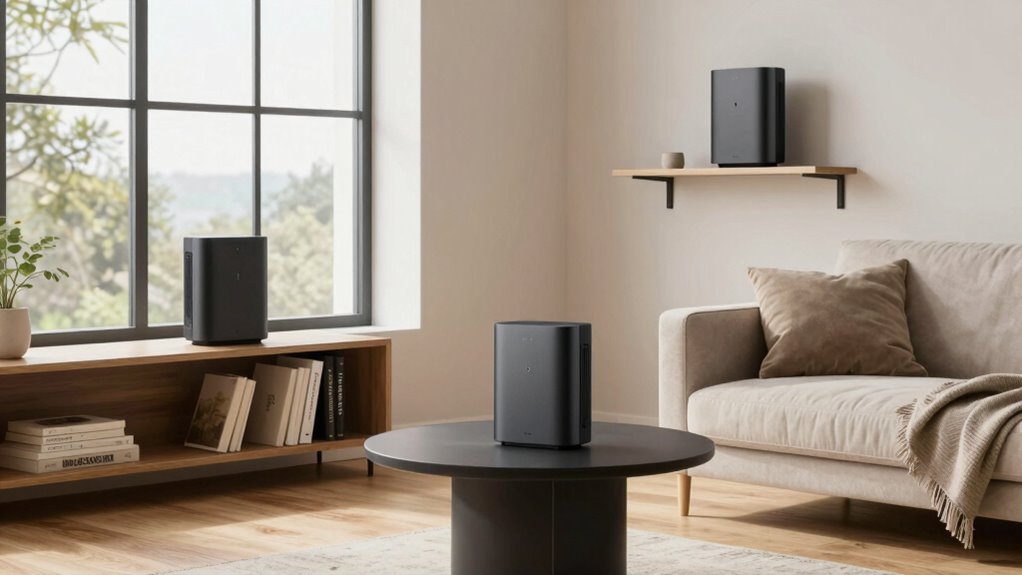
Choosing the right mesh Wi-Fi system begins with understanding your home’s unique needs and layout. Consider the size and construction of your space—larger or multi-story homes may require more nodes for coverage. Look for systems that prioritize strong network security features to protect your devices and data. Device compatibility is also vital; confirm the system supports your smartphones, smart home devices, and streaming equipment. Check if the mesh system is easy to set up and manage through a user-friendly app. Budget matters, but don’t compromise on essential features like security and compatibility. By evaluating these factors, you can select a mesh Wi-Fi system that provides reliable coverage, maintains security, and seamlessly supports all your connected devices. Additionally, understanding trusted businesses and services near you can help ensure you purchase your system from reputable sources that offer reliable products and support. Considering the importance of network security features, choosing a system with robust encryption and regular updates can safeguard your connected devices from potential threats. Moreover, researching trusted brands can help you identify options that are known for quality and customer satisfaction. When selecting a mesh system, it’s also beneficial to review field‑of‑view and imaging‑scale examples to better understand coverage and performance capabilities in various home layouts. Understanding the design and placement of nodes within your home can significantly influence overall network performance and speed.
As an affiliate, we earn on qualifying purchases.
Where Should You Place Mesh Nodes in a Large House?
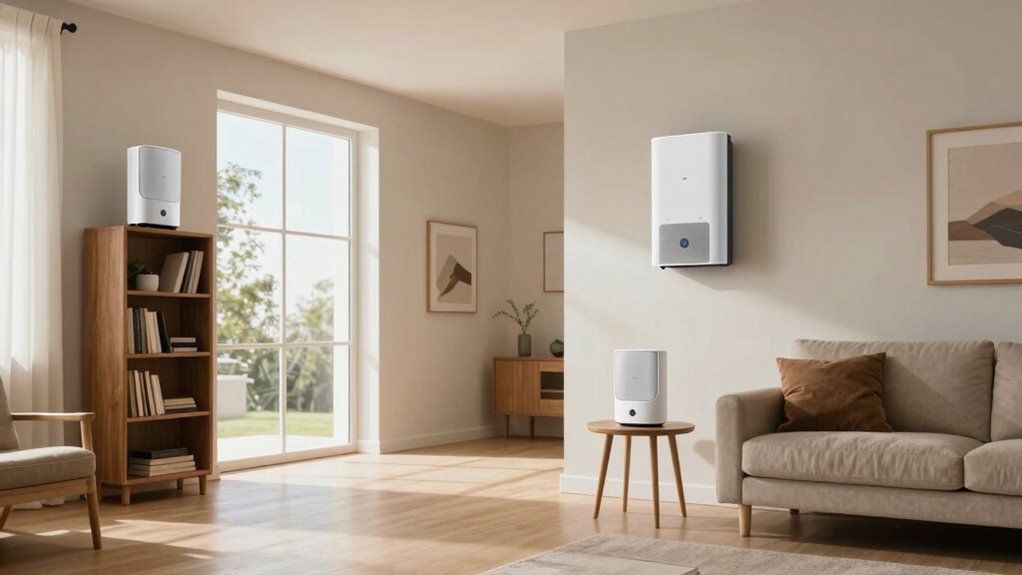
To get the best coverage, place your mesh nodes in central locations within your home. Keep them away from thick walls, metal objects, and other sources of interference that can impair the signal. Proper placement ensures a strong, reliable connection throughout your large house. Additionally, considering auditory processing challenges can help optimize the placement for improved overall connectivity. Ensuring your nodes are positioned to minimize signal interference can significantly enhance network performance. Being mindful of environmental factors can further improve signal strength and stability throughout your space. Regularly checking and adjusting node placement based on performance feedback can help maintain optimal network speeds and effective coverage.
Central Location Advantage
Placing your mesh nodes in a central location considerably improves Wi-Fi coverage throughout a large house. This strategy guarantees the signal reaches all areas effectively while minimizing dead zones. To maximize the central location advantage, imagine these three scenarios:
- You position a node on the main floor, avoiding walls that cause signal interference.
- You select a spot on the second floor, equidistant from bedrooms and living spaces.
- You avoid placing nodes near large metal objects or electronic devices that can disrupt the signal.
- Considering the use of Free Floating placement can further optimize coverage by allowing flexible positioning without fixed mounting, which is especially beneficial for maintaining consistent signal strength across different areas of your home.
- Additionally, placing nodes at interior corners can help extend coverage to wider areas, preventing weak spots. Proper placement can also help reduce interference, ensuring a more reliable connection throughout your home.
- Incorporating mesh network principles, such as strategic node placement, can significantly enhance overall Wi-Fi performance and stability.
Avoid Obstructions and Interference
Positioning your mesh nodes in areas free from obstructions guarantees a stronger, more reliable signal. Material barriers like thick walls, metal furniture, or large appliances can weaken Wi-Fi signals and cause dead zones. To minimize interference sources, avoid placing nodes near devices that emit electromagnetic interference, such as microwaves, cordless phones, or baby monitors. Keep nodes elevated and clear of clutter to prevent signal blockage. When selecting locations, ensure there’s a direct line of sight whenever possible, especially in large houses with multiple rooms. Reducing interference sources and avoiding material barriers helps maintain maximum speeds and stability across your mesh network. Proper placement ensures your Wi-Fi remains fast, reliable, and resistant to interference. Understanding signal propagation can further improve your placement strategy for optimal coverage. Additionally, considering mesh network fundamentals can help you optimize coverage and performance more effectively, especially by understanding how signals travel through obstacles.
How to Position Mesh Nodes for Better Speed and Coverage

Strategically placing your mesh nodes can considerably boost both your Wi-Fi speed and coverage. Focus on reducing interference and boosting signals by positioning nodes thoughtfully.
Consider these tips:
- Place nodes in open spaces, elevated from furniture, to minimize interference and maximize signal boosting.
- Keep nodes within a good range of each other—about one to two rooms apart—to ensure seamless connectivity.
- Avoid walls and appliances that block signals; instead, position nodes where signals can travel freely, enhancing coverage and reducing dead zones.
Common Mistakes When Placing Mesh Nodes and How to Fix Them
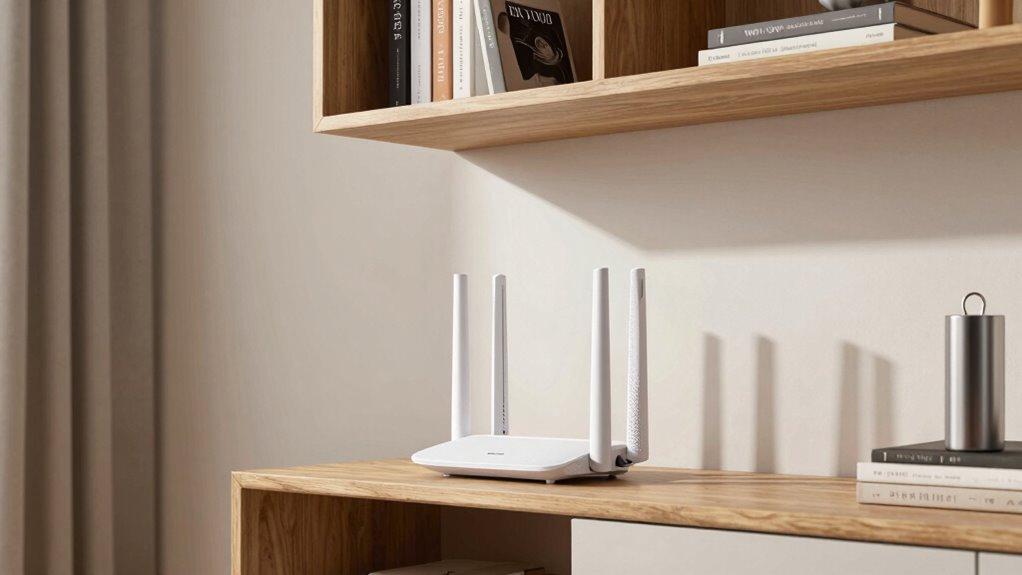
One common mistake is neglecting to place mesh nodes centrally, which can cause weak spots in your coverage. Overlooking obstructions like walls or furniture also hampers signal strength and speeds. Fix these issues by positioning nodes in open, central locations and removing or minimizing obstacles.
Ignoring Central Placement
Ignoring central placement is a common mistake that can substantially weaken your mesh Wi-Fi network. When you neglect to position nodes centrally, you create weak spots where signals struggle to reach. Proper node positioning ensures even coverage and ideal speed.
Imagine:
- Placing a node in a corner, leaving the living room underserved.
- Positioning a router behind bulky furniture, obstructing signals.
- Forgetting to place a node at the home’s core, causing slow zones.
Failing to prioritize central placement reduces the mesh network’s effectiveness. Instead, position your main node in a central spot, then extend coverage outward. This setup guarantees strong, consistent signals across your entire space. Proper node positioning is key to maximizing your mesh Wi-Fi’s speed and reliability.
Overlooking Obstructions
Obstructions like thick walls, large furniture, or appliances can considerably weaken your mesh Wi-Fi signals if you overlook them when placing nodes. Signal obstruction caused by these barriers reduces coverage and speeds, leading to dead zones. To improve performance, position nodes where they have a clear line of sight and minimal interference. Avoid placing nodes behind thick walls or inside cabinets, as this can cause interference mitigation issues. Instead, keep nodes elevated and in open areas to maximize signal strength. Regularly check signal quality and adjust node placement to bypass obstructions. This simple step prevents unnecessary signal obstruction and interference, ensuring your mesh network delivers consistent, high-speed coverage throughout your space. Proper placement is key to maximizing your Wi-Fi’s potential.
Using Signal Testing Tools to Optimize Mesh Node Placement

To guarantee your mesh Wi-Fi system performs at its best, using signal testing tools is essential for pinpointing ideal node placement. These tools help you identify areas with weak or strong signals, ensuring ideal coverage. When conducting signal testing, imagine:
Using signal testing tools ensures optimal mesh Wi-Fi coverage and node placement.
- Walking through your home with a device that measures Wi-Fi strength, revealing dead zones.
- Noticing signal dips behind thick walls or large furniture that block connectivity.
- Moving nodes to locations where signal testing shows maximum strength and minimal interference.
How to Maintain and Adjust Your Mesh Network for Peak Performance

Regularly maintaining and adjusting your mesh network is key to keeping your Wi-Fi running smoothly. Start by checking for firmware updates, as manufacturers release improvements that enhance speed, stability, and security. Keeping your firmware current guarantees your network stays protected against vulnerabilities and performs at its best. Additionally, regularly review your network security settings—change passwords periodically and enable encryption to prevent unauthorized access. If you notice slowdowns or connectivity issues, reposition nodes or add additional ones where needed. Monitoring device connections helps identify potential interference or weak spots. Periodic adjustments and updates keep your mesh network optimized for peak performance, providing reliable, high-speed Wi-Fi throughout your space. Staying proactive with maintenance ultimately extends your network’s lifespan and security.
Frequently Asked Questions
How Often Should I Update My Mesh Wi-Fi Firmware?
You should update your mesh Wi-Fi firmware as often as updates are available, ideally every few months. Firmware updates improve security, fix bugs, and help your network perform better by reducing network interference. Regular updates guarantee you get the latest features and stability enhancements. Don’t wait too long—keeping firmware current minimizes vulnerabilities and maximizes your Wi-Fi speed and reliability.
Can Multiple Mesh Systems Interfere With Each Other?
Multiple mesh systems can interfere like competing voices in a crowded room. To minimize this, you should focus on interference mitigation and channel optimization. Keep the systems on different channels and avoid overlapping frequencies. Placing nodes strategically and adjusting channels helps prevent signal clashes, ensuring smooth performance. With proper setup, multiple mesh networks can coexist without interference, giving you faster, more reliable Wi-Fi throughout your space.
Is It Better to Connect Nodes via Ethernet or Wi-Fi?
Connecting nodes via Ethernet backhaul is better because it offers a more stable and faster connection, reducing wireless interference. When you use Ethernet, your mesh system isn’t competing for bandwidth over Wi-Fi, which improves overall speed and reliability. Wi-Fi backhaul can work well if Ethernet isn’t an option, but for maximum performance, especially in busy networks, Ethernet is the smarter choice.
How Does Furniture Placement Affect Mesh Wi-Fi Performance?
Furniture placement can block your Wi-Fi signal like a dam, causing signal interference and slowing your connection. You should position nodes where furniture doesn’t obstruct their line of sight, ideally in open spaces. Avoid placing nodes behind thick walls or large pieces of furniture, as these create obstructions. Keep your mesh nodes elevated and clear of clutter to guarantee maximum speed and a stable, strong connection throughout your home.
What Are Signs My Mesh Network Needs Troubleshooting?
If your mesh network slows down, you’re likely experiencing signs like frequent disconnects, slow speeds, or buffering. Network congestion can cause these issues, especially during peak hours, while device compatibility problems might lead to devices not connecting properly. You should troubleshoot by checking for interference, updating firmware, and ensuring your devices are compatible with your mesh system. Addressing these factors helps restore peak speed and connection stability.
Conclusion
Master your mesh Wi-Fi with mindful placement. Measure, move, and monitor to maximize speed and coverage. By avoiding common mistakes and utilizing testing tools, you’ll master your network’s potential. Stay sharp, stay strategic, and see your signal soar. With careful calibration and clever positioning, you’ll conquer dead zones and create a seamless, swift Wi-Fi world that works as hard as you do. Your perfect mesh setup is just a few strategic steps away!
Fall Picks
fall essentials
As an affiliate, we earn on qualifying purchases.